← How to Clear Discord Cache: A Step-by-Step Guide How to Clear Spotify Cache: A Step-by-Step Guide for Android Users →
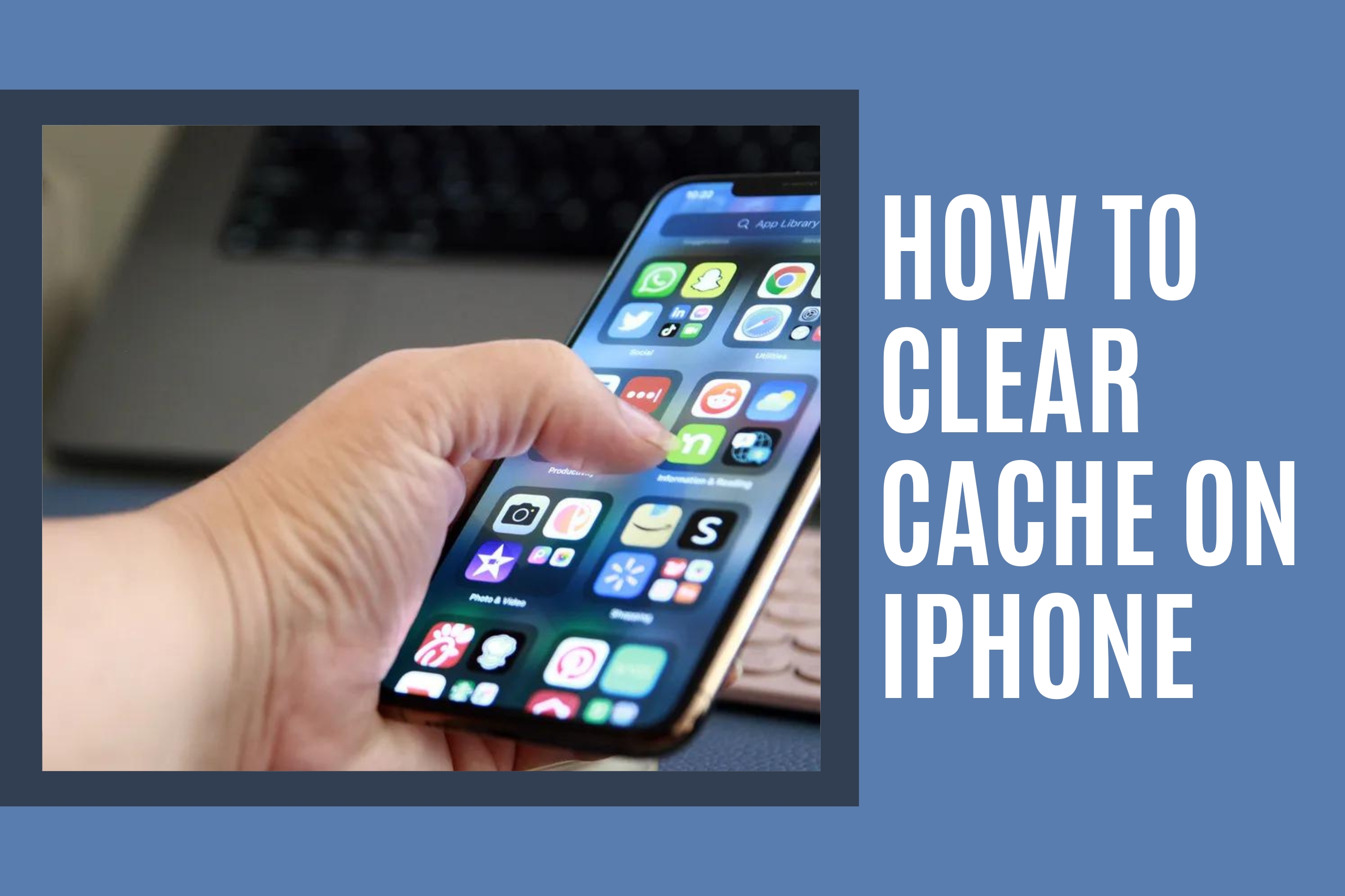
If your iPhone is running slowly, apps are crashing, or a website is showing outdated content, the culprit is often a full cache. Clearing the cache on your iPhone removes temporary files that apps and browsers store to speed things up. When those files pile up or become corrupted, they can cause more harm than good. In this tutorial, you will learn exactly how to clear cache on iPhone using safe, built-in methods. You will also learn how to clear Safari’s cache, remove app-specific data, and free up valuable storage space without deleting your personal files or photos.
Step 1: Clear Safari Cache and Website Data
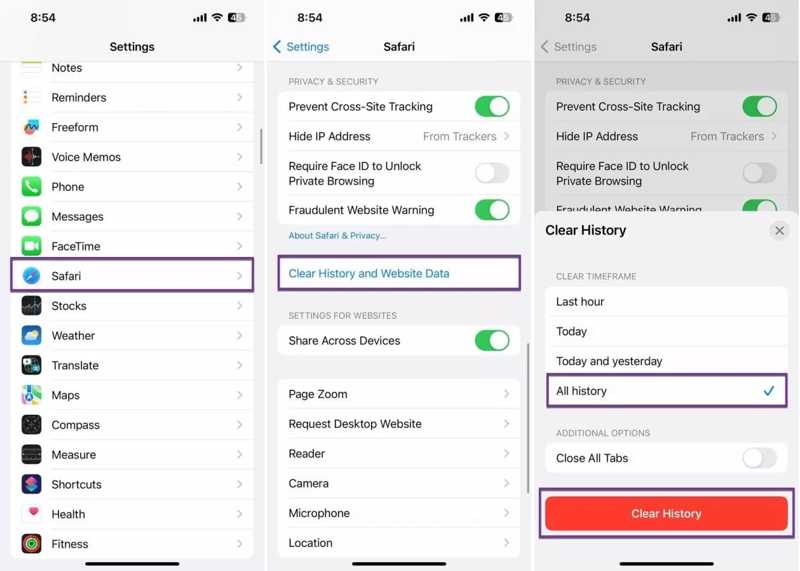
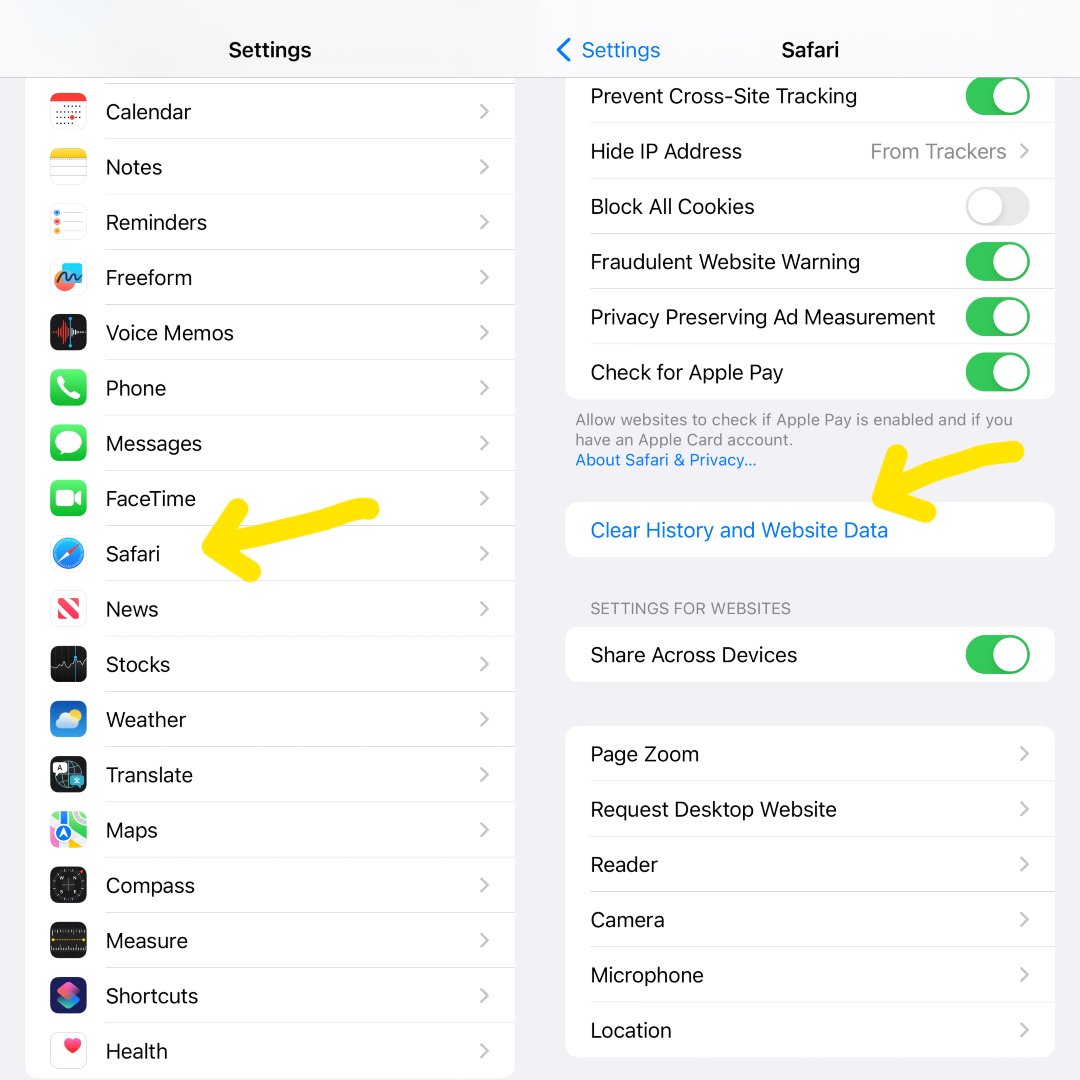
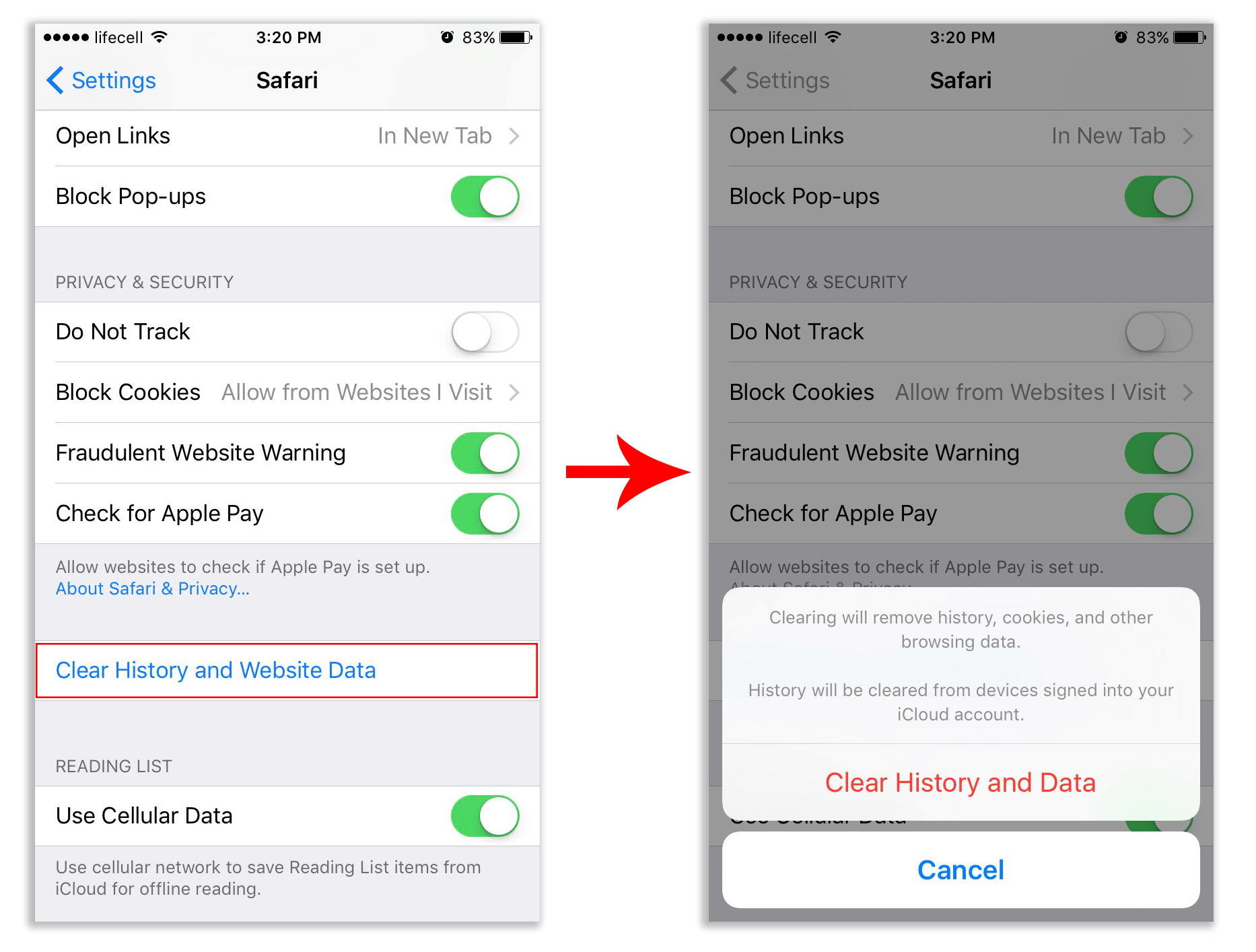
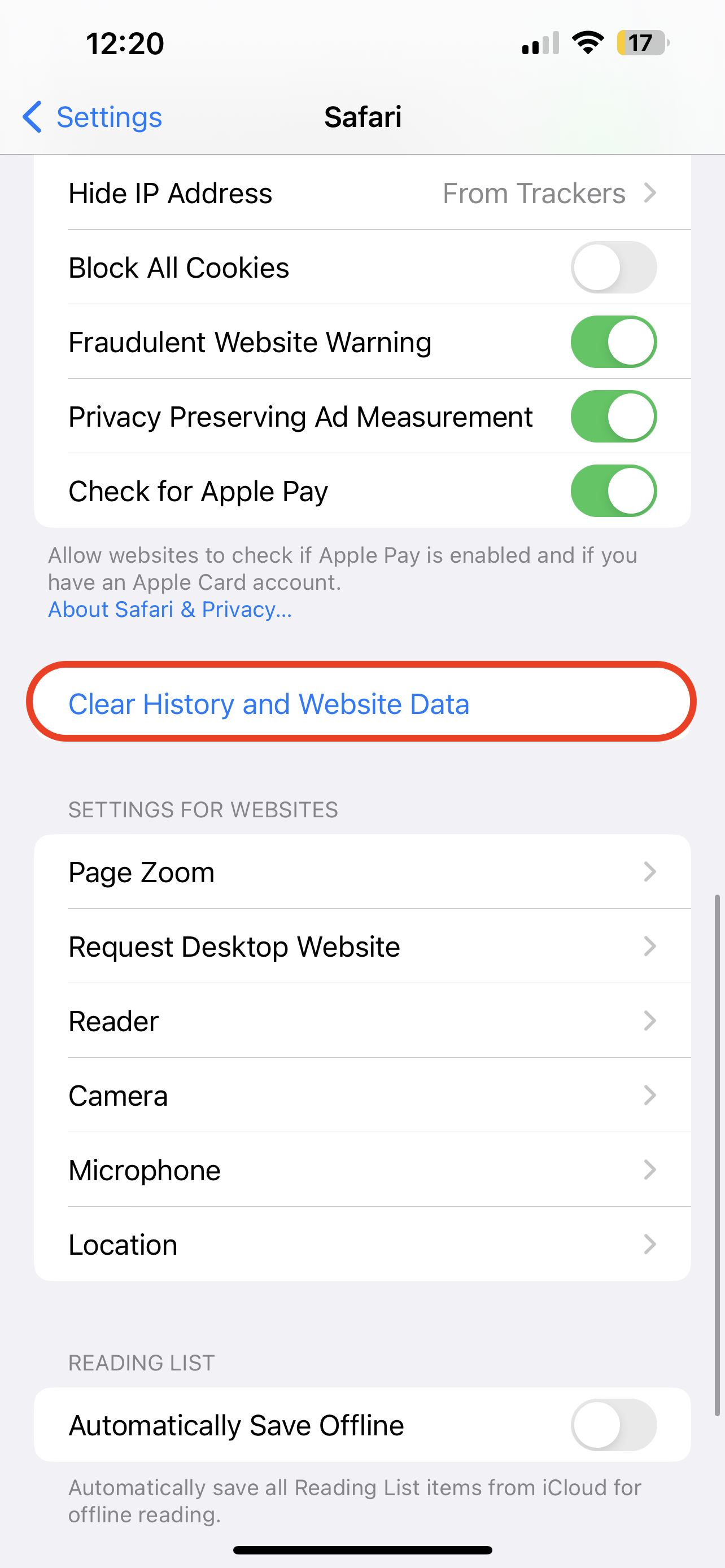
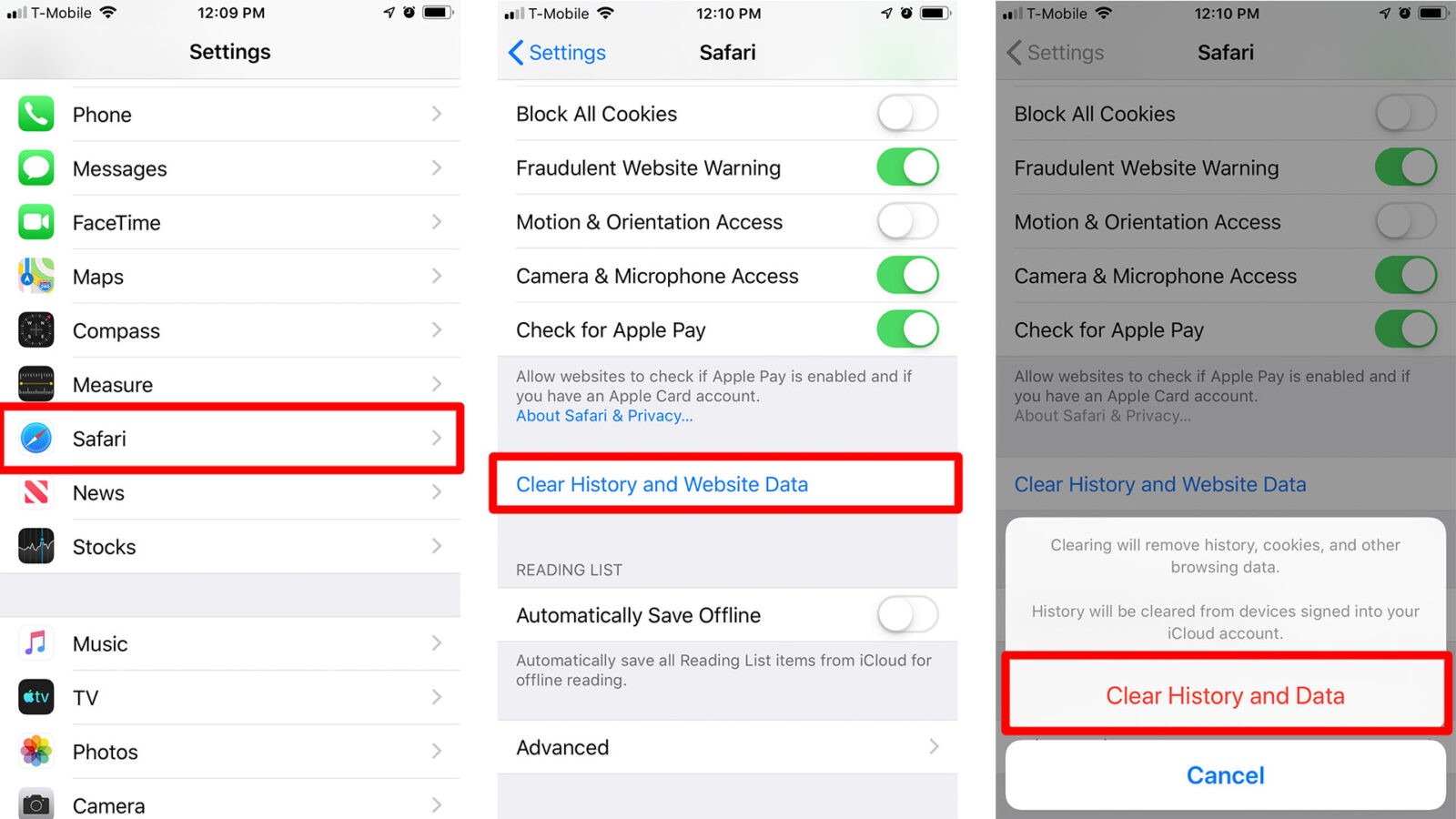
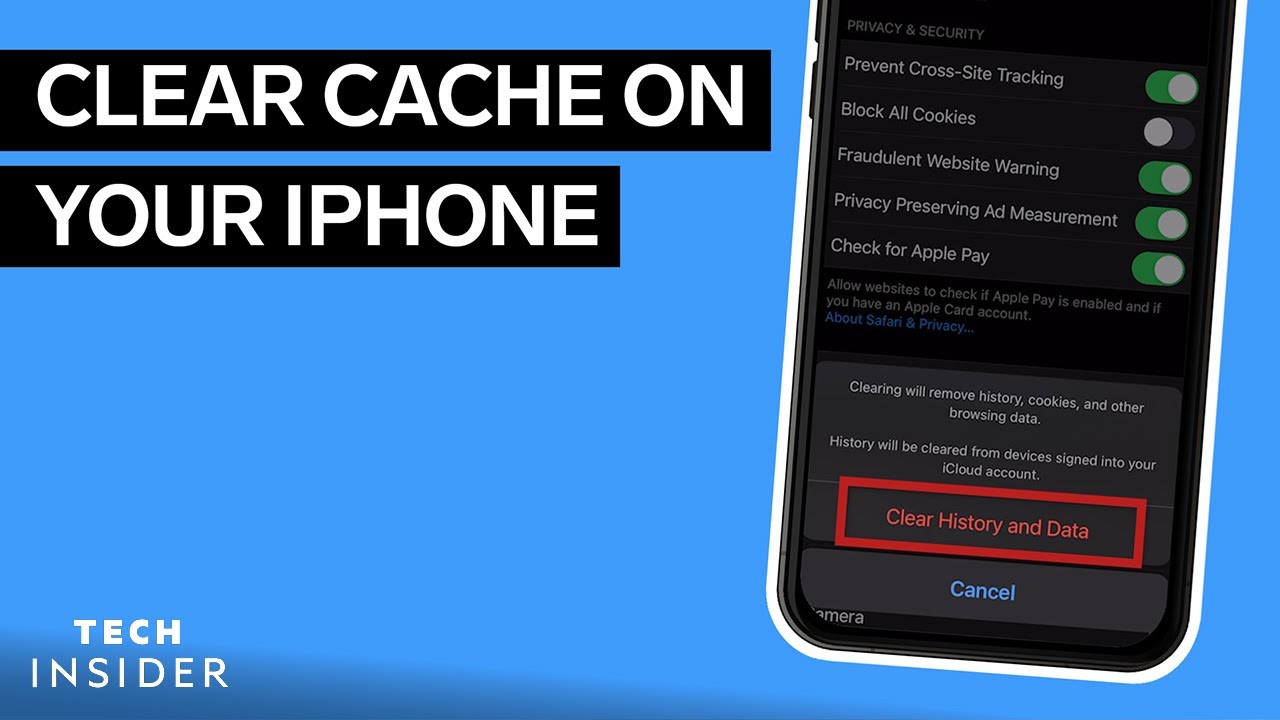
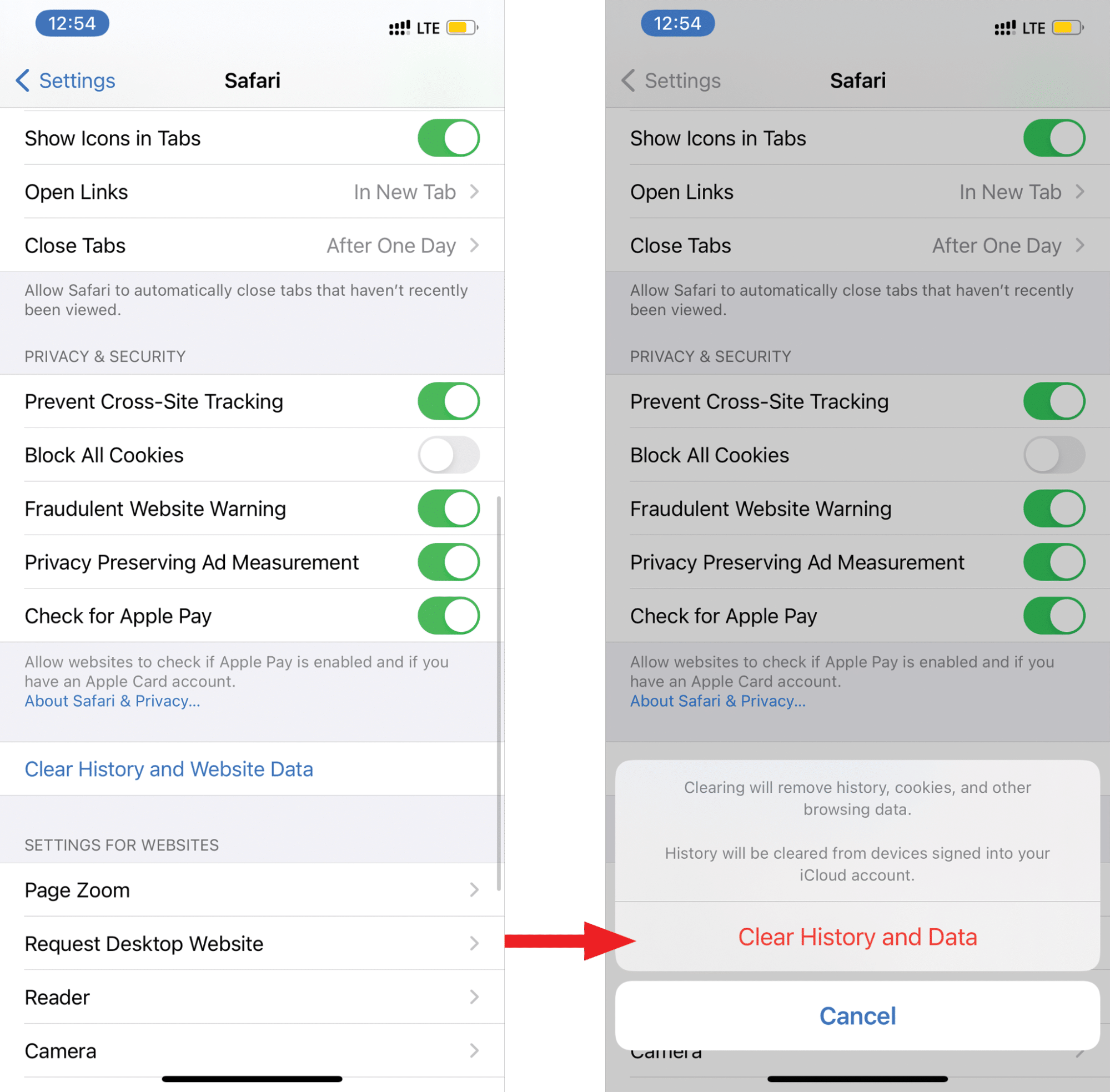
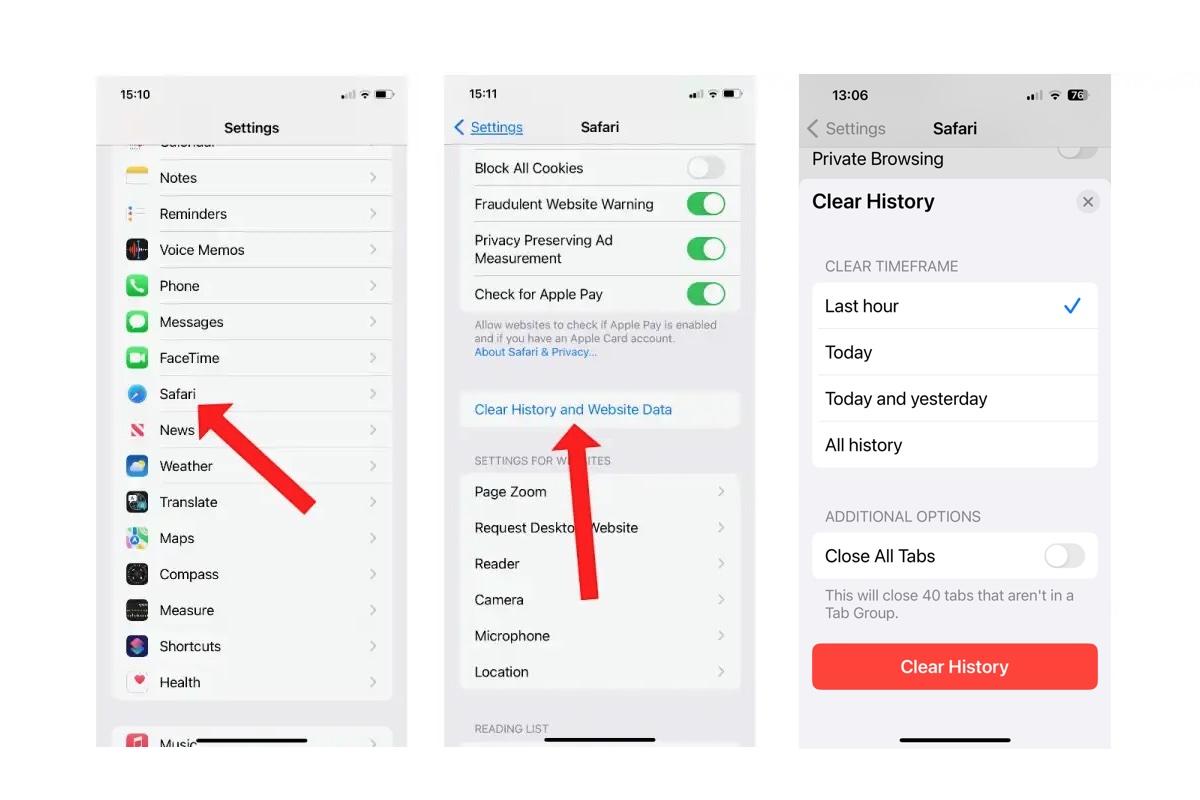
Safari stores website data to load pages faster. To clear it, open the Settings app, scroll down, and tap Safari. Tap Clear History and Website Data, then confirm by tapping Clear History and Data again. This removes your browsing history, cookies, and cached files. Your bookmarks and saved passwords remain safe. After this, websites will load fresh, and login sessions may require you to sign in again.
Step 2: Clear Cache for Individual Apps
Most apps do not have a universal “clear cache” button. Instead, you must open the app itself and look for a settings or storage menu. For example, in Facebook, tap Menu, then Settings & Privacy, then Settings, then Browser, and tap Clear next to browsing data. For Instagram, go to Settings > Account > Clear Search History and also clear cache from your device settings if available. If an app does not offer a clear cache option, proceed to Step 3.

Step 3: Offload or Reinstall the App
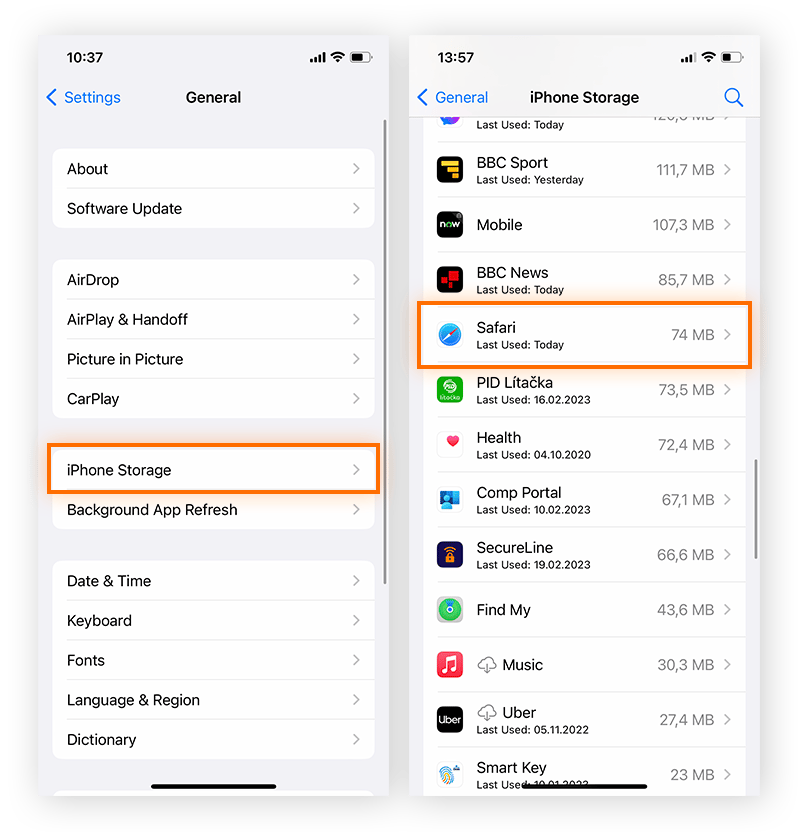
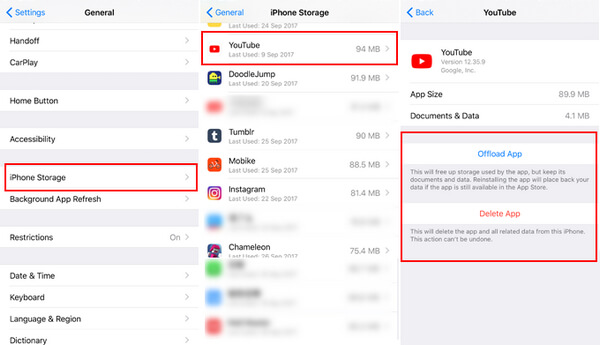
If an app has no cache-clearing option, offloading it removes the app’s temporary cache while keeping its documents and data. Go to Settings > General > iPhone Storage. Find the app, tap it, then tap Offload App. Confirm. The app icon stays on your home screen but is marked as offloaded. To use it again, tap the icon to reinstall it. If offloading does not help, tap Delete App instead, then reinstall it from the App Store. This completely clears the cache but may erase app-specific progress unless the app stores data in the cloud.
Step 4: Clear System and Browser Cache via Restart
A simple restart clears many temporary system caches held in RAM. Press and hold the side button and either volume button until the power-off slider appears. Slide it to turn off your iPhone. Wait 30 seconds, then press and hold the side button again until the Apple logo appears. This does not delete personal data, but it flushes system-level cache and can fix glitches. For a deeper clean, you can also reset network settings, but that will erase saved Wi-Fi passwords.
Step 5: Use a Third-Party Cleaner (Optional)
Some apps like “Cleaner” or “Phone Clean” claim to remove cache. Be careful: iOS restricts these apps from accessing other apps’ caches. They can only clear their own data and help you find large files. For safety, stick to the built-in methods above. If you still need space, delete old messages, videos, and unused apps from iPhone Storage.
Step 6: Prevent Cache Buildup
To avoid future slowdowns, clear Safari cache monthly. Also, restart your iPhone once a week. For apps that support it, enable automatic cache clearing in their settings. Finally, keep your iOS updated, as updates often improve cache management. Now you know how to clear cache on iPhone quickly and safely. Repeat these steps whenever your phone feels sluggish or an app misbehaves.
How To Clear App Cache Without Deleting App On IPhone Simply?

How To Clear App Cache Without Deleting App On iPhone Simply?
How To Clear Cache And Cookies On Your IPhone
How to Clear Cache and Cookies on Your iPhone
How To Clear Cache & Cookies On IPhone & IPad In Top Browsers

How to clear cache & cookies on iPhone & iPad in top browsers
Clear The Cache On An IPhone With Step-by-step Guide
Clear the Cache on an iPhone with Step-by-step Guide
How To Clear App Cache On Iphone – OVNI
How To Clear App Cache On Iphone – OVNI
How To Clear Safari Cache On IPhone
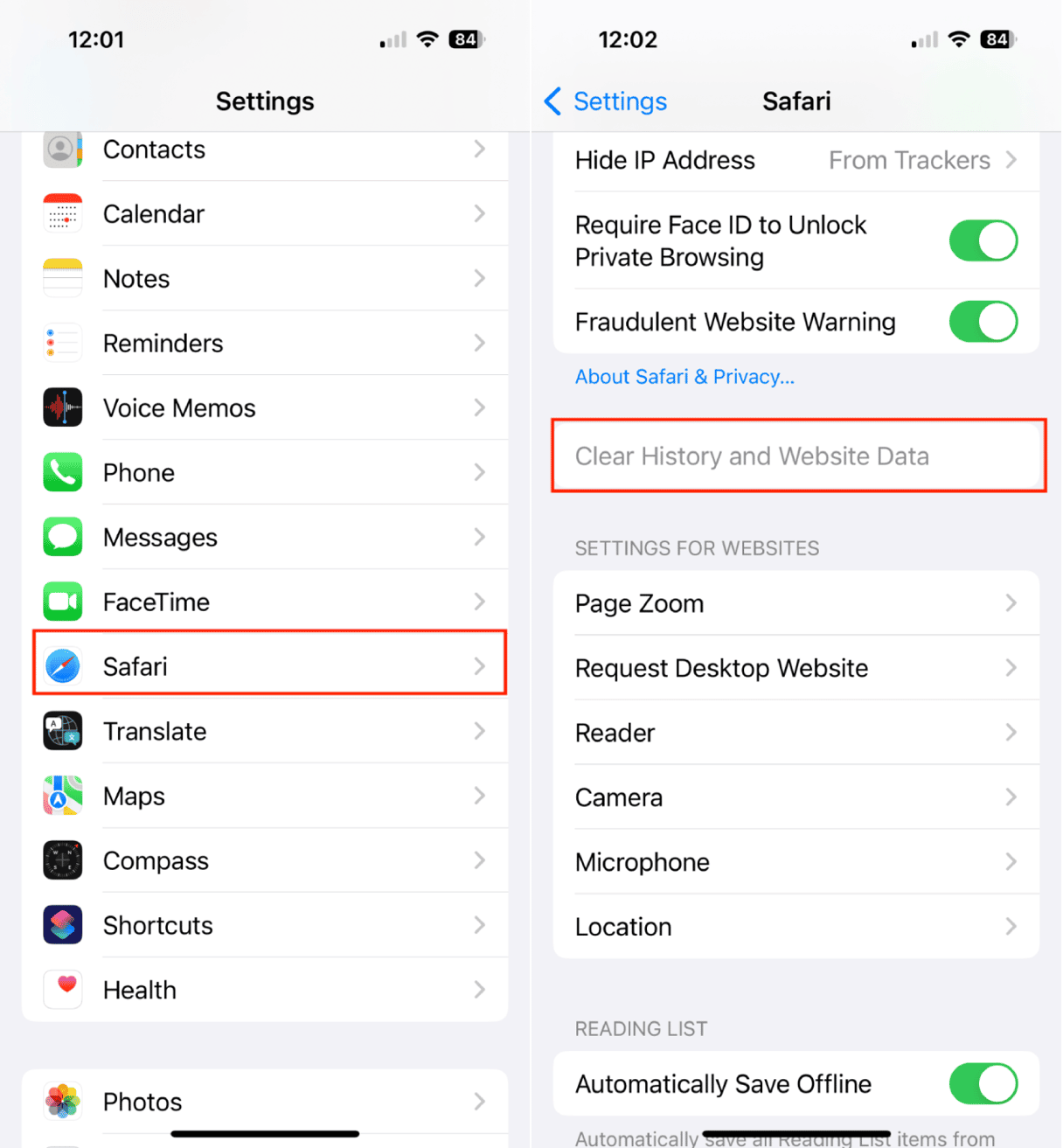
How to clear Safari cache on iPhone
How To Clear Cache On IPhone & IPad | IMore
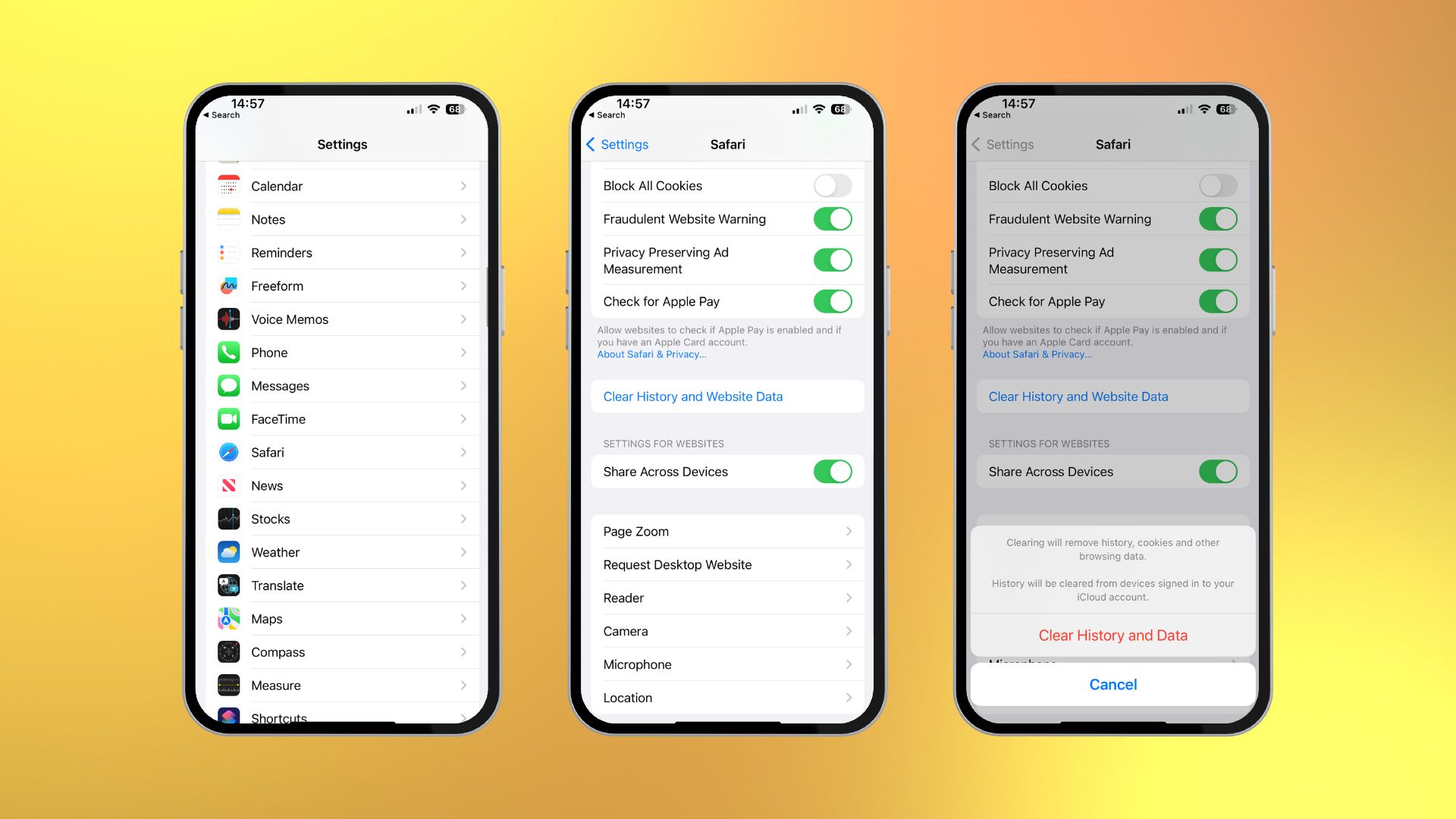
How to clear cache on iPhone & iPad | iMore
Clear App Cache Iphone - Perumperindo.co.id
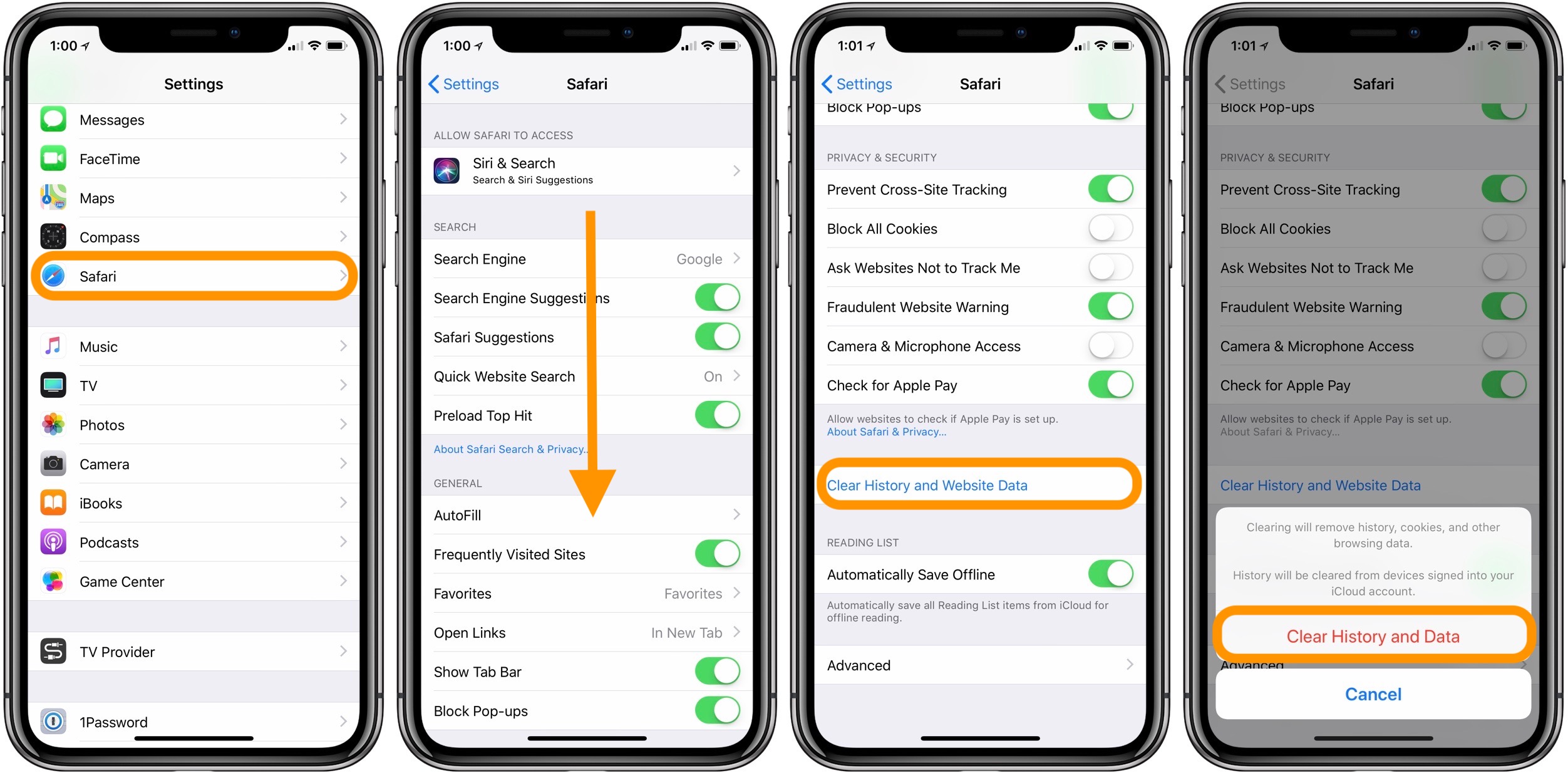
Clear App Cache Iphone - Perumperindo.co.id
How To Clear Cache On IPhone Clear App Cache Data And Make IPhone

How to Clear Cache on iPhone Clear App Cache Data and Make iPhone ...
Clear Iphone App
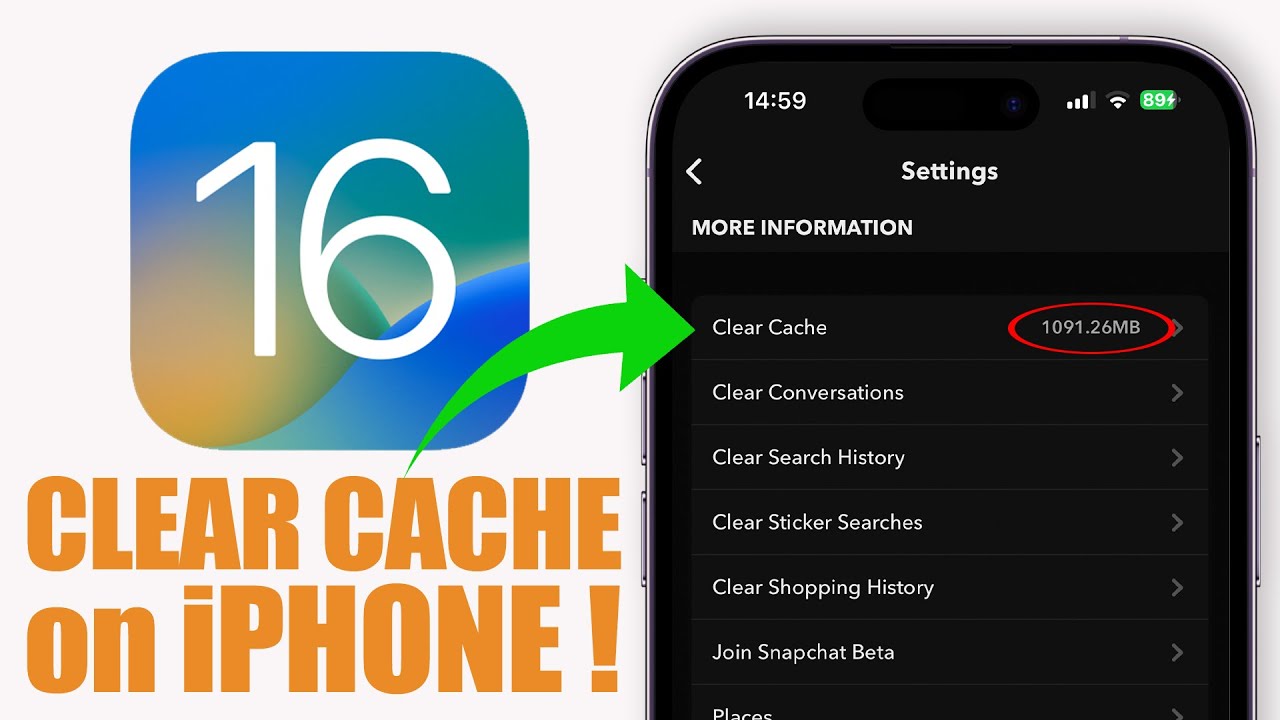
Clear Iphone App
[iOS 15] How To Completely Clear Cache On IPhone 12/12pro
![[iOS 15] How to Completely Clear Cache on iPhone 12/12pro](https://images.imyfone.com/en/images/2020/05/remove-app-data-from-icloud.png)
[iOS 15] How to Completely Clear Cache on iPhone 12/12pro
How To Clear The Cache On IPhone And IPad – Tech Advisor

How to Clear the Cache on iPhone and iPad – Tech Advisor
How To Clear IPhone Cache Easily And Completely
How to Clear iPhone Cache Easily and Completely
Cache Cleaning: Clearing Cache On IPhone 12 | CitizenSide
Cache Cleaning: Clearing Cache on iPhone 12 | CitizenSide
How To Clear Cache On IPhone - Pttrns

How To Clear Cache On iPhone - Pttrns
How To Clear App Cache On Iphone – OVNI
How To Clear App Cache On Iphone – OVNI
How To Clear Cache On IPhone: A Practical Approach
How to Clear Cache on iPhone: A Practical Approach
How To Clear Your IPhone Cache
:max_bytes(150000):strip_icc():format(webp)/003_clear-iphone-cache-4178428-36ea5a55945848a59a79a0899edbbfdf.jpg)
How to Clear Your iPhone Cache
How To Clear Cache And Cookies On Your IPhone
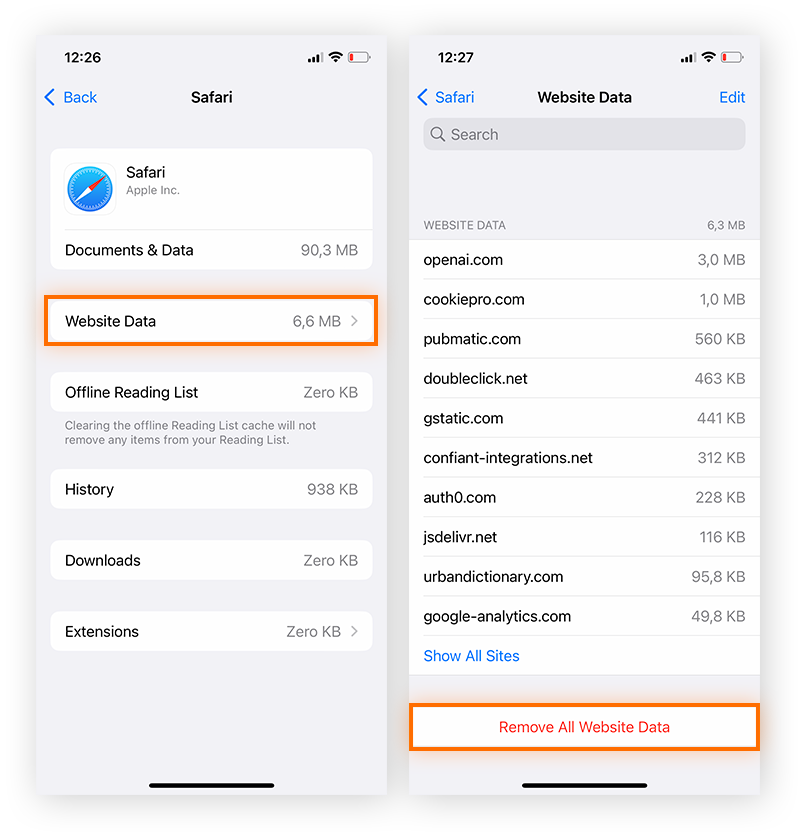
How to Clear Cache and Cookies on Your iPhone
How To Clear Cache On IPhone: A Simple Step-by-Step Guide For Faster

How to Clear Cache on iPhone: A Simple Step-by-Step Guide for Faster ...
How To Clear Cache On IPhone - Complete Guide For All Apps (2025

How to Clear Cache on iPhone - Complete Guide for All Apps (2025 ...
How To Clear Cache On Iphone Ipad From Safari And Other Apps – Artofit

How to clear cache on iphone ipad from safari and other apps – Artofit
How To Clear Safari Cache On IPhone
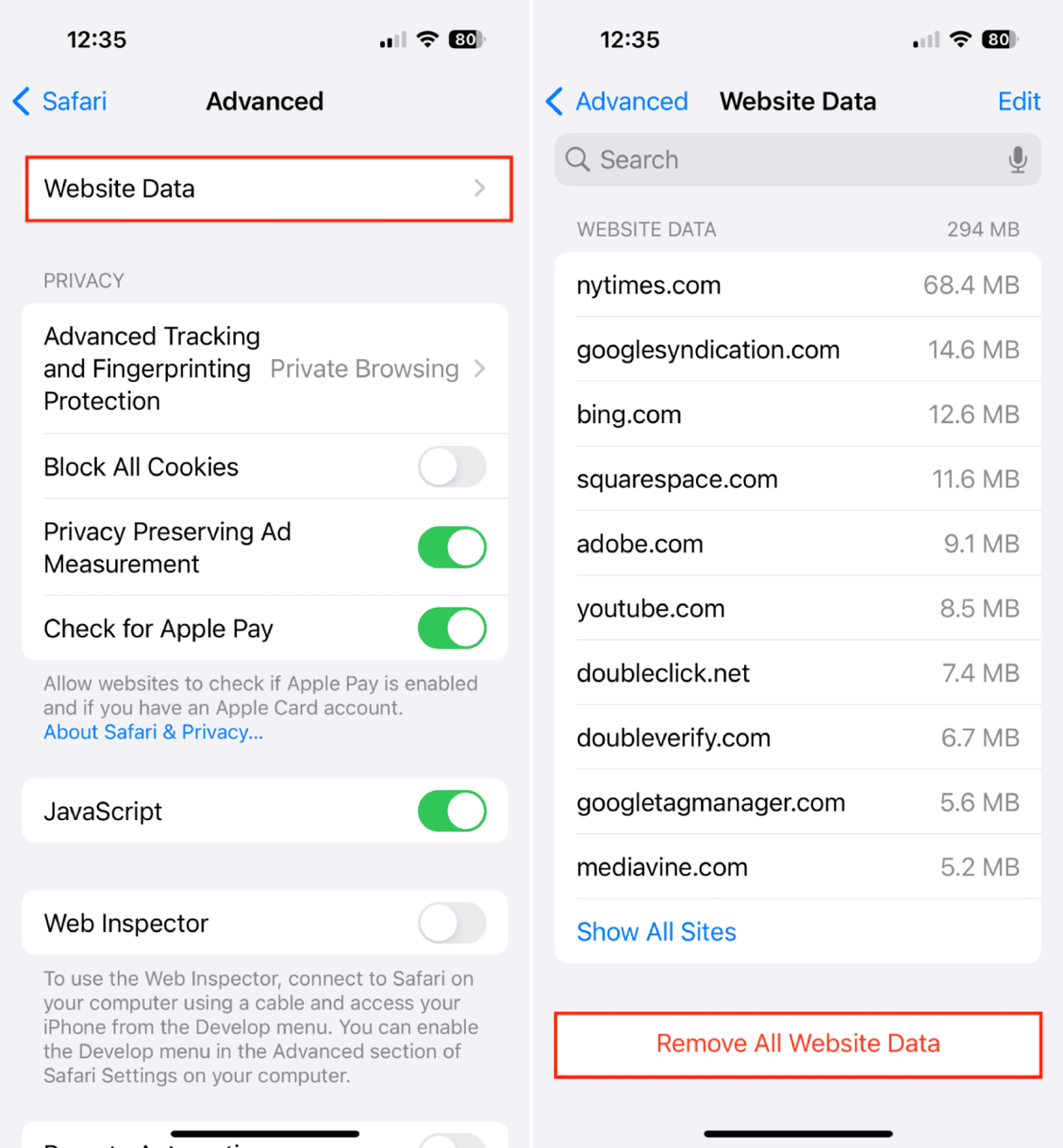
How to clear Safari cache on iPhone
How To Clear App Cache On IPhone And Delete Browser History

How to Clear App Cache on iPhone and Delete Browser History
How To Clear Your IPhone Cache | Tom's Guide
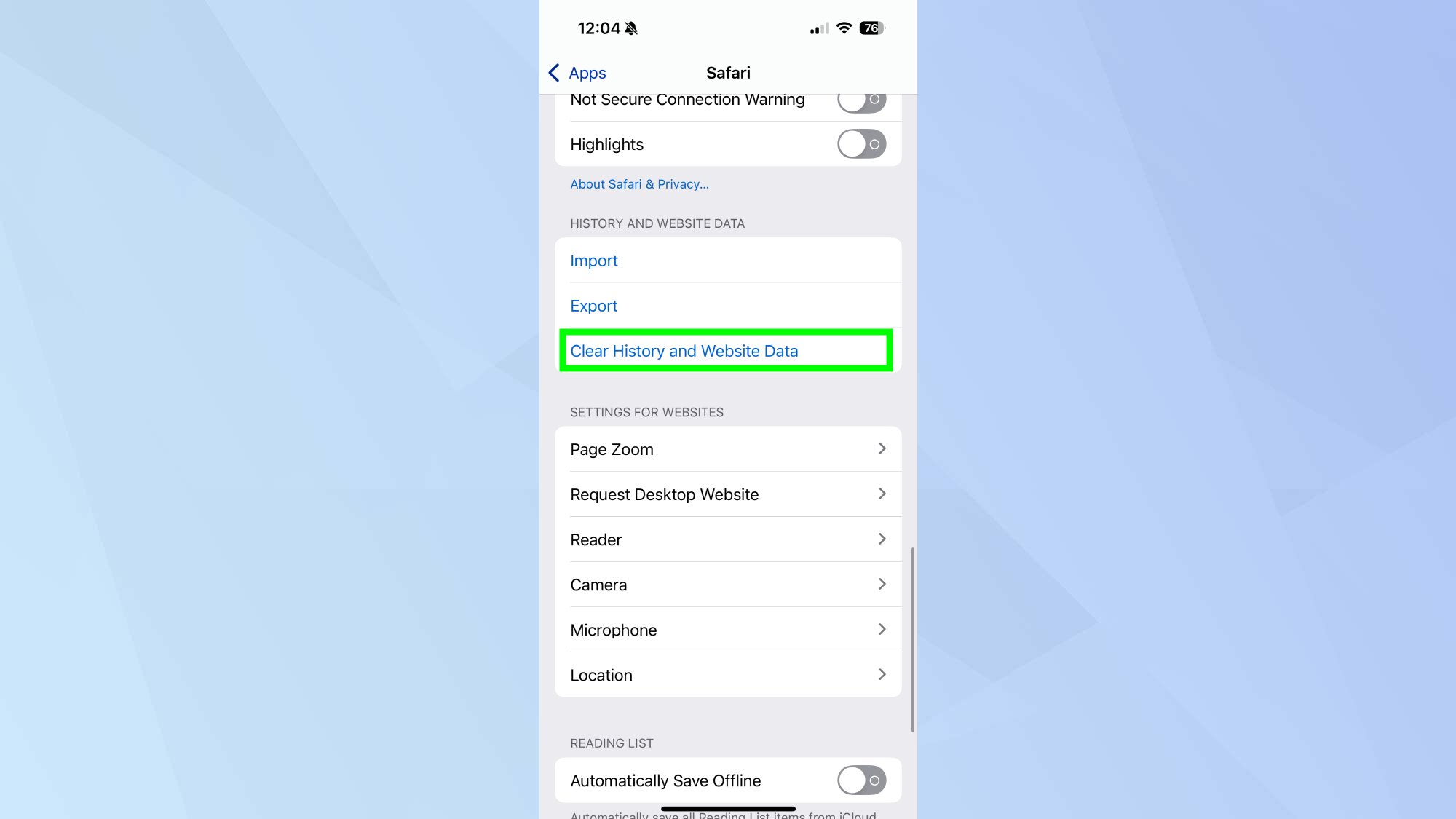
How to clear your iPhone cache | Tom's Guide
How To Clear Cache And Cookies On Your IPhone
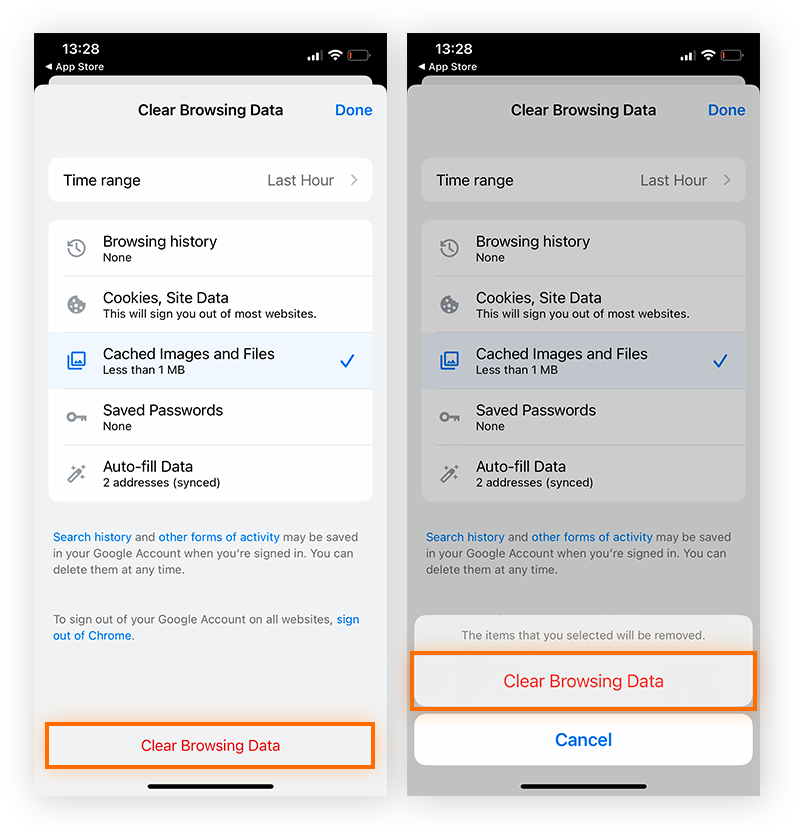
How to Clear Cache and Cookies on Your iPhone
Clear Safari Cache On Iphone , How To Clear YouTube Cache On IPhone: A
Clear Safari Cache On Iphone , How to Clear YouTube Cache on iPhone: A ...
Clear Cache On Iphone – How To Clear Cache And Cookies On Your IPhone
Clear Cache On Iphone – How to Clear Cache and Cookies on Your iPhone ...
How To Clear IPhone Cache - Three Ways | Nektony
How to Clear iPhone Cache - Three Ways | Nektony
How To Clear Your IPhone Cache
:max_bytes(150000):strip_icc()/001_clear-iphone-cache-4178428-da3a2d2d291b4688b386b1ab8f59cf10.jpg)
How to Clear Your iPhone Cache
How To Clear Cache On IPhone & IPad | Macworld
How to clear cache on iPhone & iPad | Macworld
[iOS 15] How To Completely Clear Cache On IPhone 12/12pro
![[iOS 15] How to Completely Clear Cache on iPhone 12/12pro](https://images.imyfone.com/en/images/2016/04/clear-safari-cache.jpg)
[iOS 15] How to Completely Clear Cache on iPhone 12/12pro
How To Clear Cache And Cookies On IPhone - GeeksforGeeks
How to Clear Cache and Cookies on iPhone - GeeksforGeeks