← Netflix Not Loading in Chrome? 7 Proven Fixes That Work Telegram Not Sending Messages? Step-by-Step Fix Guide →
Maintaining a secure WordPress website begins with protecting your administrative credentials. Whether you have forgotten your current password, suspect unauthorized access, or simply wish to rotate your login details as a security best practice, knowing how to change your WordPress admin password is an essential skill. This tutorial walks you through the complete process, from logging into your dashboard to confirming that your new password is active. By the end of this guide, you will be able to update your admin password confidently without needing any technical expertise or third-party tools.
Step 1: Log In to Your WordPress Dashboard
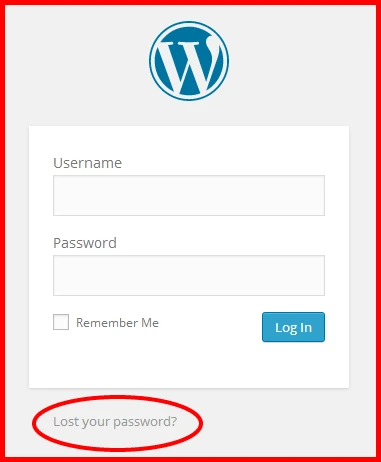
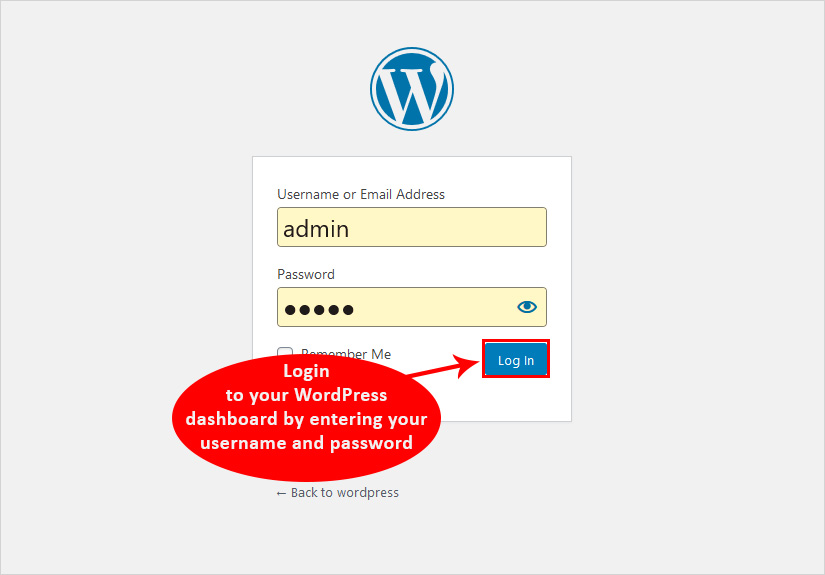
Before you can change your password, you must first access your WordPress website. Navigate to your login page, typically found at yourdomain.com/wp-admin, and enter your current username and password. Once submitted, you will be redirected to the WordPress dashboard. If you have forgotten your existing password and cannot log in, you will need to use the password reset link on the login screen or reset it directly through your hosting control panel before continuing with the steps below.
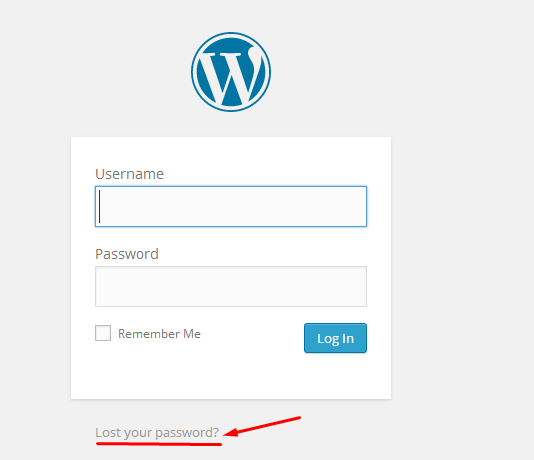
Step 2: Navigate to the Users Section
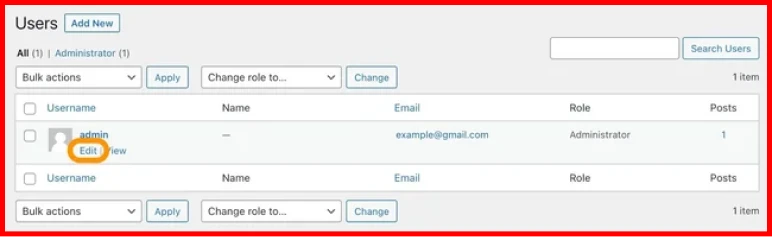
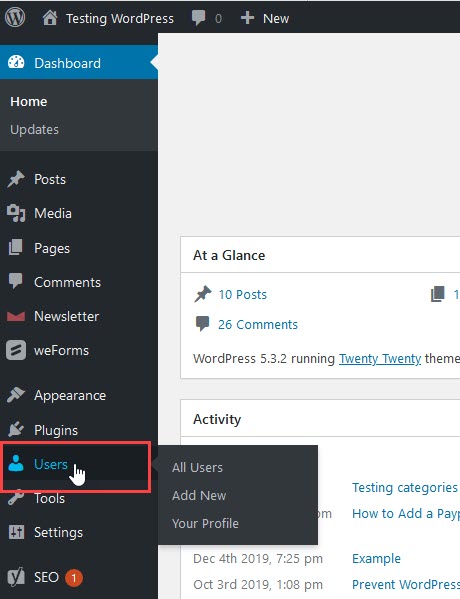
After successfully logging in, look at the left-hand sidebar of your dashboard. Locate the menu item labeled "Users" and click on it. This will open the main Users screen, which displays a list of everyone registered on your WordPress site, including administrators, editors, authors, and subscribers. Find your own account in the list, which is usually the first entry, and click on your username or the "Edit" link that appears when you hover over it. This action opens your personal profile settings page.
Step 3: Access Your Profile and Locate the Password Field
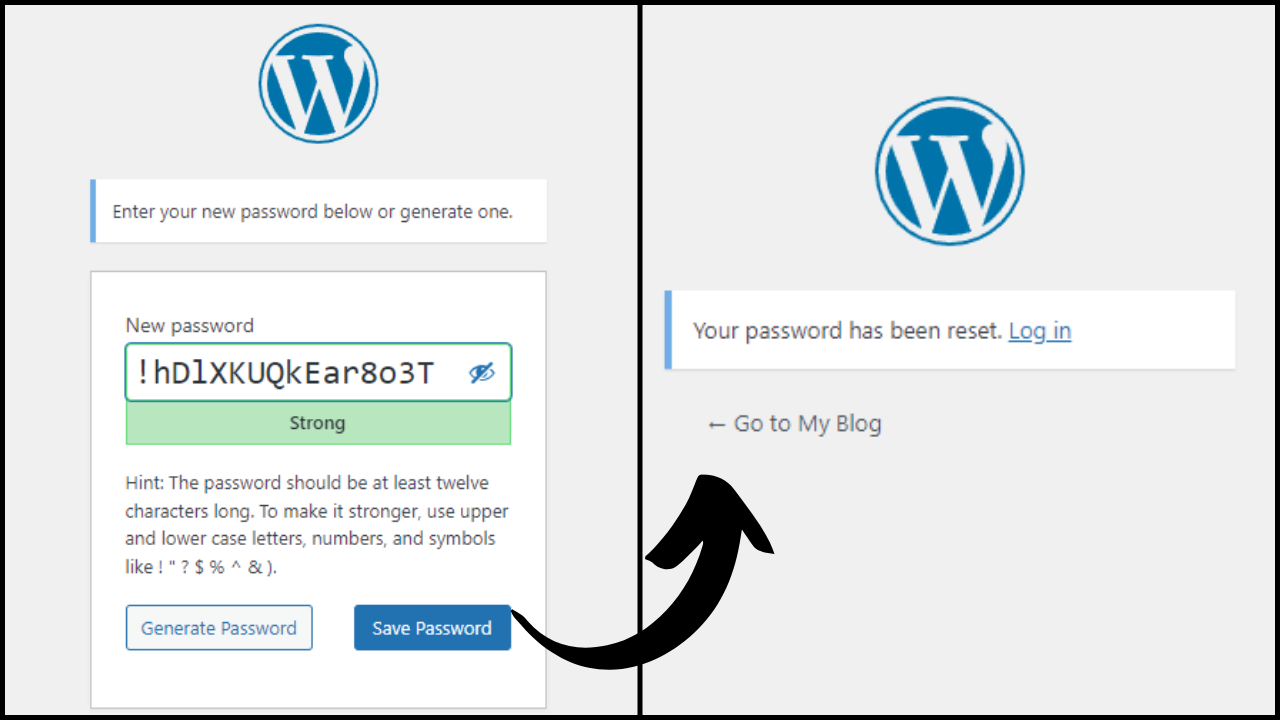
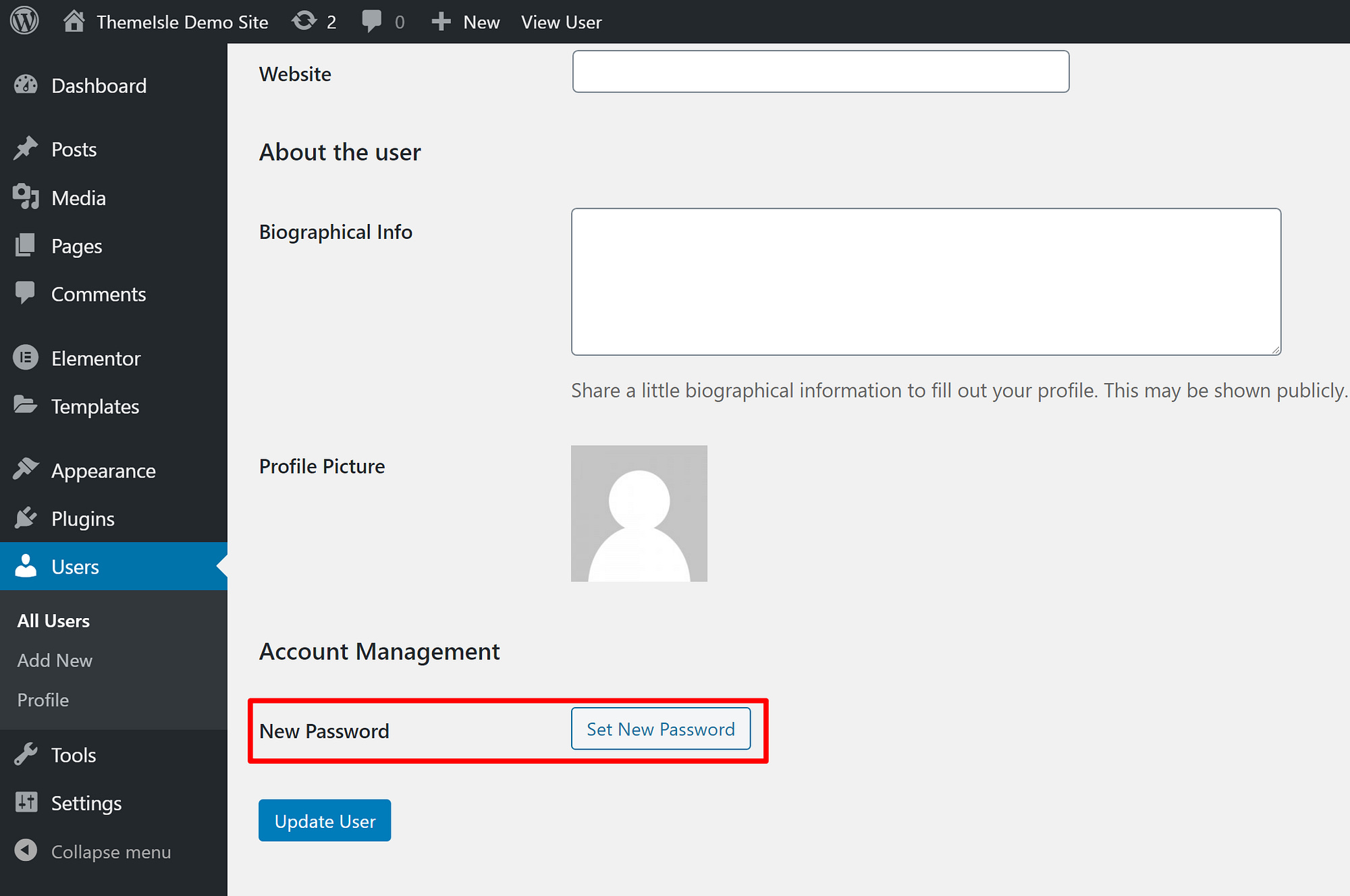
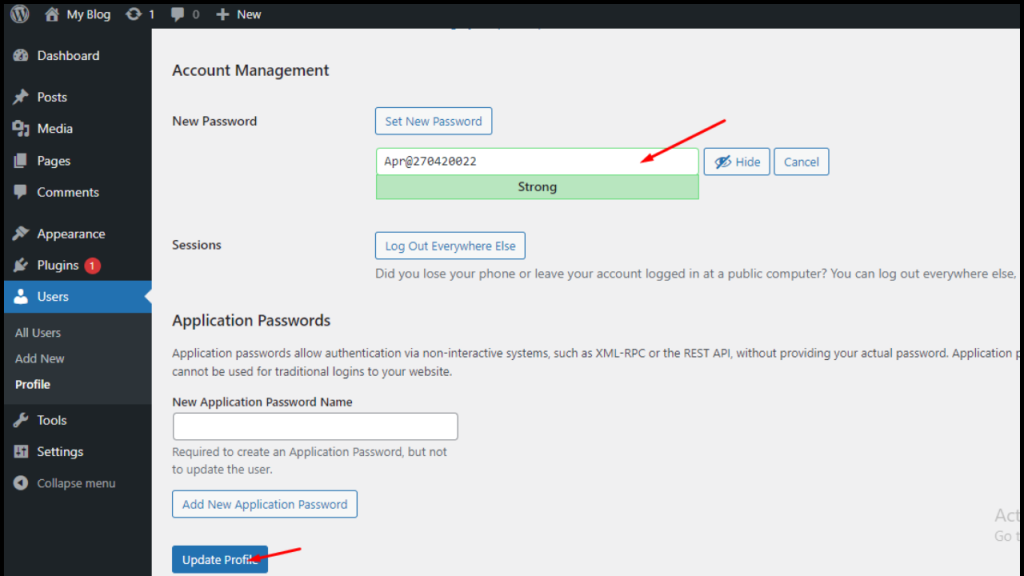
On your profile page, scroll down until you reach the "Account Management" section. Here you will find a button labeled "Set New Password." Click this button to reveal the password input fields. WordPress may generate a strong password automatically, but you are free to replace it with one of your own choosing. For optimal security, use a combination of uppercase and lowercase letters, numbers, and special characters, and aim for a minimum of twelve characters. Avoid using easily guessable information such as your name, birthdate, or common words.

Step 4: Enter and Confirm Your New Password
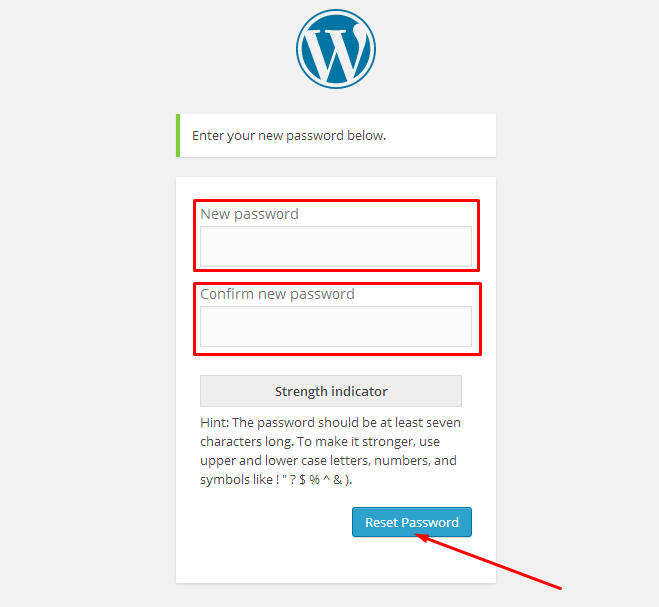
Type your desired new password into the first field. As you type, WordPress will display a strength indicator to help you gauge how secure your choice is. A green bar indicates a strong password, while red or orange suggests weakness. Re-enter the exact same password in the "Confirm New Password" field to ensure there are no typing errors. It is advisable to avoid copying and pasting the password, as hidden characters can sometimes cause login issues later. If you want WordPress to suggest a strong password, click the "Generate Password" button and then click "Copy Password" to store it safely.
Step 5: Update Your Profile and Verify the Change
Once both password fields are filled correctly, scroll to the bottom of the page and click the "Update Profile" button. WordPress will save your changes and display a confirmation message stating that your profile has been updated. To verify that the new password works, log out of your account and log back in using the new credentials. If the login is successful, your password change is complete. Additionally, consider updating any password manager or saved browser credentials to reflect the new password so you do not lose access in the future.
Step 6: Recommended Security Practices After Changing Your Password
Changing your password is only one part of maintaining a secure WordPress site. After updating your credentials, consider enabling two-factor authentication for an added layer of protection. Review the list of users on your site and remove any accounts that are no longer needed or that have administrator privileges they do not require. You may also want to set up email notifications for successful logins so you are alerted to any suspicious activity. Regularly updating WordPress core, themes, and plugins further reduces the risk of unauthorized access. By following these additional measures, you ensure that your administrative account remains resilient against common threats.
How To Change WordPress Admin Password | WP Password Reset Tips

How to Change WordPress Admin Password | WP Password Reset Tips ...
How To Change Your WordPress Admin Password Quickly | DQOT
How to Change Your WordPress Admin Password Quickly | DQOT
How To Change My WP Admin Password - Wordpress - AA Media Studios Blog

How to change my WP Admin Password - Wordpress - AA Media Studios Blog
How To Change Wordpress Admin Password [2026 Full Guide] - YouTube
![How to Change Wordpress Admin Password [2026 Full Guide] - YouTube](https://i.ytimg.com/vi/emJbXZj6Z4g/maxresdefault.jpg)
How to Change Wordpress Admin Password [2026 Full Guide] - YouTube
Change The WordPress Admin Password 3 Minutes - Wolinka

Change The WordPress Admin Password 3 Minutes - Wolinka
How To Change Or Reset Your WordPress Website’s Admin Panel Password
How to change or reset your WordPress website’s admin panel password ...
How To Change Or Reset The WordPress Admin Password? Easy Steps To
How to Change or Reset the WordPress Admin Password? Easy Steps to ...
How To Change The Password Of The WordPress Account?

How To Change The Password of The WordPress Account?
How To Change WordPress Admin Password - YouTube

How To Change WordPress Admin Password - YouTube
How To Change The WordPress Administrator Password Using WordPress Toolkit
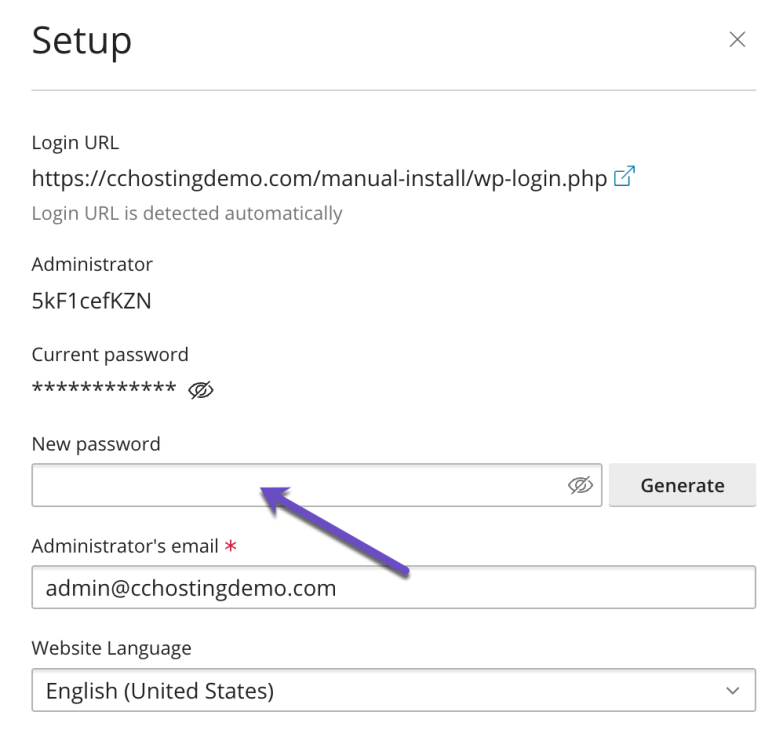
How to Change the WordPress Administrator Password Using WordPress Toolkit
How To Change Password In WordPress: Step-by-Step Guide
How to Change Password in WordPress: Step-by-Step Guide
How To Change Password In WordPress - TemplateToaster Blog
How to Change Password in WordPress - TemplateToaster Blog
How To Change The WordPress Admin Password | RunCloud Docs

How to Change the WordPress Admin Password | RunCloud Docs
How To Change Your WordPress Admin Password: A Step-by-Step Guide
How to Change Your WordPress Admin Password: A Step-by-Step Guide
How To Change Your WordPress Admin Password Quickly | DQOT
How to Change Your WordPress Admin Password Quickly | DQOT
How To Change Your WordPress Website Password | ELITEWEB.Co India (EN)

How To Change Your WordPress Website Password | ELITEWEB.Co India (EN)
How To Change The WordPress Administrator Password Using WordPress Toolkit
How to Change the WordPress Administrator Password Using WordPress Toolkit
How To Change WordPress Admin Password Via Database
How to Change WordPress Admin Password via Database
How To Change Wordpress Admin Password How To Change Wordpress Password

How to change wordpress admin password How to change wordpress password ...
How To Change WordPress Admin Password Wp-admin Password - YouTube

How To Change WordPress Admin Password wp-admin Password - YouTube
How To Change WordPress Admin Password - Kang Xiang

How To Change WordPress Admin Password - Kang Xiang
Servikus Tutorials » How To Change WordPress Admin Password
Servikus Tutorials » How to change WordPress admin password
How To Change Password WordPress || Change Password WordPress Admin

how to change password WordPress || change password WordPress admin ...
How To Change WordPress Admin Password With CPanel And PhpMyAdmin - YouTube

How To Change WordPress Admin Password with cPanel and phpMyAdmin - YouTube
Reset A WordPress Admin Password: 5 Ways (Even Without Email)

Reset a WordPress Admin Password: 5 Ways (Even Without Email)
How To Change WordPress Admin Username And Password | WP Admin User

How to Change WordPress Admin Username and Password | WP Admin User ...
5 Ways To Change Your WordPress Admin Password
5 Ways to Change Your WordPress Admin Password
How To Change Your WordPress Admin Password Quickly | DQOT
How to Change Your WordPress Admin Password Quickly | DQOT
How To Change Or Reset Your WordPress Website’s Admin Panel Password
How to change or reset your WordPress website’s admin panel password ...
How To Change WordPress Admin Password In Cpanel - YouTube

How to Change WordPress Admin Password In Cpanel - YouTube
WordPress: How To Change Or Reset Your Admin Password

WordPress: How to Change or Reset Your Admin Password
How To Change WordPress Admin Password - Hosted.com

How To Change WordPress Admin Password - Hosted.com
How To Change WordPress Admin Password - Kang Xiang
How To Change WordPress Admin Password - Kang Xiang