← How to Fix AirPods Not Connecting to iPhone: A Step-by-Step Guide Fix Excel Formulas Not Calculating: 5 Simple Solutions →
If your Microsoft Store is not downloading apps or games on Windows 11, you are not alone. This issue can prevent you from installing essential software, updates, and entertainment. In this tutorial, you will learn a series of proven troubleshooting steps to restore normal download functionality. Each step is designed to address common causes such as corrupted cache, network misconfigurations, service failures, and outdated system components. By following the instructions in order, you can resolve the problem efficiently and get back to using the Microsoft Store without further interruption.
Step 1: Check Your Internet Connection and Microsoft Account
Before diving into complex fixes, verify that your internet connection is stable and that you are signed in with the correct Microsoft account. A weak or metered connection can block downloads. Open your browser and test another website. If the connection works, go to Settings > Accounts > Your info and confirm you are signed in. If not, sign out and sign back in. Also, ensure that the Microsoft Store is not set to use a metered connection by going to Settings > Network & internet > Wi-Fi > Manage known networks, then disable “Metered connection” for your current network.

Step 2: Run the Windows Store Apps Troubleshooter
Windows 11 includes a built-in troubleshooter that can automatically detect and fix common Store problems. Navigate to Settings > System > Troubleshoot > Other troubleshooters. Locate “Windows Store Apps” and click the Run button next to it. Follow the on-screen prompts. The tool will scan for issues such as corrupted cache or incorrect permissions and apply fixes automatically. Once the process completes, restart your computer and try downloading an app again.

Step 3: Reset the Microsoft Store Cache
A corrupted cache is a frequent culprit behind download failures. To clear it, press Windows + R, type “wsreset.exe” without quotes, and press Enter. A blank Command Prompt window will appear for about 10 to 30 seconds, after which the Microsoft Store will open automatically. Do not close the window manually. Once the Store opens, attempt to download your desired app. If the issue persists, proceed to the next step.
Step 4: Restart Windows Update and Related Services
The Microsoft Store relies on several background services. Press Windows + R, type “services.msc”, and hit Enter. In the Services window, locate each of the following: Windows Update, Background Intelligent Transfer Service (BITS), Cryptographic Services, and Microsoft Store Install Service. For each, right-click and select Restart. If a service is stopped, right-click and choose Start. After restarting all four, close the window and try downloading again. This step often resolves stuck downloads caused by service timeouts.
Step 5: Re-register the Microsoft Store App
If the Store itself is damaged, re-registering it can restore functionality. Right-click the Start button and select Terminal (Admin) or Windows PowerShell (Admin). In the window, copy and paste the following command exactly, then press Enter: Get-AppXPackage *WindowsStore* -AllUsers | Foreach {Add-AppxPackage -DisableDevelopmentMode -Register "$($_.InstallLocation)\AppXManifest.xml"}. Wait for the process to complete. Ignore any red error text if it appears. Restart your computer and test the Store again.
Step 6: Check Date, Time, and Region Settings
Incorrect date, time, or region settings can cause SSL certificate errors that block downloads. Go to Settings > Time & language > Date & time. Enable “Set time automatically” and “Set time zone automatically.” Then click “Sync now.” Next, go to Settings > Time & language > Language & region. Ensure your country or region is correct. After making changes, restart your PC and try the Microsoft Store once more. This simple fix resolves many seemingly unrelated download failures.
Step 7: Perform a Clean Boot and Reinstall the Store
If none of the above steps work, perform a clean boot to rule out third-party software conflicts. Type “msconfig” in Run, go to the Services tab, check “Hide all Microsoft services,” and click “Disable all.” Then go to the Startup tab and open Task Manager to disable all startup items. Restart your PC. If the Store now downloads apps, re-enable services one by one to find the culprit. As a last resort, uninstall and reinstall the Microsoft Store using PowerShell with the command: Get-AppxPackage -allusers Microsoft.WindowsStore | Remove-AppxPackage, then reinstall from the official Microsoft Store package. After these steps, your downloads should function normally.
Fix Microsoft Store Stuck Downloading Apps In Windows 11

Fix Microsoft Store Stuck Downloading Apps in Windows 11
Why Does My Store Stop Downloading – DFXDX

Why Does My Store Stop Downloading – DFXDX
Microsoft Store Not Downloading Apps Problem Fix — Tech How
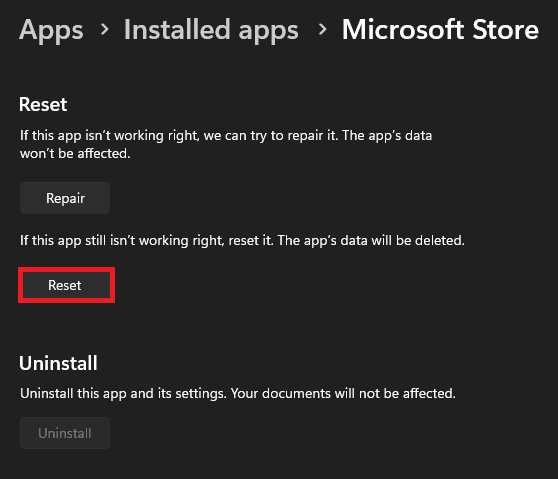
Microsoft Store Not Downloading Apps Problem Fix — Tech How
Microsoft Store Not Downloading Or Updating The Apps And Games Fix

Microsoft Store not downloading or updating the apps and games Fix ...
How To FIX "Microsoft Store Not Downloading Apps Or Not Opening Problem

How To FIX "Microsoft Store Not Downloading Apps Or Not Opening Problem ...
Microsoft Store Not Downloading Apps In Windows 11? Fix Now - Solving Dad
Microsoft Store Not Downloading Apps in Windows 11? Fix Now - Solving Dad
Microsoft Store Not Downloading Anything – DOUT

Microsoft Store Not Downloading Anything – DOUT
How To Fix Microsoft Store Apps Not Downloading Or Installing On

How to Fix Microsoft Store Apps Not Downloading or Installing on ...
Fix- Microsoft Store Errors | Microsoft Store Not Installing Or

Fix- Microsoft Store Errors | Microsoft Store Not Installing or ...
How To Fix Microsoft Store Not Downloading Apps Windows 11 - YouTube
How to Fix Microsoft Store Not Downloading Apps Windows 11 - YouTube
How To FIX Microsoft Store Not Downloading Apps Windows 11/10 - YouTube

How To FIX Microsoft Store Not Downloading Apps Windows 11/10 - YouTube
How To Fix Microsoft Store Not Downloading Apps Windows 11 [NEW METHOD

How To Fix Microsoft Store Not Downloading Apps Windows 11 [NEW METHOD ...
Apps Not Downloading From Microsoft Store Windows 11 [Solved]
![Apps not downloading from Microsoft store windows 11 [Solved]](https://image.windows101tricks.com/wp-content/uploads/2020/10/Reset-microsoft-store-768x486.jpg)
Apps not downloading from Microsoft store windows 11 [Solved]
How To Fix Microsoft Store Is Not Downloading Apps (Full Guide) - YouTube

How To Fix Microsoft Store Is Not Downloading Apps (Full Guide) - YouTube
How To Fix Microsoft Store Not Downloading New Apps And Updates - YouTube

How to Fix Microsoft Store Not Downloading New Apps and Updates - YouTube
How To Fix Microsoft Store Not Downloading Apps (Windows 11) - Full

How To Fix Microsoft Store Not Downloading Apps (Windows 11) - Full ...
Fix Microsoft Store Stuck Downloading Apps In Windows 11

Fix Microsoft Store Stuck Downloading Apps in Windows 11
How To FIX Microsoft Store Not Downloading Apps On Windows 10/11 - Full

How To FIX Microsoft Store Not Downloading Apps On Windows 10/11 - Full ...
How To Fix Apps Not Downloading On Microsoft Store. - YouTube

How to fix apps not downloading on Microsoft store. - YouTube
How To Fix Microsoft Store Not Downloading Apps Or Games Issue Windows

How To Fix Microsoft Store Not Downloading Apps or Games Issue Windows ...
How To Fix Microsoft Store Not Downloading Apps Or Games | Microsoft

How to Fix Microsoft Store Not Downloading Apps or Games | Microsoft ...
How To Fix Microsoft Store Not Downloading Apps(2024) - YouTube

How To Fix Microsoft Store Not Downloading Apps(2024) - YouTube
How To Fix Microsoft Store Not Downloading Apps On Windows 10/11 (FIXED

How To Fix Microsoft Store Not Downloading Apps on Windows 10/11 (FIXED ...
Microsoft Store Won’T Download _ Install Microsoft Store On Windows 10

Microsoft Store Won’T Download _ Install Microsoft Store On Windows 10 ...
How To Fix Microsoft Store Not Downloading Apps (Windows 11) - YouTube

How To Fix Microsoft Store Not Downloading Apps (Windows 11) - YouTube
How To Fix Microsoft Store Not Downloading Apps (Windows 10 & 11) - YouTube

How To Fix Microsoft Store Not Downloading Apps (Windows 10 & 11) - YouTube
How To Fix Microsoft Store Not Downloading Apps In Windows 10 Or 11

How To Fix Microsoft Store Not Downloading Apps in Windows 10 or 11 ...
How To Fix Microsoft Store Not Downloading Apps Problem - YouTube
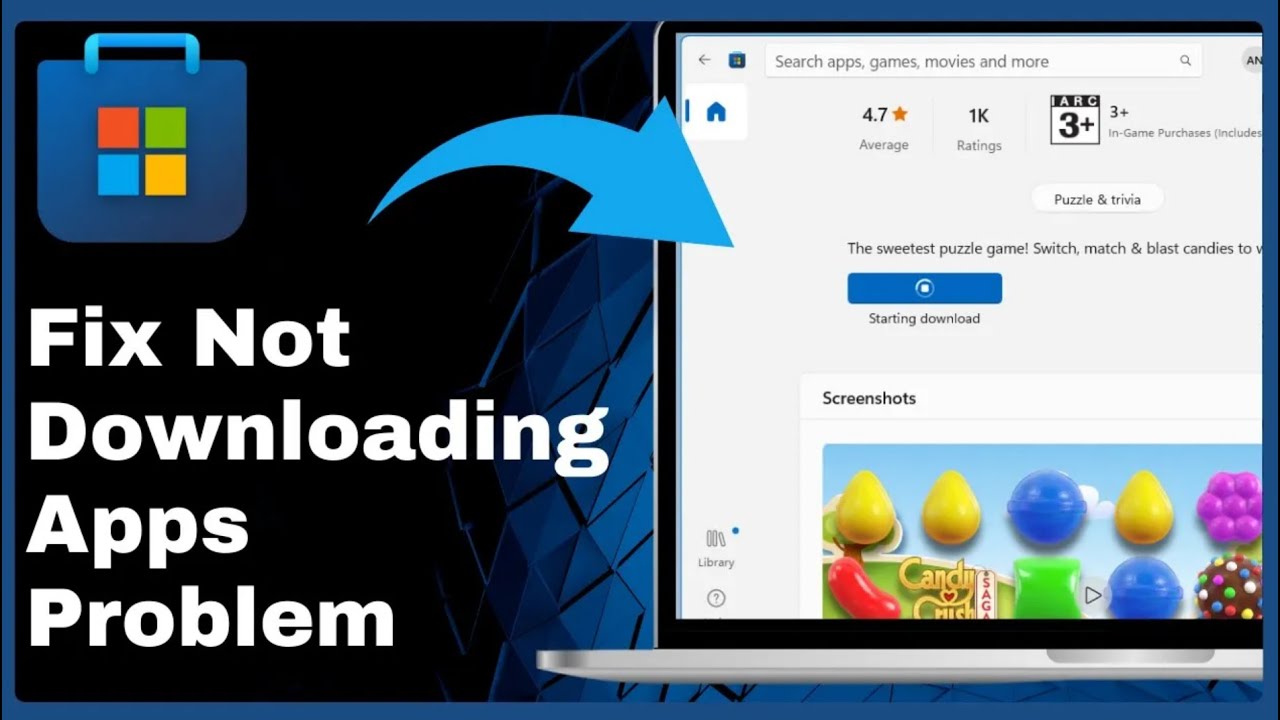
How To Fix Microsoft Store Not Downloading Apps Problem - YouTube
Fix Microsoft Store Not Downloading Apps - GeeksforGeeks
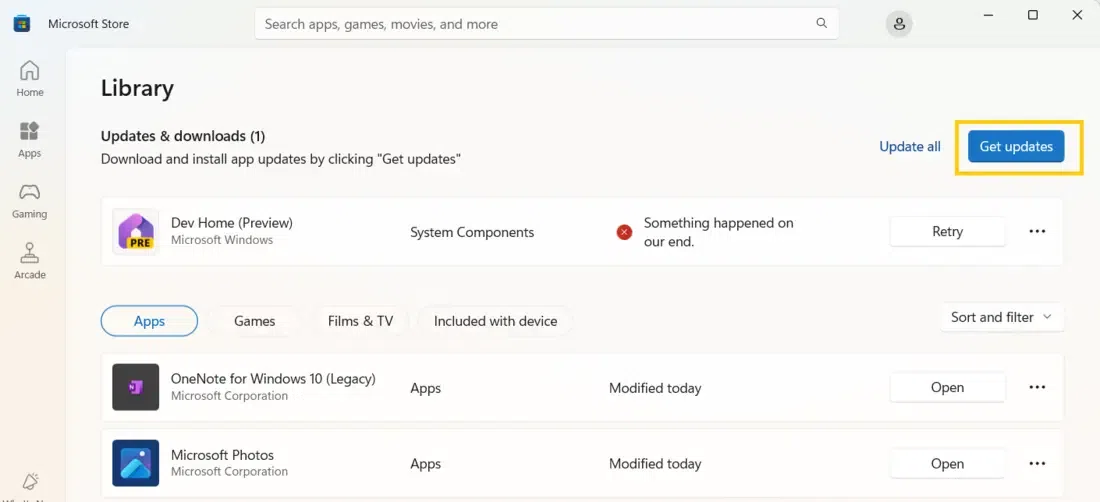
Fix Microsoft Store Not Downloading Apps - GeeksforGeeks
How To Fix Microsoft Store Not Downloading Apps Or Not Opening | Full

How To Fix Microsoft Store Not Downloading Apps or Not Opening | Full ...
How To Fix Microsoft Store Not Downloading Apps (2024) Quick Solution

How To Fix Microsoft Store Not Downloading Apps (2024) Quick Solution ...
Fix Microsoft Store Not Downloading Apps - GeeksforGeeks
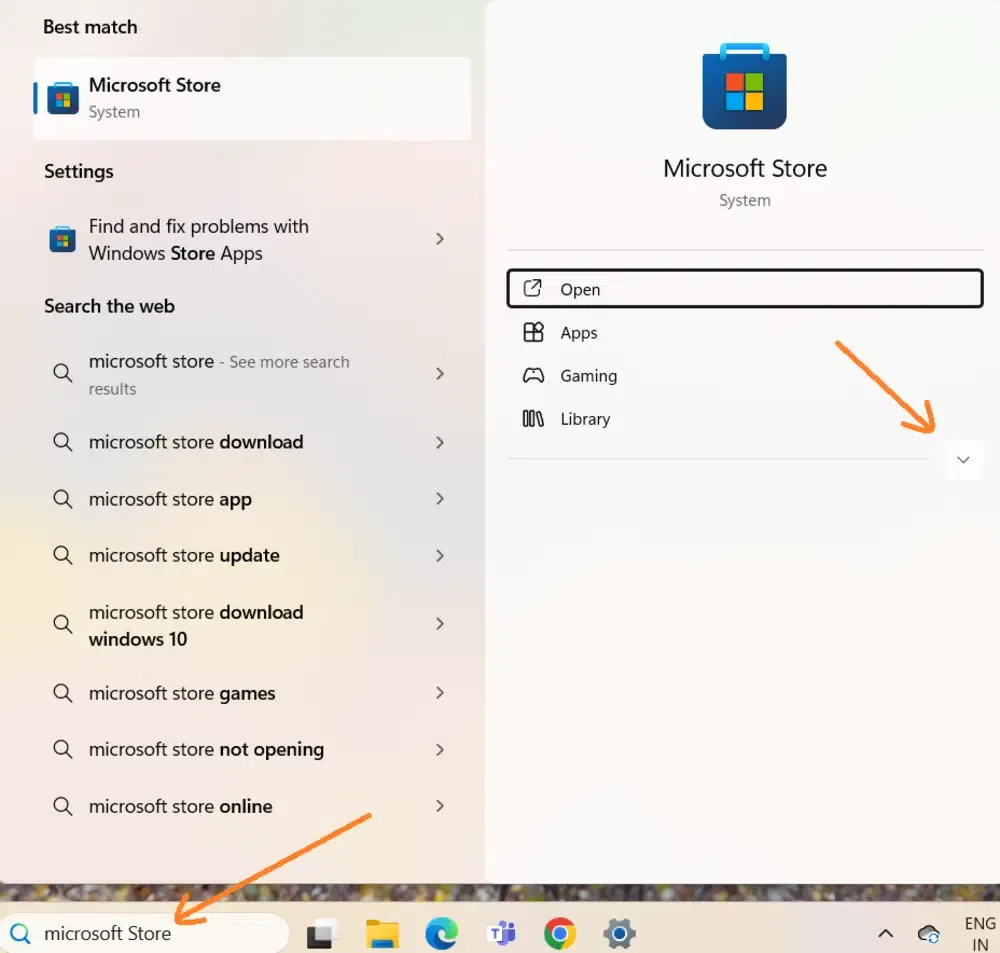
Fix Microsoft Store Not Downloading Apps - GeeksforGeeks