← How to Clear Microsoft Teams Cache: A Step-by-Step Guide How to Fix Gmail Not Receiving Emails: A Step-by-Step Technical Guide →
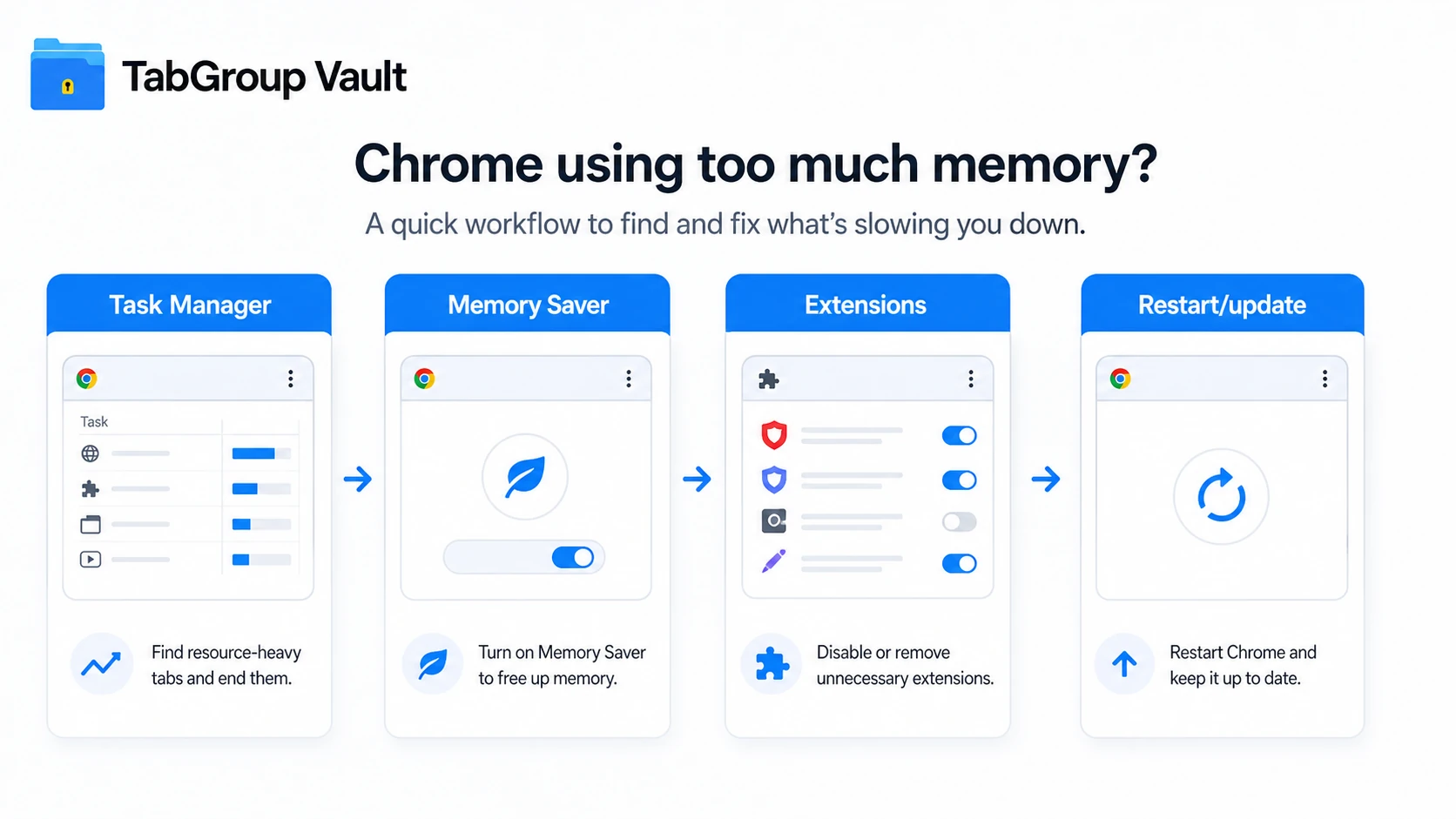
Chrome is fast, but it can also be a memory hog. If your computer slows down, freezes, or shows high RAM usage whenever Chrome is open, you are not alone. This tutorial walks you through 13 practical ways to fix Chrome using too much memory. You will learn how to identify the cause, reduce memory consumption, and keep your browser running smoothly without reinstalling your operating system or buying new hardware.
Step 1: Close Unnecessary Tabs and Applications
Every open tab runs its own process. The more tabs you keep open, the more memory Chrome consumes. Start by closing tabs you are not actively using. Also close other background applications like music players, photo editors, or messaging apps that compete for RAM. This simple step often frees up hundreds of megabytes instantly.
Step 2: Use Chrome's Built-in Task Manager
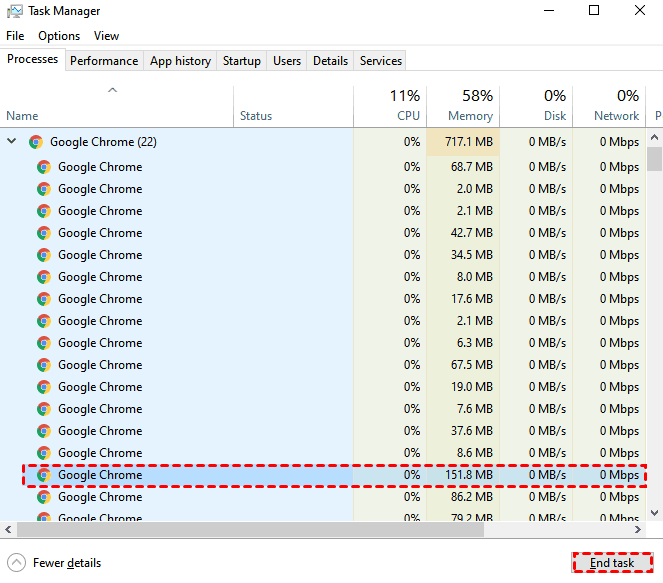
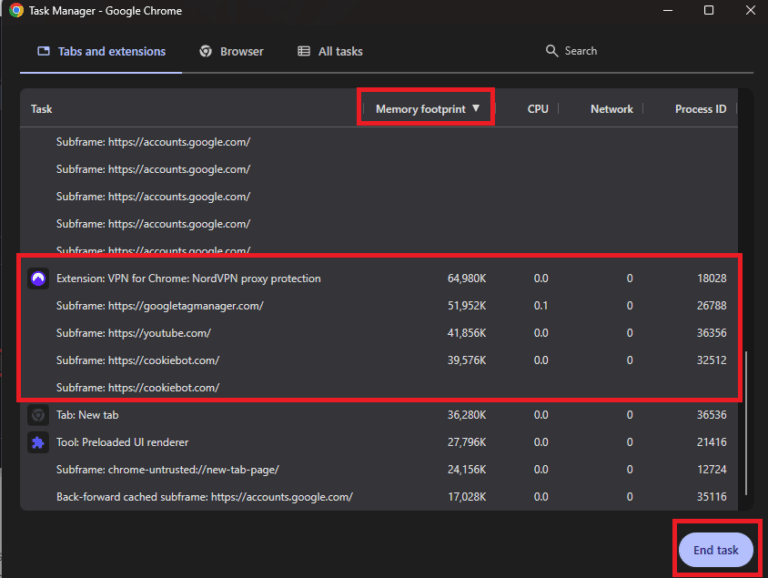
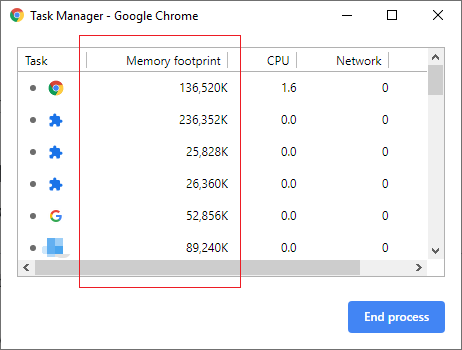
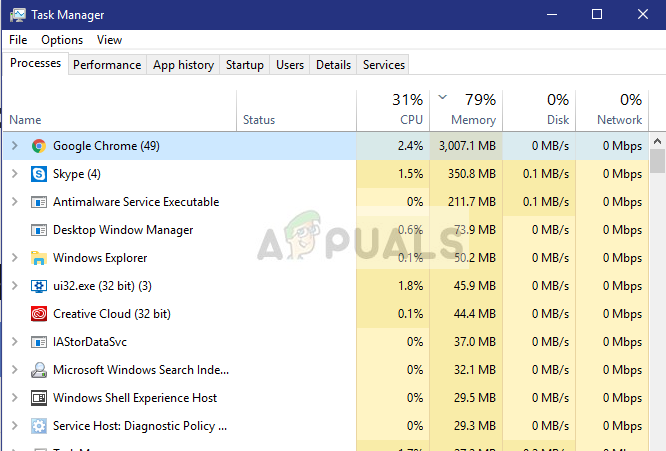
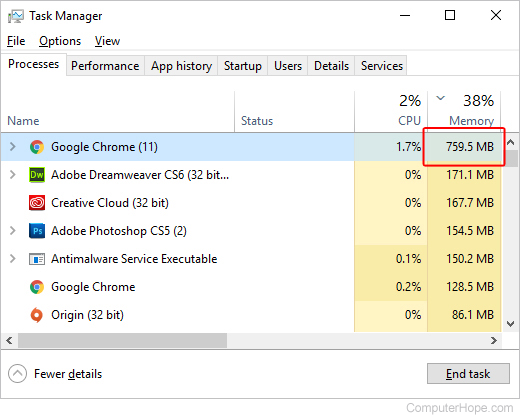
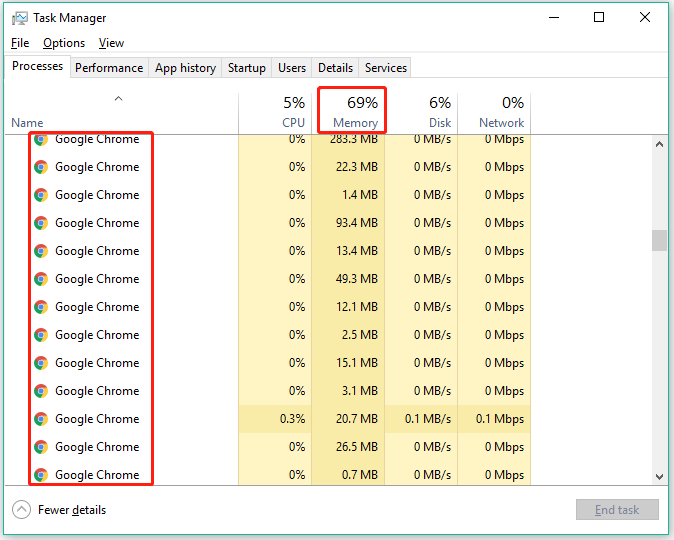
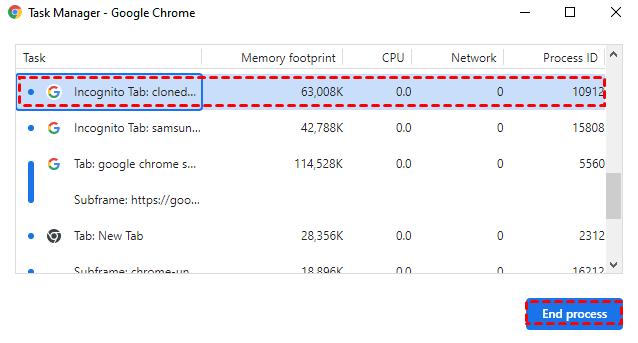
Chrome has its own task manager that shows which tab or extension is eating the most memory. Press Shift + Esc on Windows or search for "Task Manager" in the Chrome menu on Mac. Look at the Memory column. If a specific tab or extension uses far more memory than others, close it or investigate that site. This gives you precise control instead of guessing.
Step 3: Disable or Remove Heavy Extensions
Extensions run constantly in the background, even when you are not using them. Open chrome://extensions and turn off every extension you do not need daily. Restart Chrome and check memory usage again. If the problem improves, re-enable extensions one by one to find the culprit. Removing unused extensions permanently is even better.
Step 4: Enable Memory Saver Mode
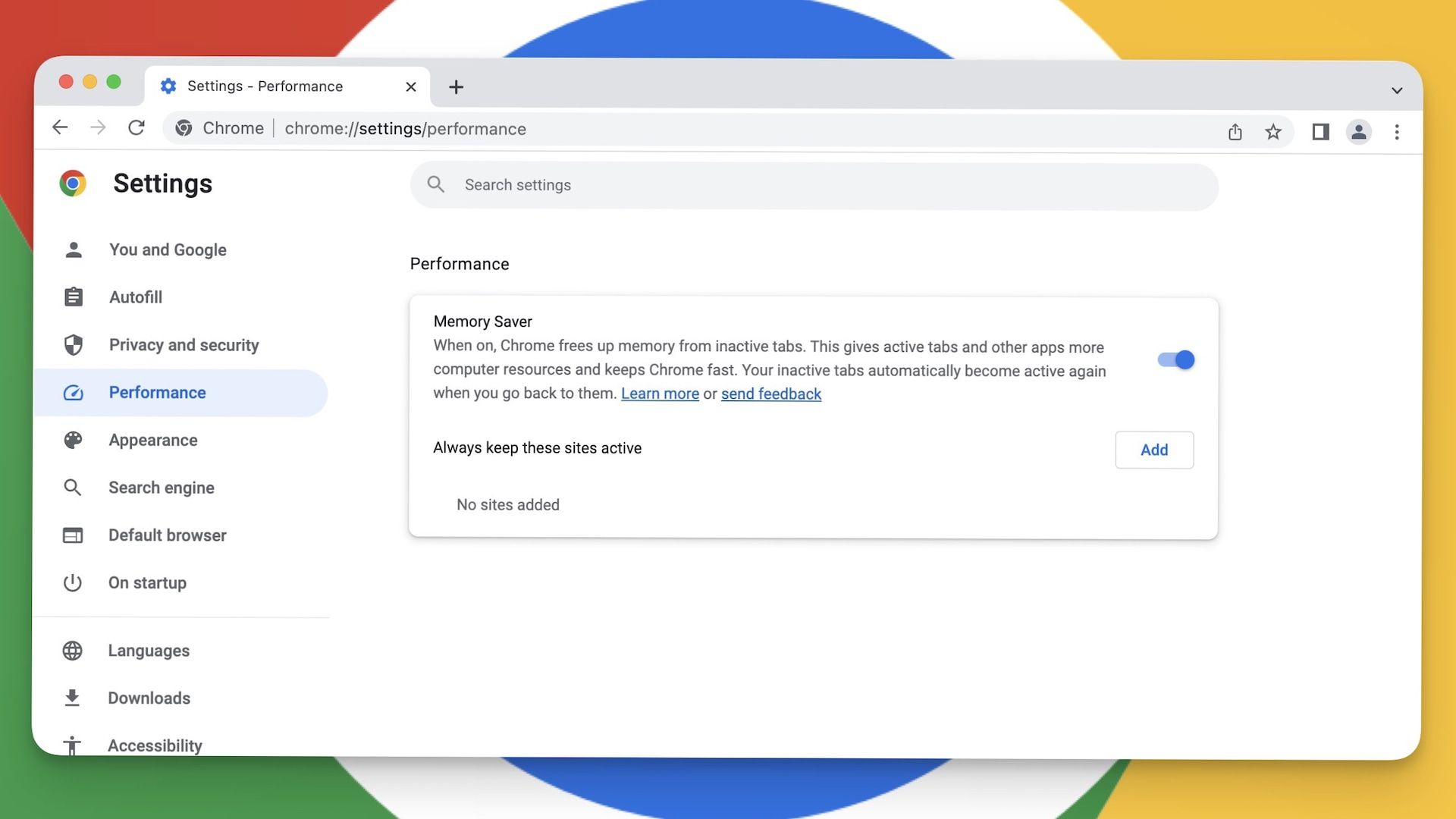
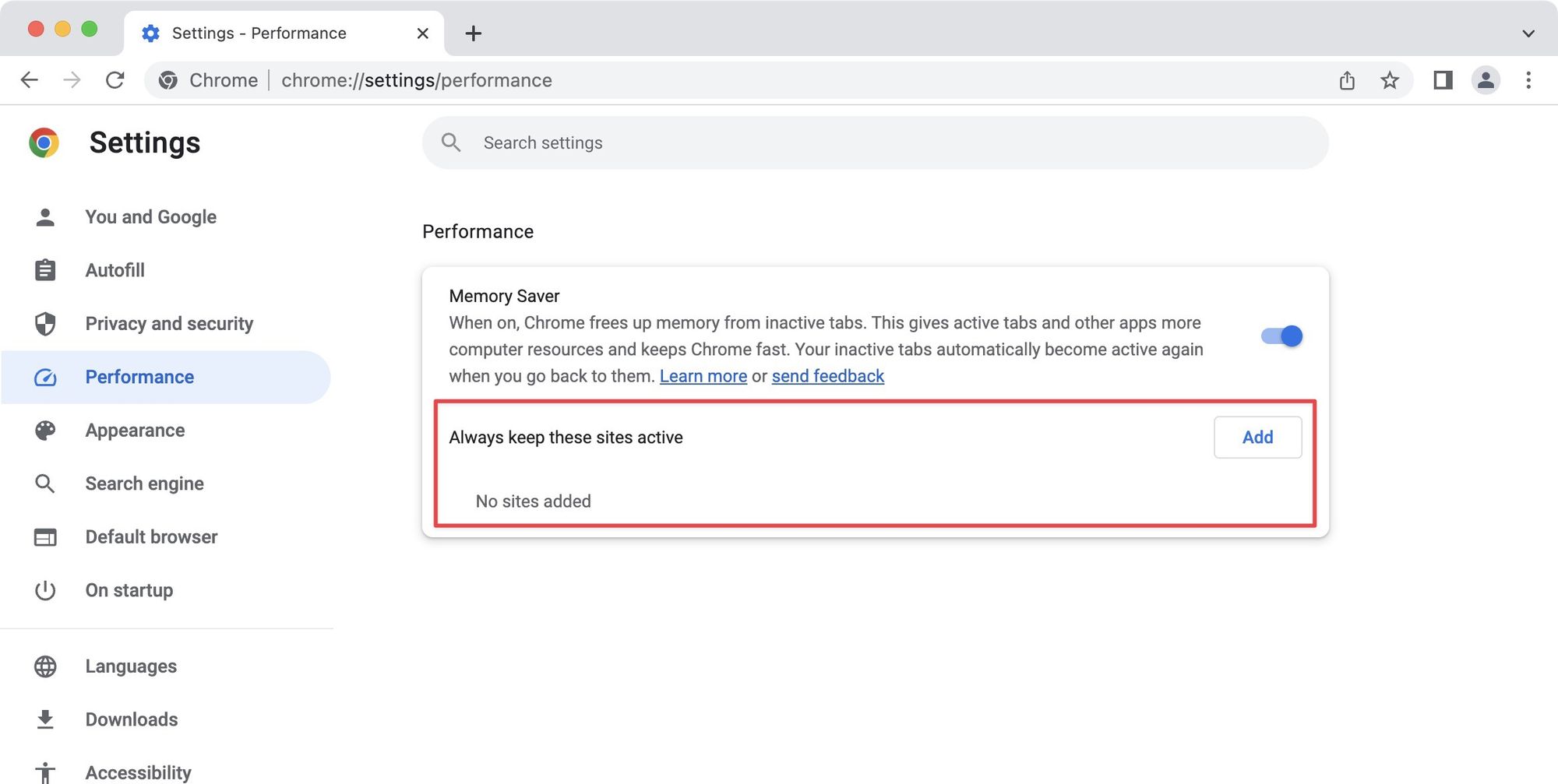
Chrome includes a built-in Memory Saver feature that automatically suspends inactive tabs to free up RAM. Go to Settings > Performance and turn on Memory Saver. You can also add exceptions for sites you want to keep active, like email or music players. This feature alone can cut memory usage significantly during long browsing sessions.
Step 5: Clear Browsing Data and Cache
Over time, cached files and cookies pile up and can cause Chrome to use more memory than necessary. Press Ctrl + Shift + Delete (or Command + Shift + Delete on Mac), choose "All time" for the time range, and clear cached images and files. Do not clear passwords unless you want to. A clean cache helps Chrome run lighter.
Step 6: Update Chrome to the Latest Version
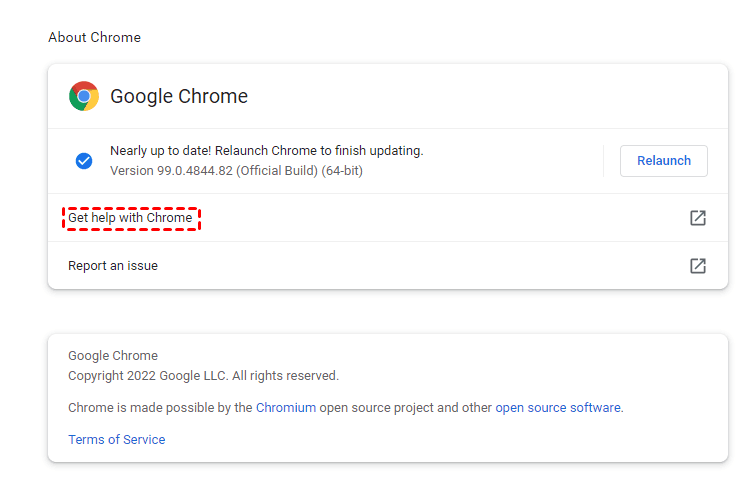
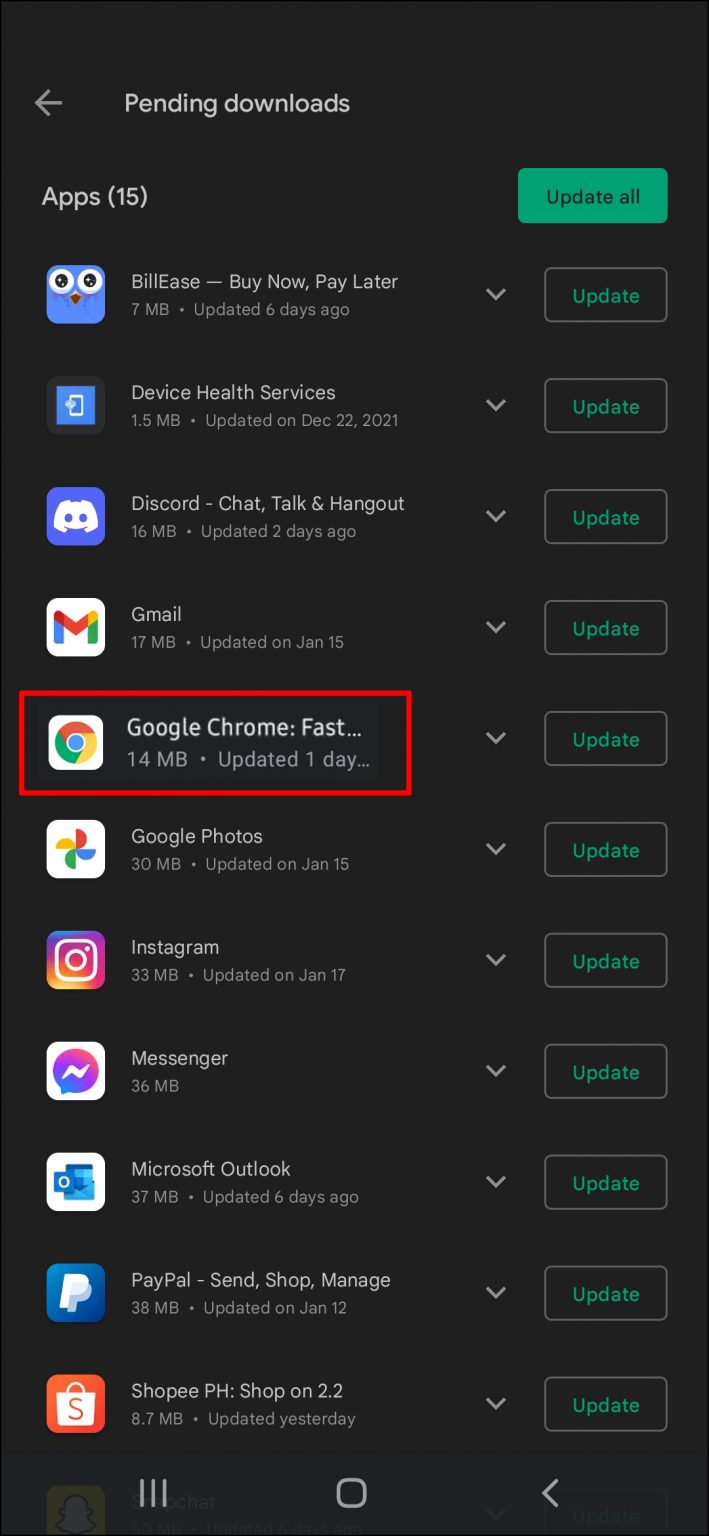
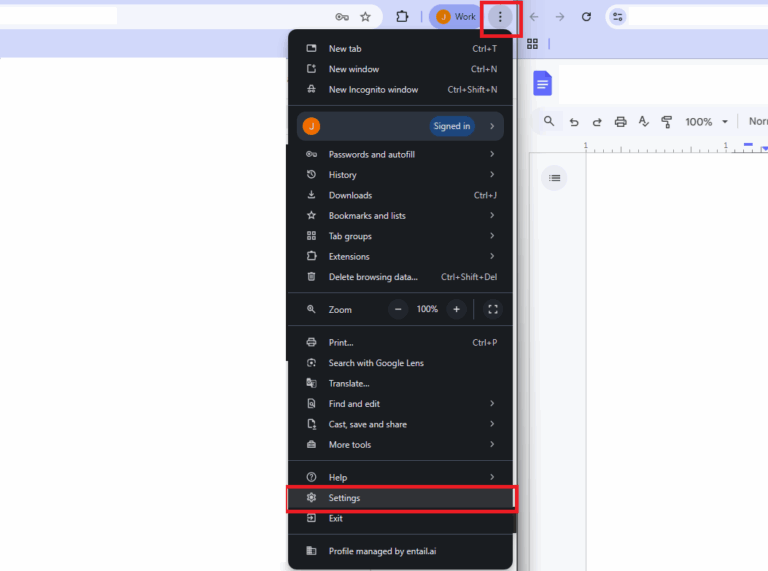
Google regularly releases updates that fix memory leaks and improve performance. Click the three-dot menu, go to Help > About Google Chrome, and let it check for updates. Restart the browser after updating. Running an outdated version is one of the most common reasons for excessive memory use.

Step 7: Disable Hardware Acceleration
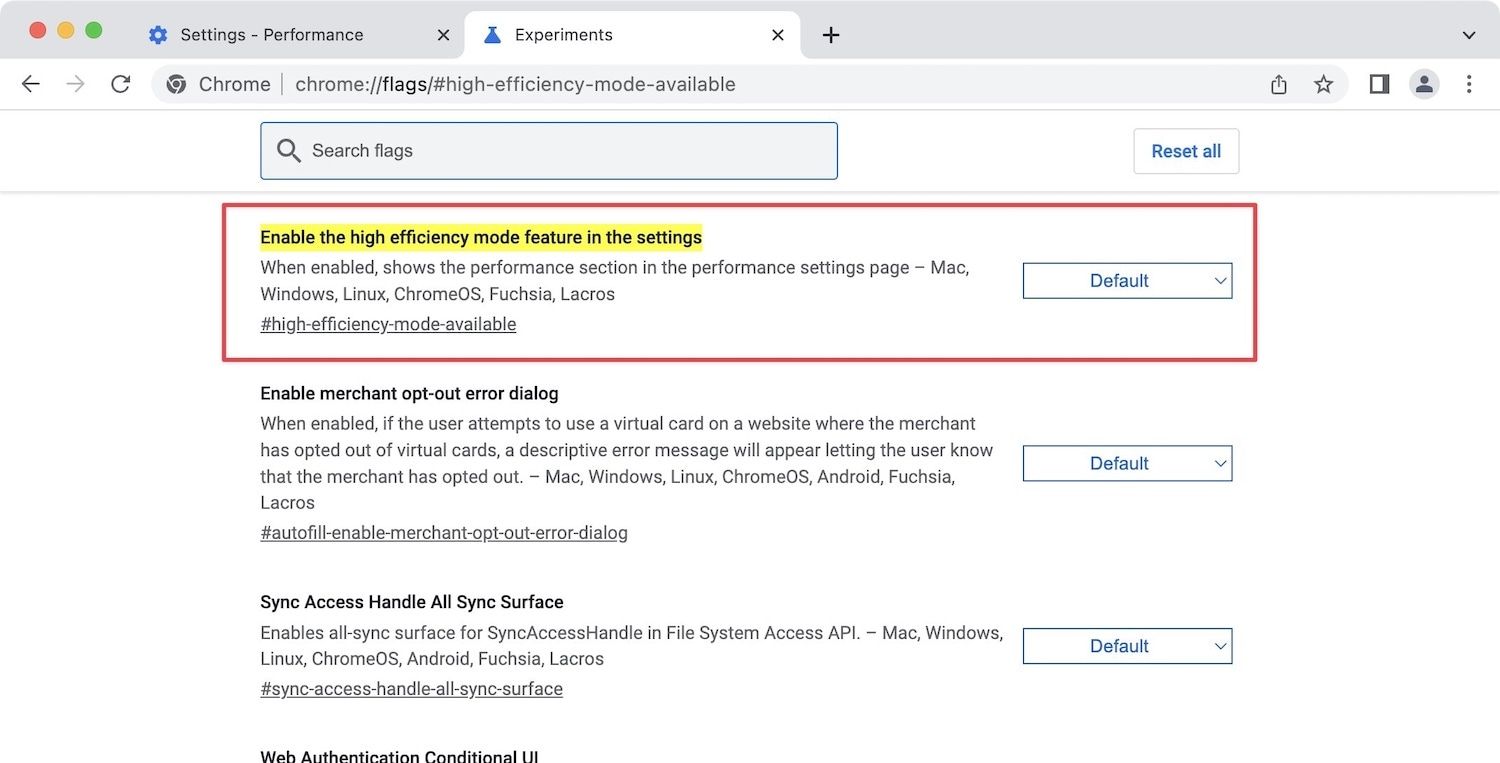
Hardware acceleration uses your GPU to render pages, but on some systems it causes high memory and CPU usage. Go to Settings > System and turn off "Use hardware acceleration when available." Restart Chrome and test your memory usage. If it improves, keep it off. If not, you can turn it back on.
Step 8: Reset Chrome Settings to Default
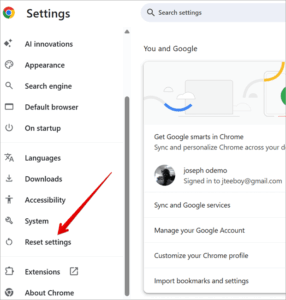
If nothing else works, resetting Chrome can remove hidden problematic settings. Go to Settings > Reset settings > Restore settings to their original defaults. This disables extensions, clears temporary data, and resets your homepage and search engine. You will not lose bookmarks or saved passwords.
Step 9: Scan for Malware and Unwanted Programs
Malicious extensions or adware can hijack Chrome and force it to use excessive memory. Run a full scan with your antivirus or a trusted tool like Malwarebytes. Also check chrome://extensions for anything you do not recognize and remove it immediately. A clean system means a lighter browser.
Step 10: Limit Background Processes
Chrome allows apps and extensions to keep running after you close the window. On Windows, go to Settings > System and turn off "Continue running background apps when Google Chrome is closed." This prevents Chrome from silently consuming memory when you are not using it.
Step 11: Use Fewer Profiles and Sync Less
Multiple Chrome profiles each run their own processes. If you have several profiles open at once, memory usage multiplies. Stick to one profile at a time. Also, reduce what you sync if you have thousands of bookmarks or extensions syncing across devices, as this can add overhead.
Step 12: Check for Browser Conflicts
Sometimes another program interferes with Chrome, such as a third-party antivirus, firewall, or VPN. Temporarily disable these one at a time and test Chrome. If memory usage drops, adjust the settings of that program or switch to a lighter alternative.
Step 13: Reinstall Chrome as a Last Resort
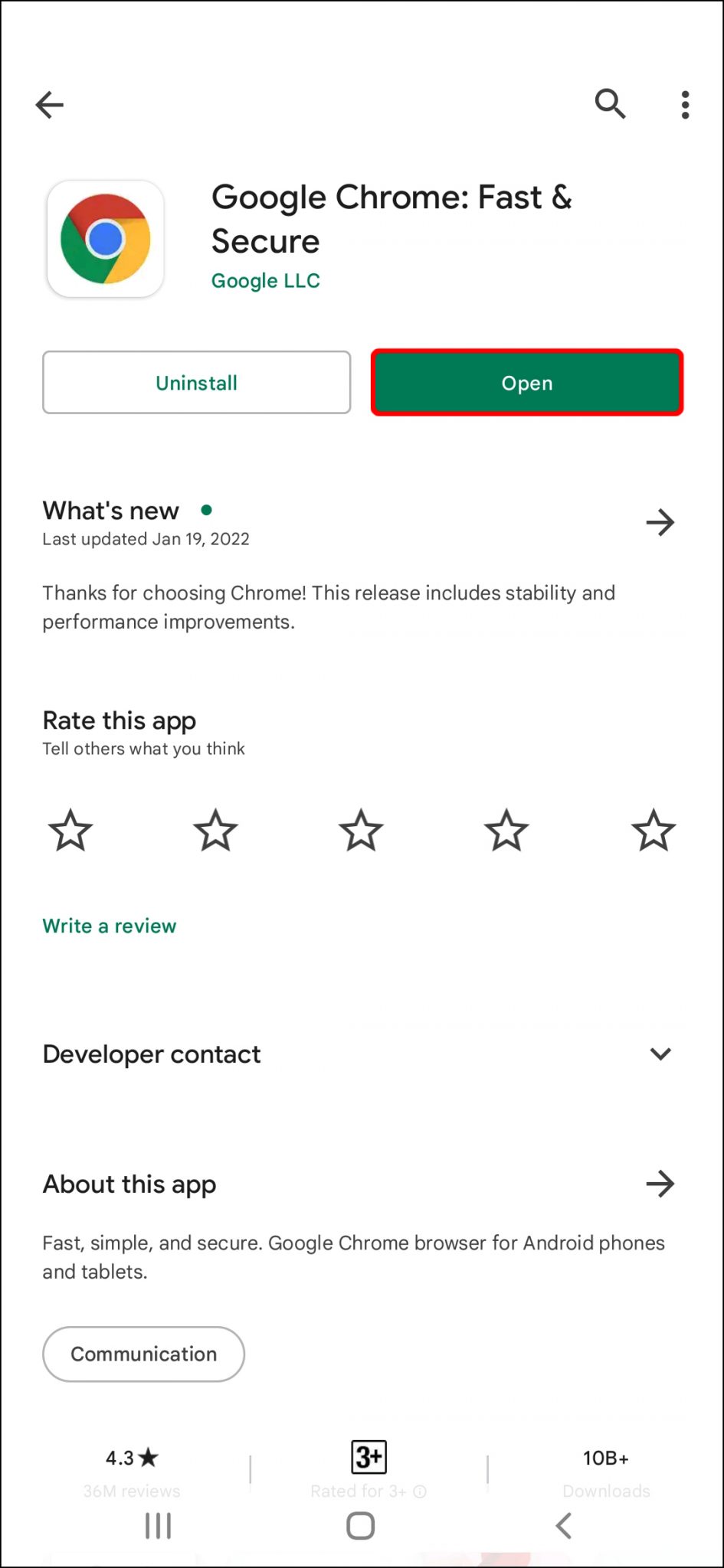
If Chrome still uses too much memory after all these steps, uninstall it completely, restart your computer, and download a fresh copy from Google. A clean installation removes corrupted files and hidden settings. Remember to sync your bookmarks and passwords first so you can restore them easily.
By following these 13 steps, you should see a clear drop in Chrome's memory usage. Start with the simplest fixes—closing tabs and enabling Memory Saver—then move to more advanced solutions only if needed. A leaner Chrome means a faster computer for everything else you do.
How To Fix Chrome Using Too Much Memory

How To Fix Chrome Using Too Much Memory
How To Fix Chrome Using Too Much Memory

How To Fix Chrome Using Too Much Memory
How To Fix Chrome Using Too Much Memory
How to fix Chrome using too much memory
Chrome Using Too Much Memory: How To Fix? - Valibyte
Chrome Using Too Much Memory: How to Fix? - Valibyte
How To Fix Chrome Using Too Much Memory (13 Ways)
How to Fix Chrome using too much Memory (13 Ways)
How To Fix Google Chrome Ran Out Of Memory Aw Snap Error - A Savvy Web

How to Fix Google Chrome Ran Out Of Memory Aw Snap Error - A Savvy Web
How To Fix Chrome Using Too Much Memory
How To Fix Chrome Using Too Much Memory
Stop Google Chrome Using Too Much RAM ! Fix Google Chrome High Memory

Stop Google Chrome Using Too Much RAM ! Fix Google Chrome High Memory ...
Why Is Chrome Using So Much Memory And Steps To Fix It
Why is Chrome Using so Much Memory and Steps to Fix It
Fix: Google Chrome Using Too Much Memory
Fix: Google Chrome Using Too Much Memory
Chrome Uses Too Much Memory : Fix: Google Chrome Using Too Much Memory
Chrome Uses Too Much Memory : Fix: Google Chrome Using Too Much Memory ...
How To Fix Chrome Using Too Much Memory

How to fix Chrome using too much memory
How To Fix Chrome Using Too Much Memory (13 Ways)

How to Fix Chrome using too much Memory (13 Ways)
Chrome Using Too Much RAM: How To Make Chrome Use Less RAM? - MiniTool
Chrome Using too much RAM: How to Make Chrome Use Less RAM? - MiniTool ...
How To Fix Chrome Using Too Much Memory

How to fix Chrome using too much memory
How To Fix Chrome Using Too Much Memory

How to fix Chrome using too much memory
How To Fix Google Chrome Using Too Much RAM (Reduce Memory Usage

How to Fix Google Chrome Using Too Much RAM (Reduce Memory Usage ...
Why Is Chrome Using So Much Memory And Steps To Fix It

Why is Chrome Using so Much Memory and Steps to Fix It
Chrome Using Too Much Memory [FIXED] - Driver Easy
![Chrome Using Too Much Memory [FIXED] - Driver Easy](https://images.drivereasy.com/wp-content/uploads/2018/12/img_5c25f075cd676.png)
Chrome Using Too Much Memory [FIXED] - Driver Easy
Google Chrome Using Too Much Memory - Fix | Appsntips
Google Chrome Using too Much Memory - Fix | appsntips
How To Fix Chrome Using Too Much Memory (13 Ways)
How to Fix Chrome using too much Memory (13 Ways)
How To Reduce Chrome Memory Usage: 10 Fixes For High RAM
How to Reduce Chrome Memory Usage: 10 Fixes for High RAM
Google Chrome Using Too Much Memory - Fix | Appsntips

Google Chrome Using too Much Memory - Fix | appsntips
Why Is Google Chrome Using So Much RAM? Here's How To Fix It - YouTube

Why Is Google Chrome Using So Much RAM? Here's How to Fix It - YouTube
Why Crome Uses Too Much Memory And How To Fix It?

Why Crome Uses Too Much Memory And How To Fix It?
How To Fix Chrome Using Too Much Memory
How to fix Chrome using too much memory
Google Chrome Using Too Much Memory - Fix | Appsntips
Google Chrome Using too Much Memory - Fix | appsntips
Chrome Using Too Much Memory [FIXED] - Driver Easy
![Chrome Using Too Much Memory [FIXED] - Driver Easy](https://images.drivereasy.com/wp-content/uploads/2018/12/img_5c25f35fdb40c.png)
Chrome Using Too Much Memory [FIXED] - Driver Easy
How To Fix Google Chrome Using Too Much Memory - RAM Fix - YouTube

How to Fix Google Chrome Using Too Much Memory - RAM Fix - YouTube
Google Chrome Using Too Much Memory - Fix | Appsntips
Google Chrome Using too Much Memory - Fix | appsntips
How To Fix Chrome Using Too Much Memory On Android | Reduce Memory

How To Fix Chrome Using Too Much Memory on Android | Reduce Memory ...
Why Chrome Use So Much Memory | Fix Google Chrome High CPU And Memory

Why Chrome Use So Much Memory | Fix Google Chrome High CPU and Memory ...
How To Fix Chrome Using Too Much Memory
How To Fix Chrome Using Too Much Memory