← How to Fix Gmail Not Receiving Emails: A Step-by-Step Technical Guide How to Fix Google Chrome Not Opening on Windows: Step-by-Step Guide →
If your microphone has stopped working on Discord, you are not alone. This is one of the most common issues users face, and it can happen after a system update, a Discord patch, or a change in your audio settings. The good news is that most microphone problems are easy to fix once you know where to look. In this tutorial, you will learn how to troubleshoot and resolve the "mic not working" issue on Discord, from checking your input device to resetting voice settings. Follow each step in order, and you should have your voice chat back up and running in no time.
Step 1: Check Your Input Device in Discord
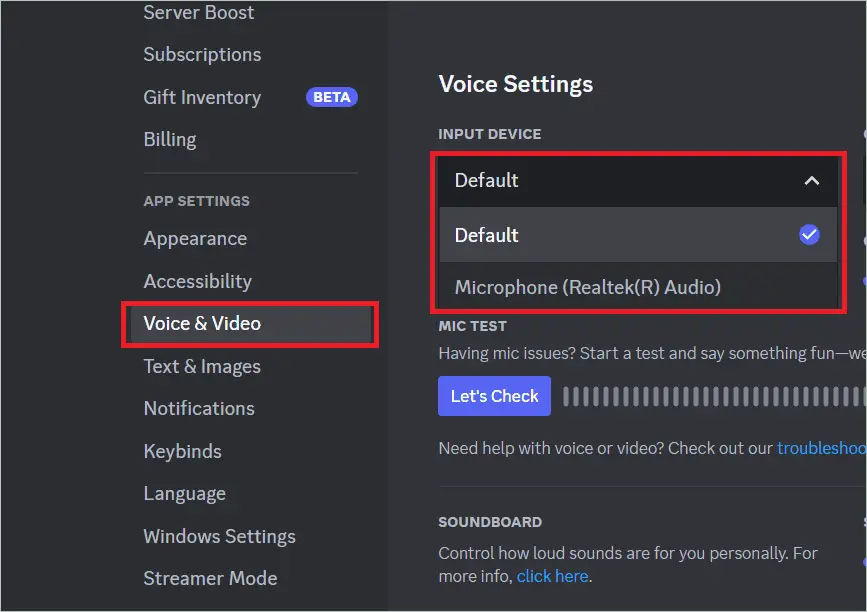
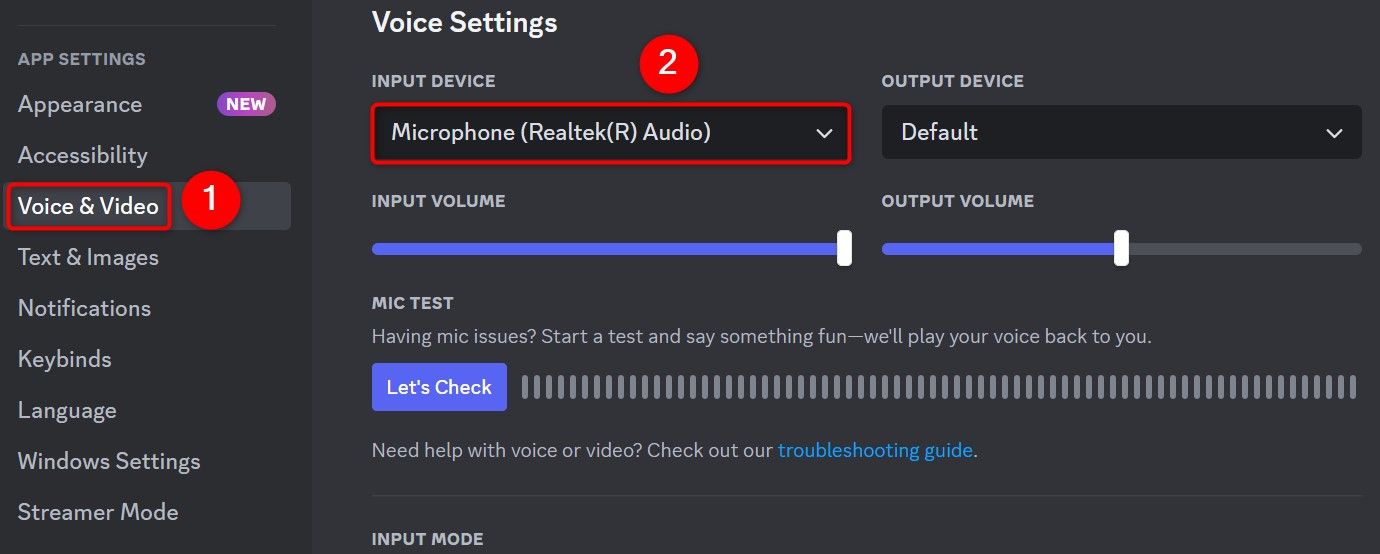
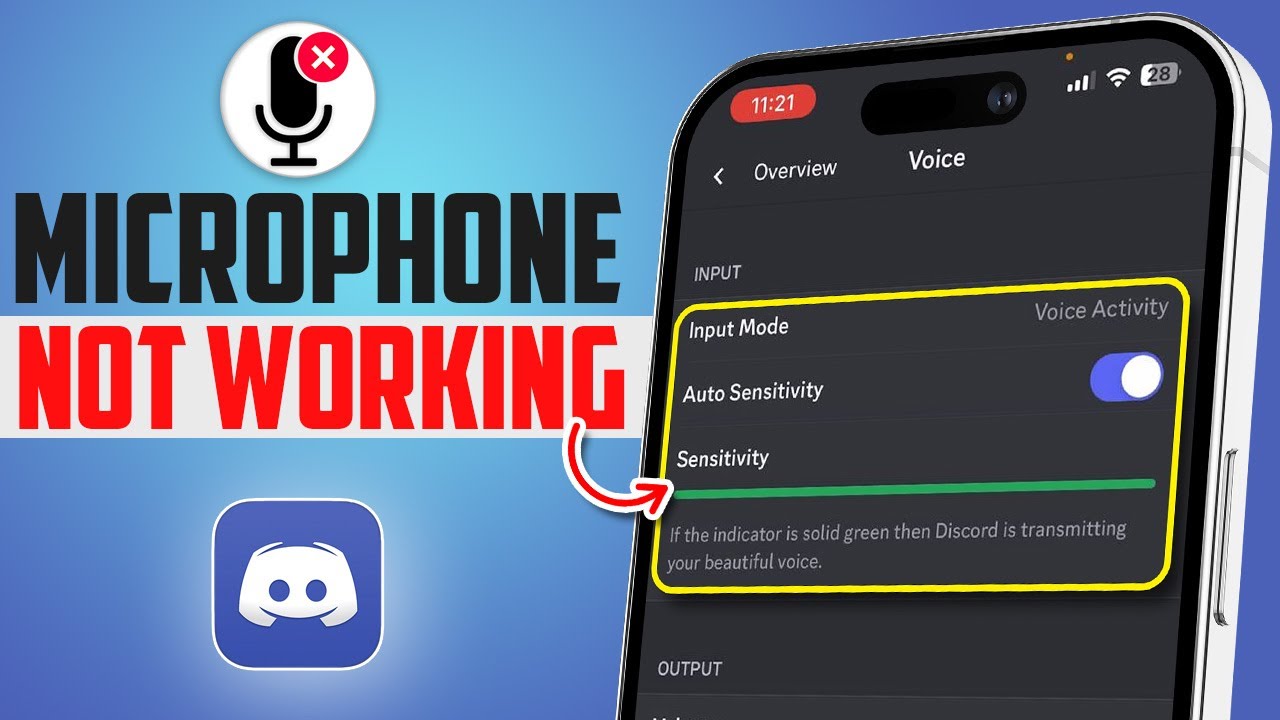
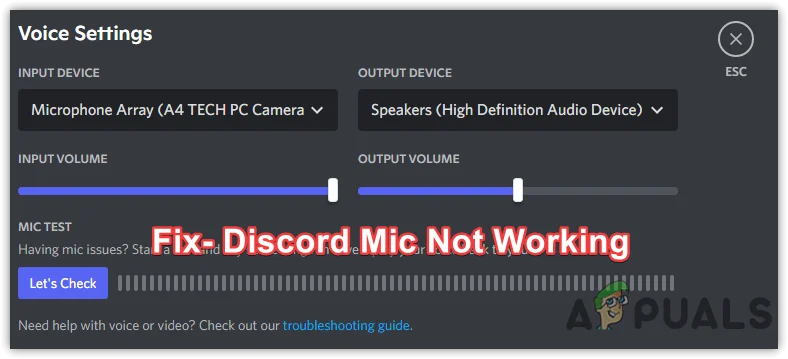
The first thing to do is confirm that Discord is actually using the correct microphone. Sometimes Discord defaults to the wrong input device, especially if you have a webcam, headset, or external mic connected. Open Discord, click the gear icon near your username to open User Settings, then go to Voice & Video. Under Input Device, make sure your actual microphone is selected from the dropdown menu. While you are there, speak into the mic and watch the input volume meter. If the meter does not move, Discord is not receiving any sound from that device. Try selecting a different device from the list to see if the meter responds. Also, turn off any "Automatically Determine Input Sensitivity" option and manually drag the slider so your voice registers clearly.

Step 2: Test Your Microphone Outside of Discord
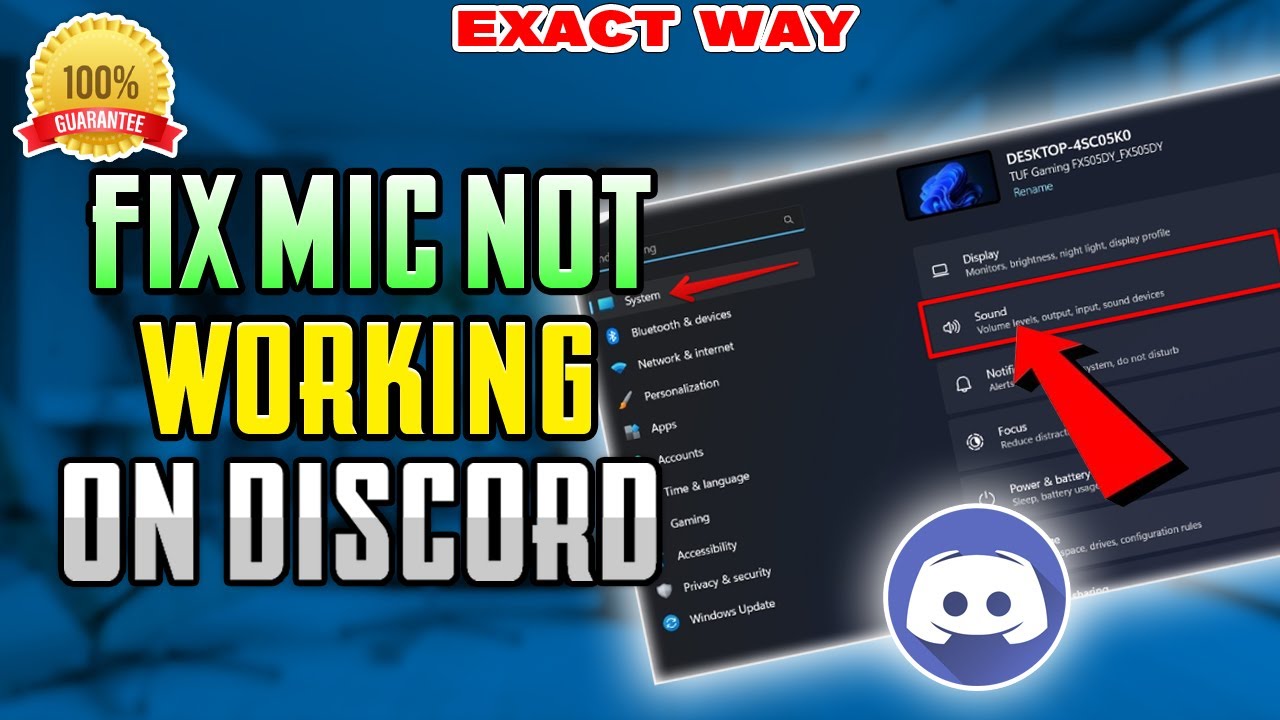
Before you change more Discord settings, verify that your microphone works in other apps. Open your system's sound settings or use a voice recorder app to record a short clip. If the mic does not work anywhere else, the problem is with your hardware or operating system, not Discord. Check that the microphone is properly plugged in, that any mute switch on the headset is off, and that the correct device is set as the default input in your OS. On Windows, go to Settings > System > Sound > Input. On macOS, go to System Settings > Sound > Input. If the mic works in other apps but not Discord, continue to the next step.
Step 3: Reset Discord Voice Settings
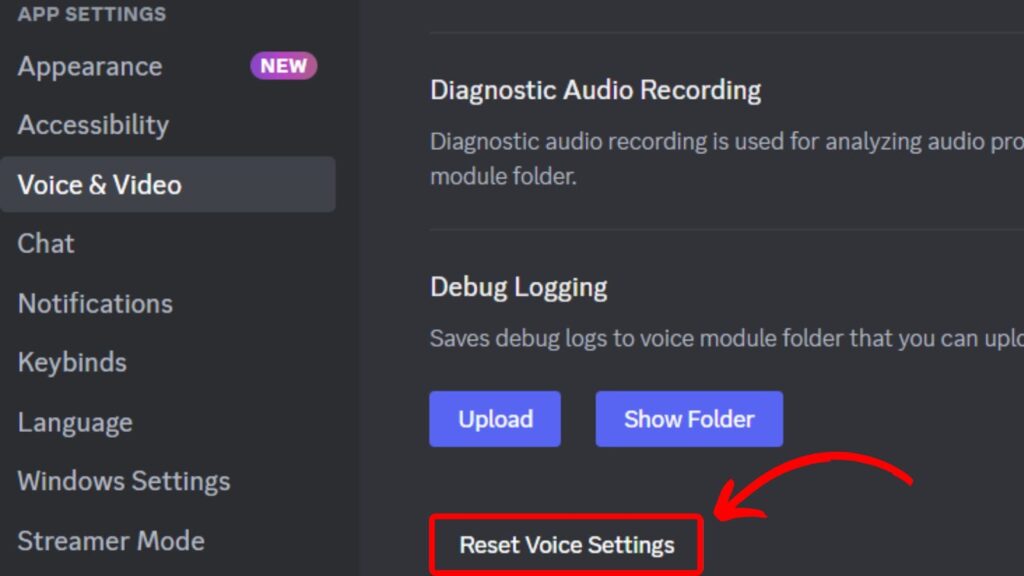
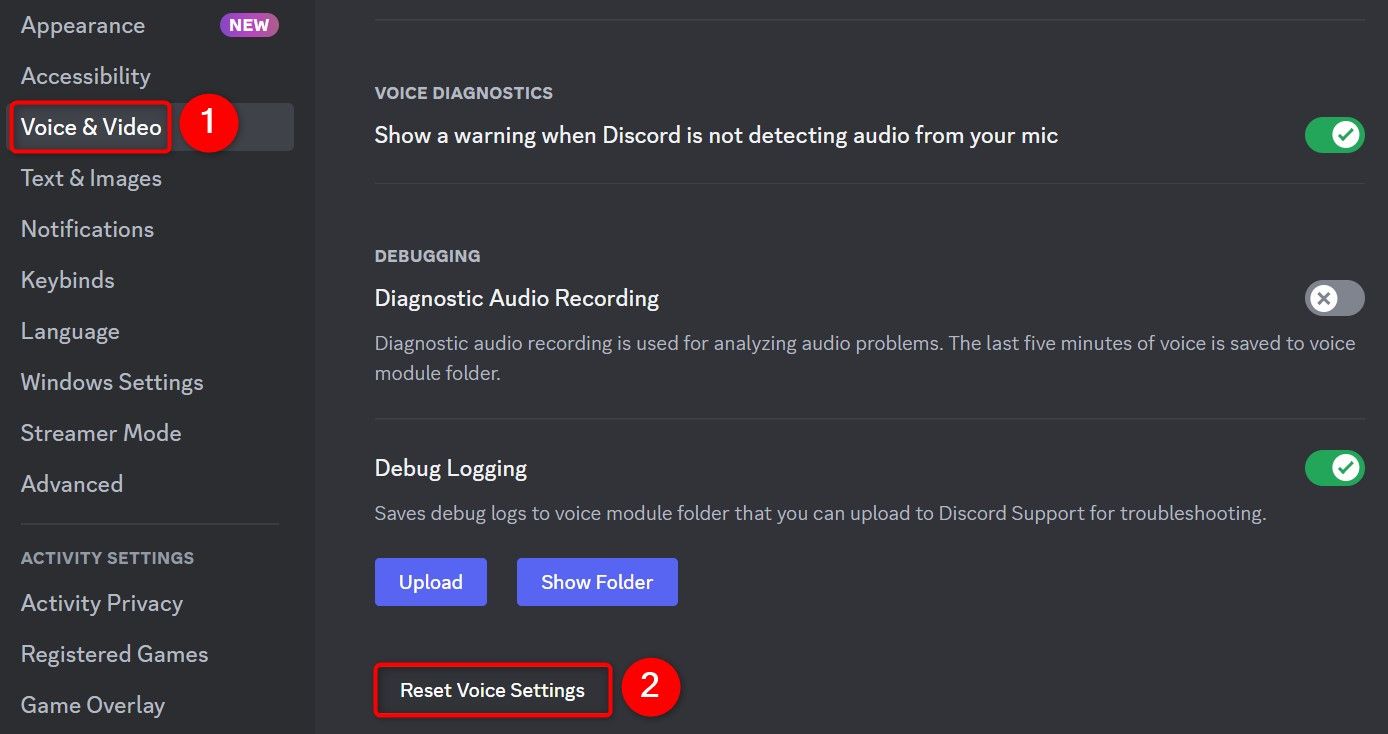
Discord stores voice settings that can become corrupted or misconfigured over time. A quick reset often fixes the problem. In Discord, go to User Settings > Voice & Video. Scroll down and look for the "Reset Voice Settings" button. Click it and confirm. This will restore all voice-related options to their defaults, including input device, volume, and sensitivity. After resetting, test your microphone again. If you are using the web version of Discord, clear your browser cache and cookies, then reload the page. For the desktop app, you can also try pressing Ctrl+R to refresh the client.
Step 4: Grant Microphone Permissions
Your operating system may be blocking Discord from accessing your microphone. On Windows, go to Settings > Privacy & Security > Microphone and make sure "Let apps access your microphone" is turned on. Scroll down to find Discord and toggle it on. On macOS, go to System Settings > Privacy & Security > Microphone and ensure Discord has a checkmark next to it. If you are using Discord in a browser, click the padlock icon in the address bar and set the microphone permission to "Allow." After changing permissions, restart Discord completely.
Step 5: Update or Reinstall Audio Drivers
Outdated or corrupted audio drivers can prevent Discord from detecting your microphone. On Windows, open Device Manager, expand "Audio inputs and outputs," right-click your microphone, and select "Update driver." If that does not work, right-click again and choose "Uninstall device," then restart your computer so Windows reinstalls the driver automatically. For USB microphones, try unplugging and plugging them into a different USB port. If you use a headset with a split audio/mic jack, make sure it is connected to the correct port.
Step 6: Disable Exclusive Mode and Audio Enhancements
Some audio enhancements and exclusive mode settings can interfere with Discord. On Windows, go to Settings > System > Sound > More sound settings. In the Playback and Recording tabs, double-click your microphone, go to the Advanced tab, and uncheck "Allow applications to take exclusive control of this device." Also, in the Enhancements tab, check "Disable all enhancements." Click Apply and OK. Restart Discord and test your mic again.
Step 7: Reinstall Discord as a Last Resort
If none of the above steps work, uninstall Discord completely and download the latest version from the official website. A fresh installation removes any corrupted configuration files that may be causing the issue. After reinstalling, log in and set up your microphone again. In most cases, one of these steps will get your mic working on Discord.
How To Fix Discord Mic Not Working ? How To Fix No Voice On DSC

How to Fix Discord Mic not Working ? How to Fix No Voice on DSC ...
How To Fix Discord Mic Not Working In Windows 11
How To Fix Discord Mic Not Working In Windows 11
HOW TO FIX DISCORD MIC NOT WORKING ON YOUR COMPUTER - YouTube

HOW TO FIX DISCORD MIC NOT WORKING ON YOUR COMPUTER - YouTube
How To Fix Discord Mic Not Working (2023) - YouTube

How To Fix Discord Mic Not Working (2023) - YouTube
How To Fix Discord Mic Not Working On Windows [FIXED]
![How to Fix Discord Mic Not Working on Windows [FIXED]](https://www.stuffroots.com/wp-content/uploads/2020/01/default-mic-in-discord3-690x393.png)
How to Fix Discord Mic Not Working on Windows [FIXED]
How To Fix Microphone Not Working In Discord On Windows
How to Fix Microphone Not Working in Discord on Windows
How To Fix 'Mic Not Working' On Discord?
How to Fix 'Mic Not Working' on Discord?
How To Fix Discord Mic Not Working On Windows [FIXED]
![How to Fix Discord Mic Not Working on Windows [FIXED]](https://www.stuffroots.com/wp-content/uploads/2020/01/Discord-Mic-Not-Working.png)
How to Fix Discord Mic Not Working on Windows [FIXED]
How To Fix Mic Not Working On Discord | Discord Audio Not Working - YouTube
How To Fix Mic Not Working On Discord | Discord audio not working - YouTube
How To Fix Discord Mic Not Working ! - YouTube

How To Fix Discord Mic Not Working ! - YouTube
How To Fix Microphone Not Working In Discord On Windows | Microphone

How to Fix Microphone Not Working in Discord on Windows | Microphone ...
How To Fix Microphone Not Working In Discord On Windows
How to Fix Microphone Not Working in Discord on Windows
How To Fix Your Microphone Not Working On Discord PC (Best Method

How to Fix your Microphone Not Working on Discord PC (Best Method ...
Discord Listen Along Feature Not Working – WBODY

Discord Listen Along Feature Not Working – WBODY
How To Fix Microphone Not Working In Discord On IPhone | Microphone Won
How to Fix Microphone Not Working in Discord on iPhone | Microphone Won ...
How To Fix Discord Mic Not Working - YouTube

How to Fix Discord Mic Not Working - YouTube
How To Fix Discord Mic Not Working (Easy Guide) - YouTube

How To Fix Discord Mic Not Working (Easy Guide) - YouTube
Microphone Not Working On Discord? Fixes To Try - The Tech Edvocate
Microphone Not Working on Discord? Fixes to Try - The Tech Edvocate
How To Fix Discord Mic Not Working 2023 - YouTube

How To Fix Discord Mic Not Working 2023 - YouTube
How To Fix Discord Mic On IPhone | Discord Microphone Not Working

How To Fix Discord Mic On iPhone | Discord Microphone Not Working ...
How To Fix Mic Not Working On Discord - Easy Guide - YouTube

How To Fix Mic Not Working On Discord - Easy Guide - YouTube
How To Fix Discord Mic Not Working – TechCult

How to Fix Discord Mic Not Working – TechCult
How To Fix Mic Not Working On Discord Issue?
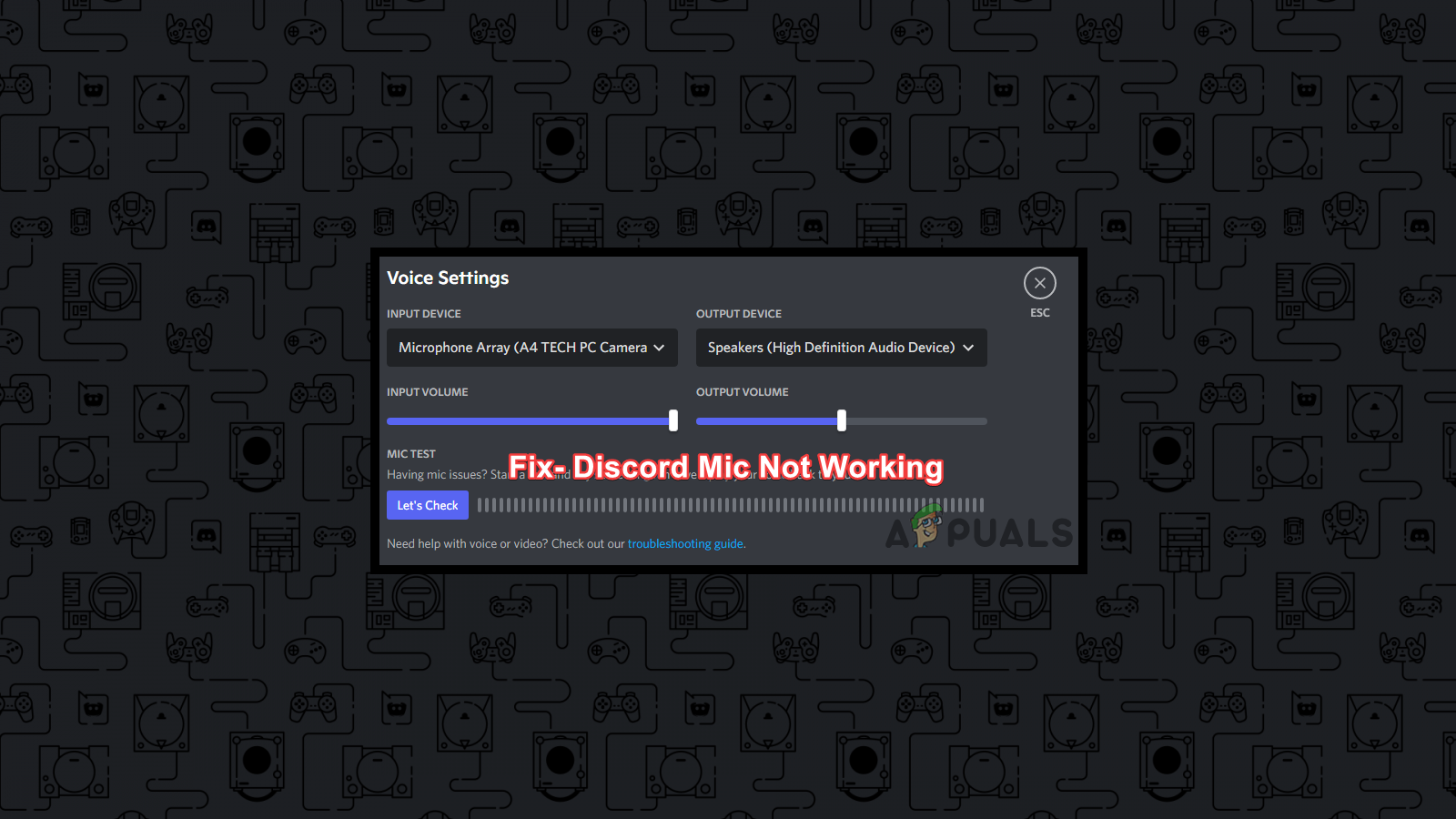
How to Fix Mic Not Working on Discord Issue?
🎙 How To Fix Mic Not Working On Discord (Works On Windows PC) - YouTube

🎙 How To Fix Mic Not Working On Discord (Works on Windows PC) - YouTube
How To Fix Discord Microphone Not Working, Even When It Works In Other

How to Fix Discord Microphone Not Working, Even When It Works in Other ...
Discord - How To Fix “Mic Not Working” On Windows 10 — Tech How
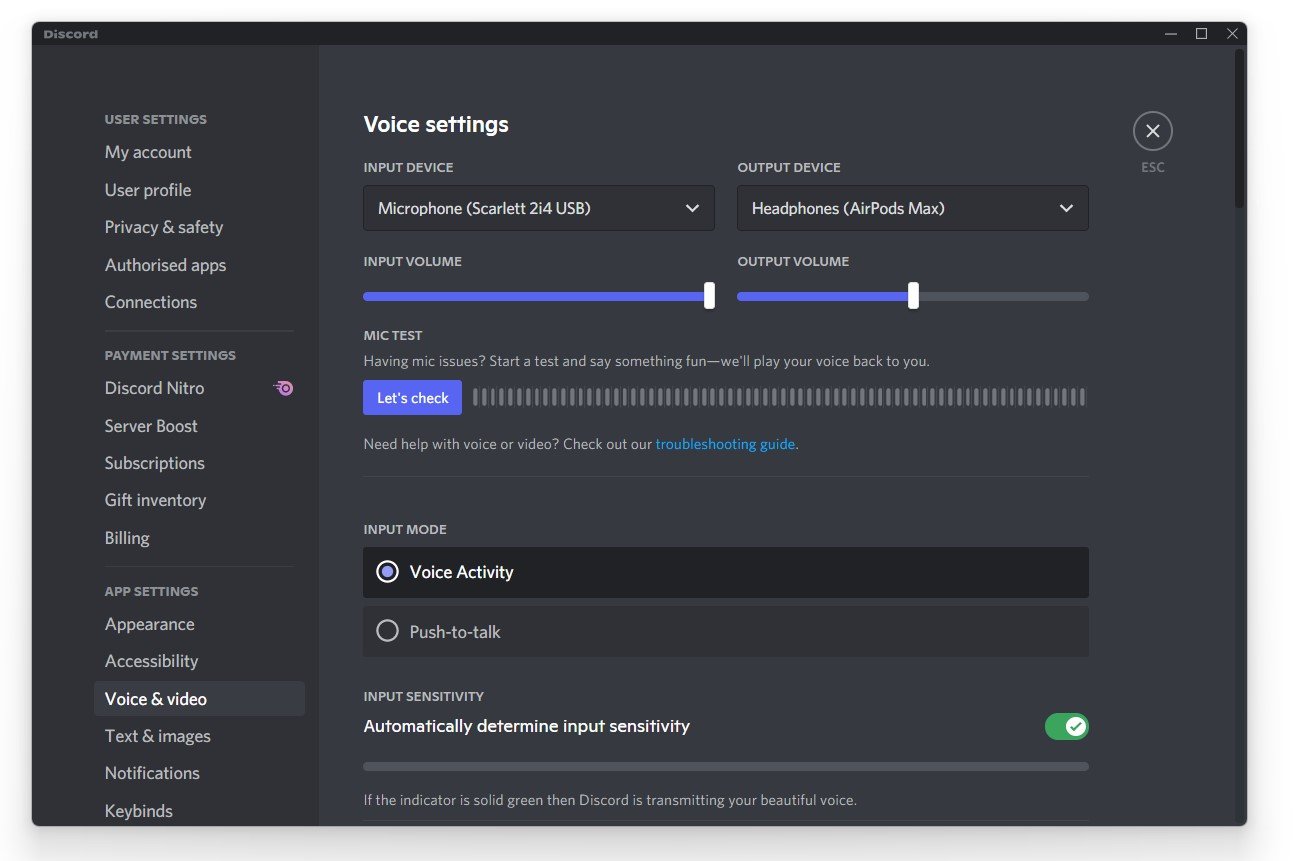
Discord - How To Fix “Mic Not Working” On Windows 10 — Tech How
How To Fix Discord Mic Not Working - Ful Guide - YouTube

How To Fix Discord Mic Not Working - Ful Guide - YouTube
How To Fix Microphone Not Working With Discord! | SCG - YouTube

How to Fix Microphone Not Working with Discord! | SCG - YouTube
How To FIX Discord Mic Not Working In 2022 - YouTube

How to FIX Discord Mic not working in 2022 - YouTube
How To Fix Mic Not Working On Discord - YouTube

How To Fix Mic Not Working On Discord - YouTube
How To Fix Discord Mic Not Working [FULL GUIDE] - YouTube
![How To Fix Discord Mic Not Working [FULL GUIDE] - YouTube](https://i.ytimg.com/vi/uXrHtDNPzjk/maxresdefault.jpg)
How To Fix Discord Mic Not Working [FULL GUIDE] - YouTube
How To Fix Discord Mic Not Working (2026) | Mic Not Detected Or No

How to Fix Discord Mic Not Working (2026) | Mic Not Detected or No ...
How To Fix Discord Mic Not Working In Windows - YouTube

How To Fix Discord Mic Not Working In Windows - YouTube