← How to Fix Google Chrome Not Opening on Windows: Step-by-Step Guide How to Fix Windows 11 Search Bar Not Working: Step-by-Step Guide →
Echo during a Zoom meeting is one of the most disruptive audio problems you can encounter. It creates a distracting feedback loop, makes conversation difficult, and can derail an entire presentation or team sync. This guide explains the common causes of echo on Zoom and walks you through a series of technical troubleshooting steps to eliminate it. By the end, you will know how to isolate the source of the echo, adjust your hardware and software settings, and prevent the problem from recurring in future calls.
Step 1: Identify the Source of the Echo
Before changing any settings, determine whether the echo is coming from your own setup or from another participant. Ask the other attendees whether they hear themselves repeated back. If only one person reports echo, the issue is likely on their end. If everyone hears the echo, it is probably originating from your microphone and speaker configuration. You can also check Zoom's audio indicator next to your name to see if your microphone is transmitting when you are not speaking. Identifying the source prevents unnecessary changes to settings that are already correct.

Step 2: Use a Headset or External Microphone
The most common cause of echo is using a laptop's built-in speakers and microphone simultaneously. The microphone picks up the audio from the speakers, which is then retransmitted to the meeting, creating a loop. Switching to a wired headset, a USB microphone with a headphone jack, or a dedicated external microphone with monitoring eliminates this feedback path. If a headset is unavailable, lowering your speaker volume and positioning the microphone away from the speakers can reduce the effect, but it will not eliminate it entirely.

Step 3: Enable Echo Cancellation in Zoom
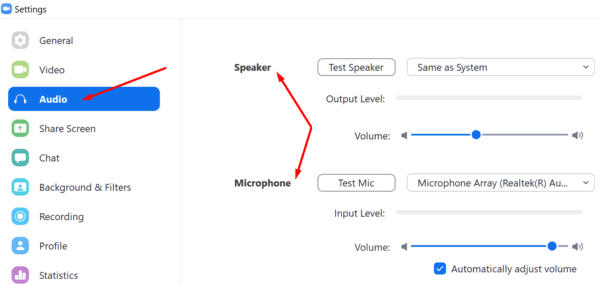
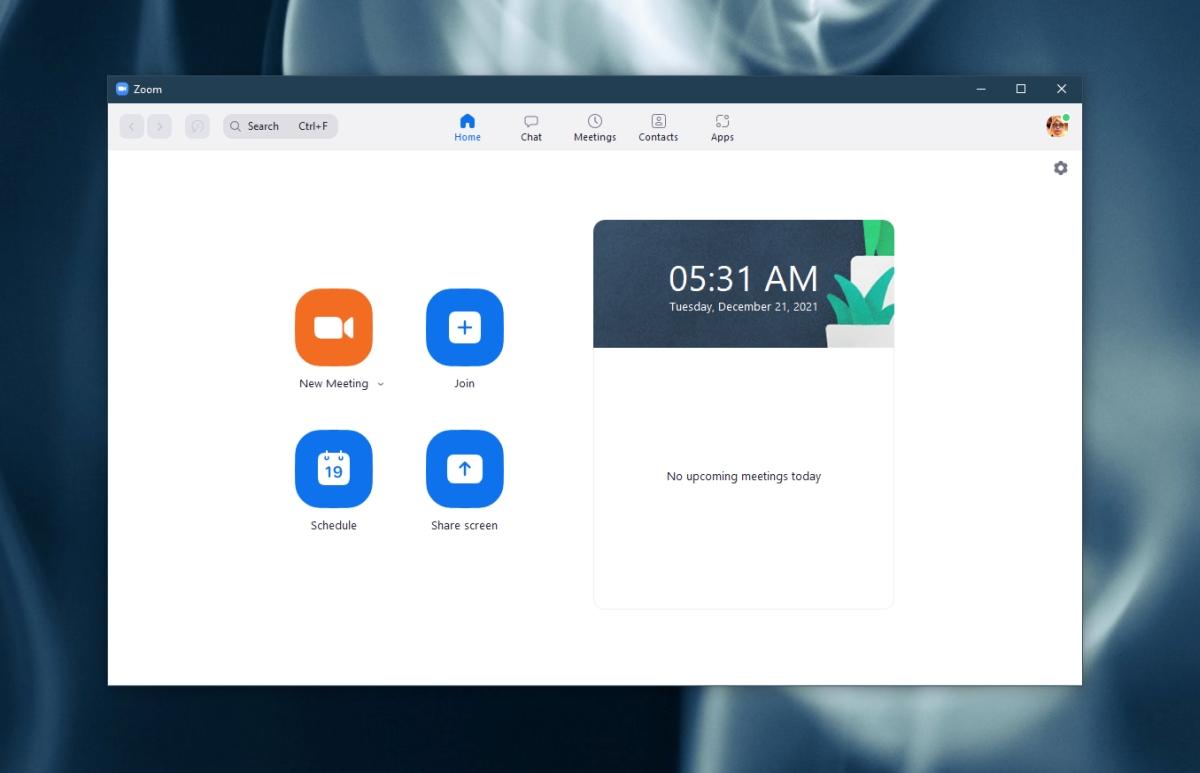
Zoom includes a built-in echo cancellation feature that filters out repeated audio. Open the Zoom desktop client, click your profile picture, and select Settings. Navigate to the Audio tab and ensure that Automatically adjust microphone volume is enabled. Then, under the Audio Profile section, choose Original Sound for Musicians only if you are performing live music; otherwise, leave it off, because disabling echo cancellation is often the culprit when users enable this mode for regular meetings. For standard calls, keep the default profile with echo cancellation active.
Step 4: Mute Unused Microphones and Disable Duplicate Audio Devices
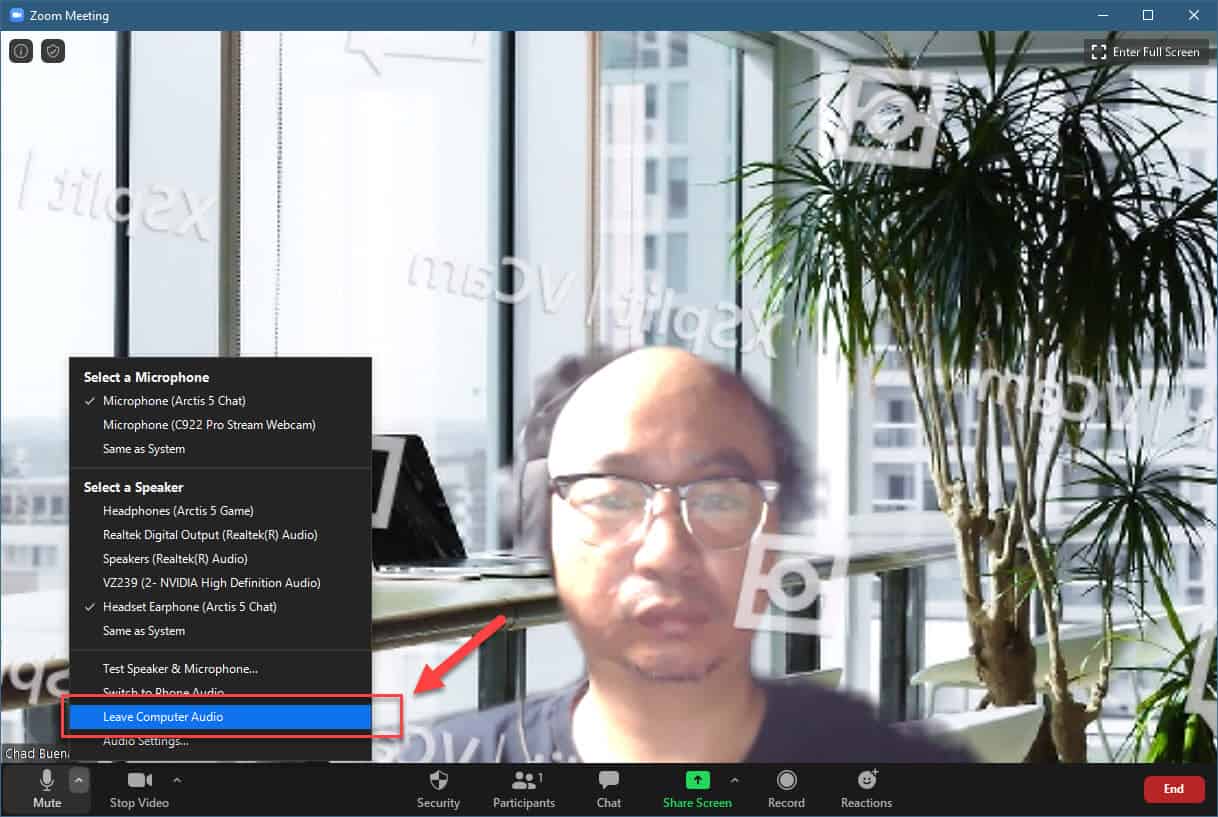
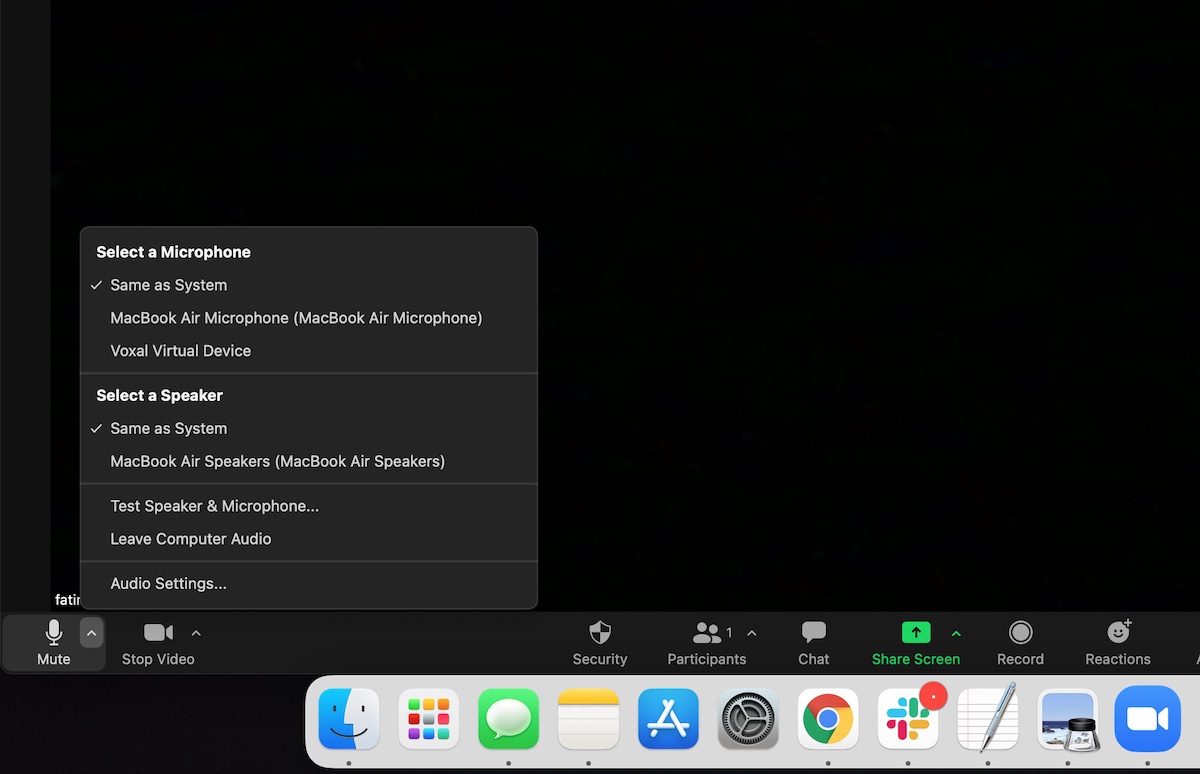
Multiple active microphones in the same room will pick up the same audio and create an echo. If you have an external webcam with a built-in microphone, a laptop microphone, and a headset microphone all connected, Zoom may be using one while another picks up ambient sound. In Zoom's audio settings, select only the microphone you intend to use and disconnect or disable the others. Additionally, check your operating system's sound settings to ensure that no duplicate audio input devices are enabled. On Windows, go to Settings > System > Sound > Input; on macOS, go to System Settings > Sound > Input.
Step 5: Update Zoom and Audio Drivers
Outdated software can cause audio processing errors that result in echo. Open Zoom, click your profile picture, and select Check for Updates. Install any available updates and restart the application. Next, update your audio drivers. On Windows, open Device Manager, expand Audio inputs and outputs, right-click your microphone, and select Update driver. On macOS, driver updates are delivered through system updates. After updating, restart your computer and rejoin a test Zoom meeting to verify that the echo is gone.
Step 6: Test Your Setup with Zoom's Audio Test
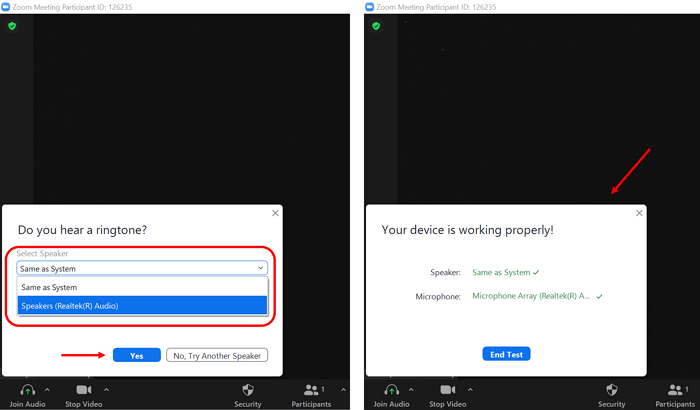
Zoom provides a built-in audio test to verify your configuration. In the audio settings, click Test Mic and speak for a few seconds. Zoom will play back your recording. Listen for any repetition or feedback. Then, join a test meeting at zoom.us/test and ask a colleague to confirm whether they hear echo. If the echo persists, repeat steps 2 through 5, paying close attention to whether any other participant has their microphone and speakers active in the same physical space.
How To Fix Zoom Echoes During Calls - Technipages
How to Fix Zoom Echoes During Calls - Technipages
How To Fix Zoom Echo During Call Problem – EasyPCMod
How To Fix Zoom Echo During Call Problem – EasyPCMod
How To Fix Echo In Zoom (Quick & Easy) - YouTube
How To Fix Echo in Zoom (Quick & Easy) - YouTube
HOW TO FIX MICROPHONE ECHO On Teams And Zoom Calls Without HEADPHONE Or

HOW TO FIX MICROPHONE ECHO on Teams and Zoom Calls without HEADPHONE or ...
How To Fix Echo In Zoom (Quick Tutorial) - YouTube

How To Fix Echo In Zoom (Quick Tutorial) - YouTube
Fix Echo In Zoom Meetings (Audio Feedback Fix In 2 Minutes) - YouTube

Fix Echo in Zoom Meetings (Audio Feedback Fix in 2 Minutes) - YouTube
How To Adjust Echo Cancellation In Zoom 2 Min Guide - YouTube

How to Adjust Echo Cancellation in Zoom 2 Min Guide - YouTube
How To Fix Echo In Zoom (Quick Tutorial) - YouTube

How To Fix Echo in Zoom (Quick Tutorial) - YouTube
How To Stop Echo On Zoom - Fast And Effective Fixes
How to Stop Echo on Zoom - Fast and Effective Fixes
Fix Echo On Zoom _ How To Remove Echo From Video Calls – YFJNH
Fix Echo On Zoom _ How To Remove Echo From Video Calls – YFJNH
Troubleshoot Zoom Audio Echo Issue [Latest Fix 2024]
![Troubleshoot Zoom Audio Echo Issue [Latest Fix 2024]](https://10pcg.com/wp-content/uploads/troubleshoot-zoom-audio-echo-issue-300x171.jpg)
Troubleshoot Zoom Audio Echo Issue [Latest Fix 2024]
How To Fix Zoom Echo Issues During A Call
How to fix Zoom echo issues during a call
How To Get Rid Of Echo On Zoom Meeting Fast

How to Get Rid of Echo on Zoom Meeting Fast
How To Fix Zoom Echo Issues During A Call
How to fix Zoom echo issues during a call
How To Fix Echo In Zoom (2025) - YouTube

How To Fix Echo In Zoom (2025) - YouTube
What Causes Echo On Zoom Calls At Jennifer Quevedo Blog
What Causes Echo On Zoom Calls at Jennifer Quevedo blog
Troubleshoot Zoom Audio Echo Issue [Latest Fix 2024]
![Troubleshoot Zoom Audio Echo Issue [Latest Fix 2024]](https://10pcg.com/wp-content/uploads/disconnect-audio-169x300.png)
Troubleshoot Zoom Audio Echo Issue [Latest Fix 2024]
How To Fix Echo In Zoom Meeting - YouTube

How to Fix Echo in Zoom Meeting - YouTube
How To Fix Zoom No Sound On PC [2024 Guide] - Driver Easy
![How to Fix Zoom No Sound on PC [2024 Guide] - Driver Easy](https://www.drivereasy.com/wp-content/uploads/2021/04/zoom-settings-1.jpg)
How to Fix Zoom No Sound on PC [2024 Guide] - Driver Easy
Troubleshoot Zoom Audio Echo Issue [Latest Fix 2024]
![Troubleshoot Zoom Audio Echo Issue [Latest Fix 2024]](https://10pcg.com/wp-content/uploads/leave-computer-audio.jpg)
Troubleshoot Zoom Audio Echo Issue [Latest Fix 2024]
How To Fix Echo In Zoom Meeting - 2025 - YouTube

How To Fix Echo In Zoom Meeting - 2025 - YouTube
How To Fix Echo/Feedback In Zoom Meetings On Windows 10/Android/IOS

How To Fix Echo/Feedback in Zoom Meetings on Windows 10/Android/IOS ...
How To Fix Zoom 'Original Sound' Problem (Windows 11) - Cliff Smith
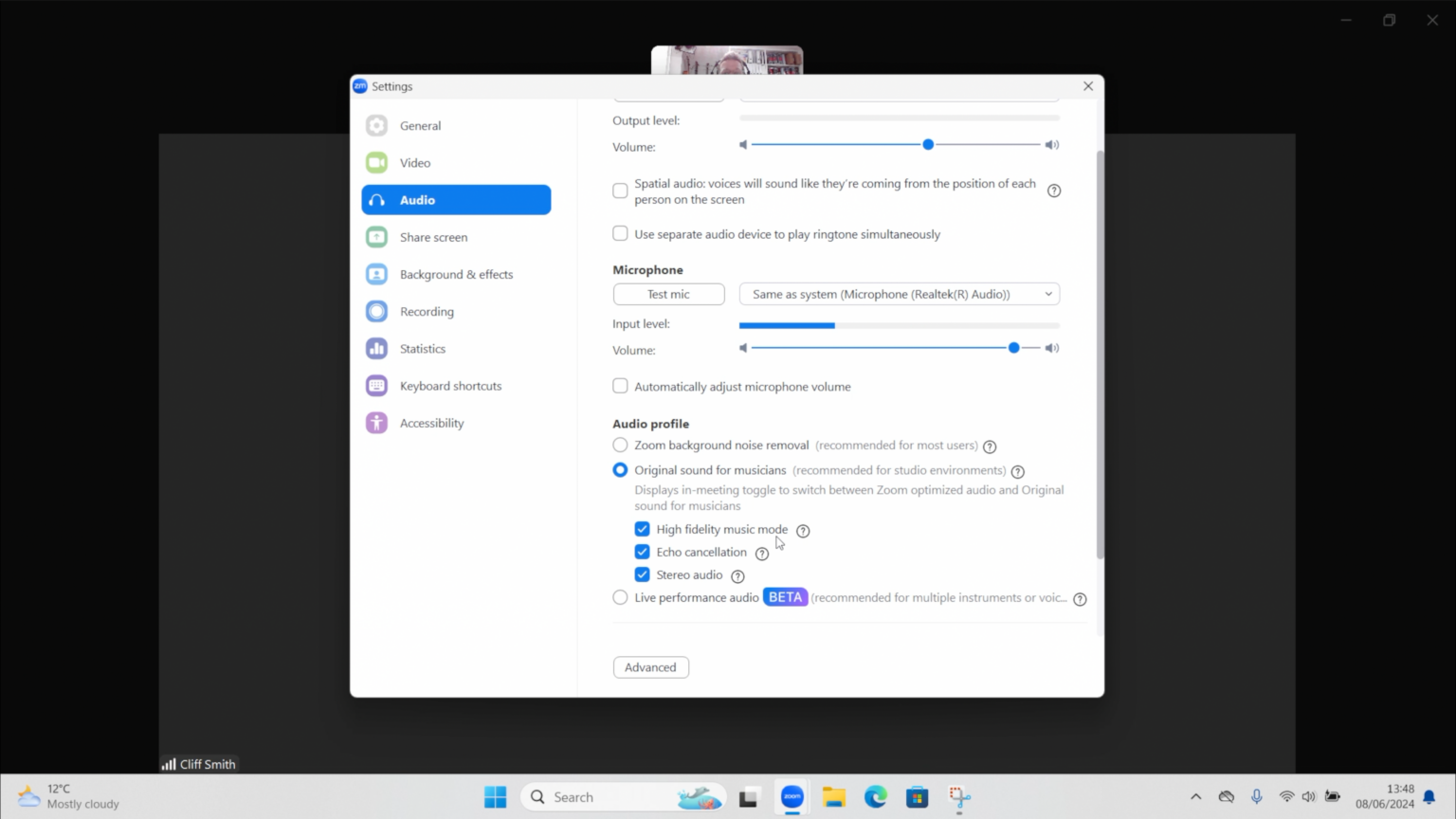
How to Fix Zoom 'Original Sound' Problem (Windows 11) - Cliff Smith ...
Voice Echoing - How To Fix Mic Echo In Calls | Remote Tools
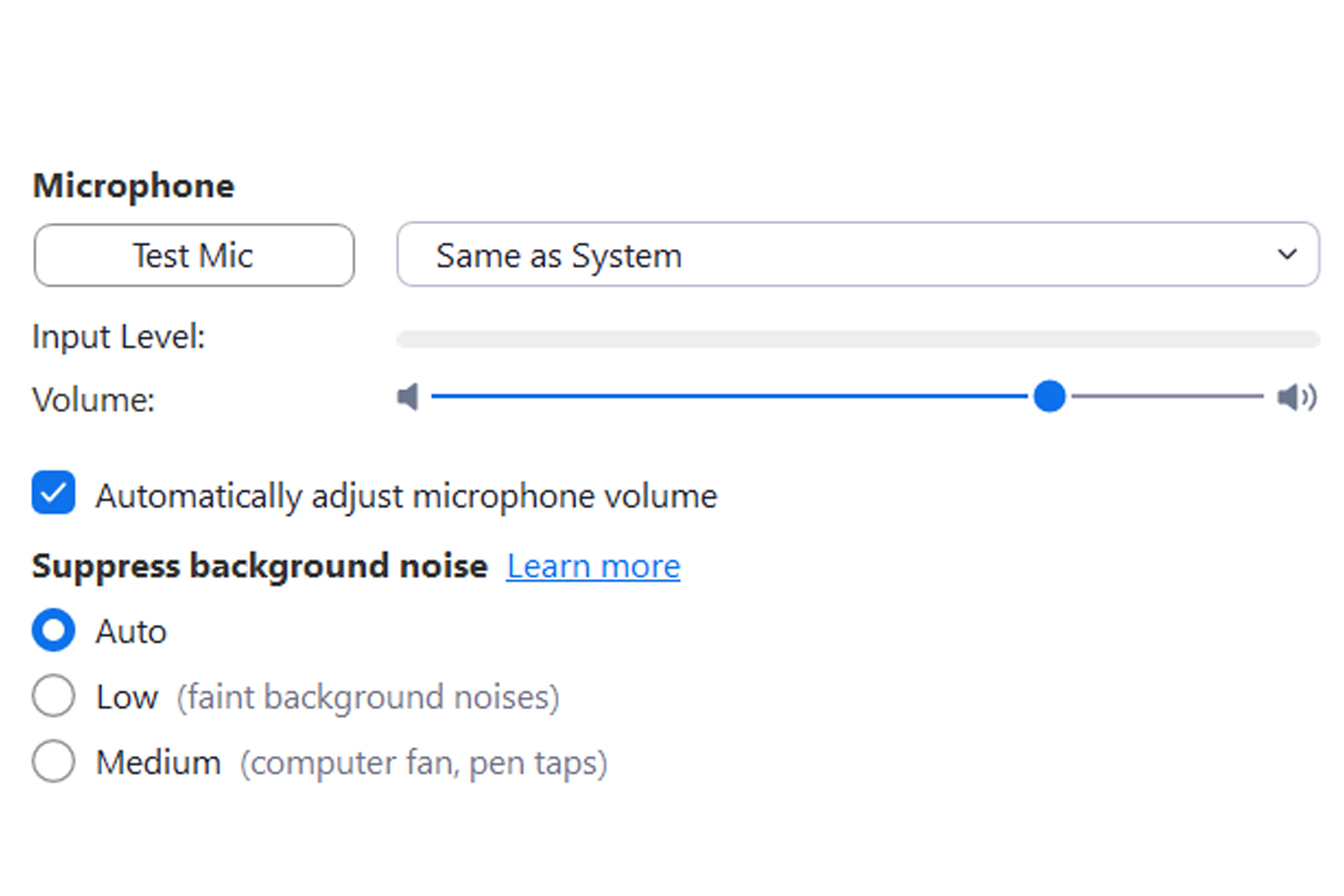
Voice echoing - How to fix mic echo in calls | Remote Tools
'How Do I Get Rid Of That Annoying Echo On My Zoom Calls?' And More WFH

'How do I get rid of that annoying echo on my Zoom calls?' and more WFH ...
How To Fix Zoom Echo During Call Problem [2026 Full Guide] - YouTube
![How to Fix Zoom Echo During Call Problem [2026 Full Guide] - YouTube](https://i.ytimg.com/vi/-crUmYw6OfA/maxresdefault.jpg)
How to Fix Zoom Echo During Call Problem [2026 Full Guide] - YouTube