← How to Update Drivers on Windows 11 in 2026: A Complete Step-by-Step Guide How to Fix WhatsApp Web Not Connecting: Step-by-Step Guide →
Google Docs is one of the most convenient tools for collaborative writing because it saves your work automatically to the cloud. However, there are occasions when Google Docs stops saving changes, leaving you worried about losing valuable content. This issue can stem from a poor internet connection, browser glitches, insufficient storage, or account-related problems. In this tutorial, you will learn a series of proven steps to diagnose and fix the "Google Docs not saving" problem, so you can get back to your document with confidence and never lose your progress again.
Step 1: Check Your Internet Connection and Offline Mode Status
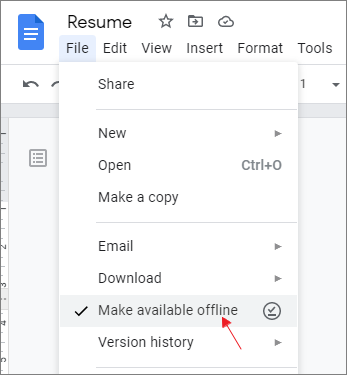
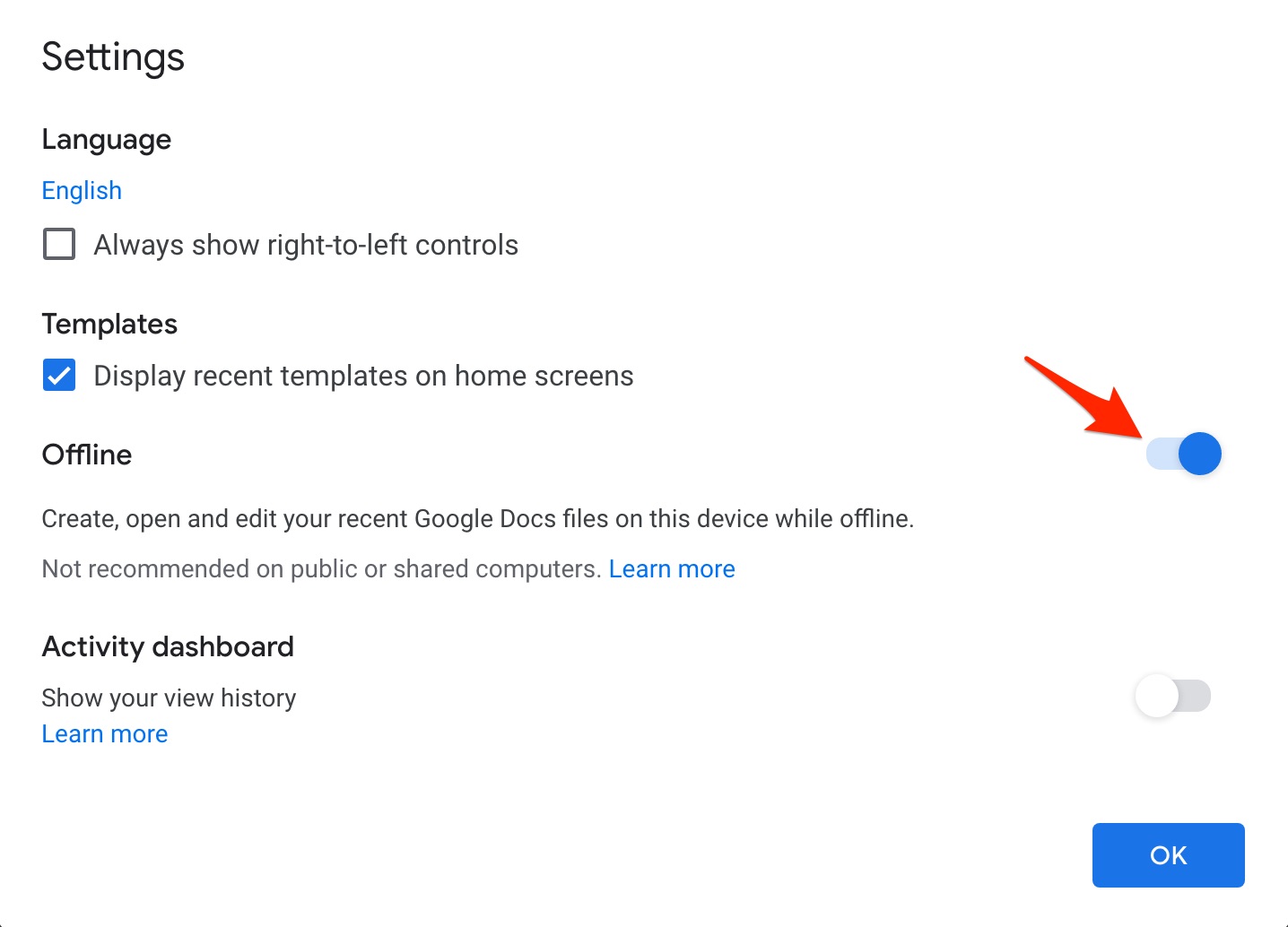
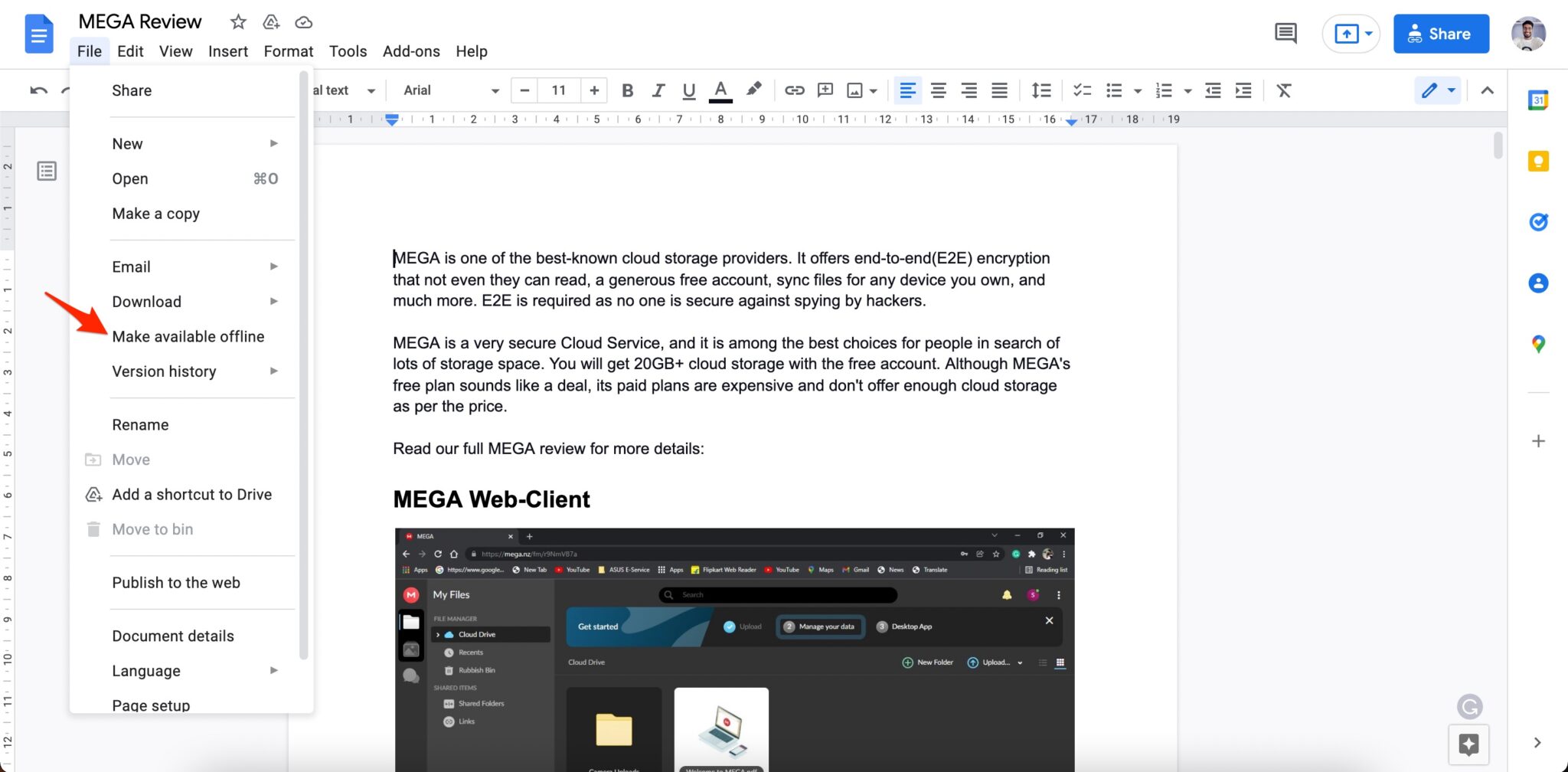
The most common reason Google Docs fails to save is an unstable or disconnected internet connection. Google Docs relies on continuous connectivity to sync your edits to Google Drive. If your connection drops, the document may switch to offline mode, and changes will not be saved until the connection returns. First, verify that you are online by loading another website. If the connection is weak, move closer to your router or switch to a more reliable network. Next, check the offline mode indicator in Google Docs. If you see a small cloud icon with a slash or an "Offline" message, your edits are being stored only locally. Reconnect to the internet and wait for the cloud icon to return to normal. If you intentionally enabled offline editing, make sure you have installed the Google Docs Offline extension and allowed offline access in your Google Drive settings.
Step 2: Refresh the Page and Clear Browser Cache
Temporary browser glitches can prevent Google Docs from communicating with the server. Start by saving a copy of your work using the keyboard shortcut Ctrl + S (Windows) or Command + S (Mac). Then refresh the page with F5 or Ctrl + R. If the problem persists, clear your browser cache and cookies. Accumulated cache files can conflict with the web application. In Chrome, go to Settings > Privacy and security > Clear browsing data, then select "Cached images and files" and "Cookies and other site data." After clearing, sign back into Google Docs and reopen your document. This simple reset often restores normal saving behavior.
Step 3: Disable Conflicting Browser Extensions
Certain browser extensions, such as ad blockers, grammar checkers, or VPN tools, can interfere with Google Docs' autosave function. To test this, open your document in Incognito or Private mode, where extensions are disabled by default. If saving works correctly in Incognito mode, an extension is likely the culprit. Return to normal mode and disable extensions one by one, refreshing Google Docs after each change. Once you identify the problematic extension, remove it or adjust its permissions to exclude Google Docs. This step is especially important for users who rely on multiple productivity add-ons.
Step 4: Verify Google Drive Storage and Document Permissions
Google Docs cannot save new changes if your Google Drive storage is full or if you have lost editing permissions. Visit drive.google.com/settings to check your storage quota. If you are out of space, delete large files or upgrade your storage plan. Additionally, confirm that you still have edit access to the document. If the owner changed your permission to "Viewer" or "Commenter," your changes will not be saved. Look for a message such as "You do not have permission to edit this document." In that case, request edit access from the owner or make a copy of the file to your own Drive and continue working there.
Step 5: Update Your Browser and Restart Your Device
An outdated browser may lack the necessary compatibility to run Google Docs smoothly. Ensure you are using the latest version of Chrome, Firefox, Edge, or Safari. Updates often include fixes for web application bugs. After updating, restart your computer or mobile device to clear temporary system glitches. Once your device restarts, open Google Docs again and test whether changes save properly. If the issue continues, try using a different browser or the Google Docs mobile app as an alternative.
Step 6: Recover Unsaved Changes and Contact Support
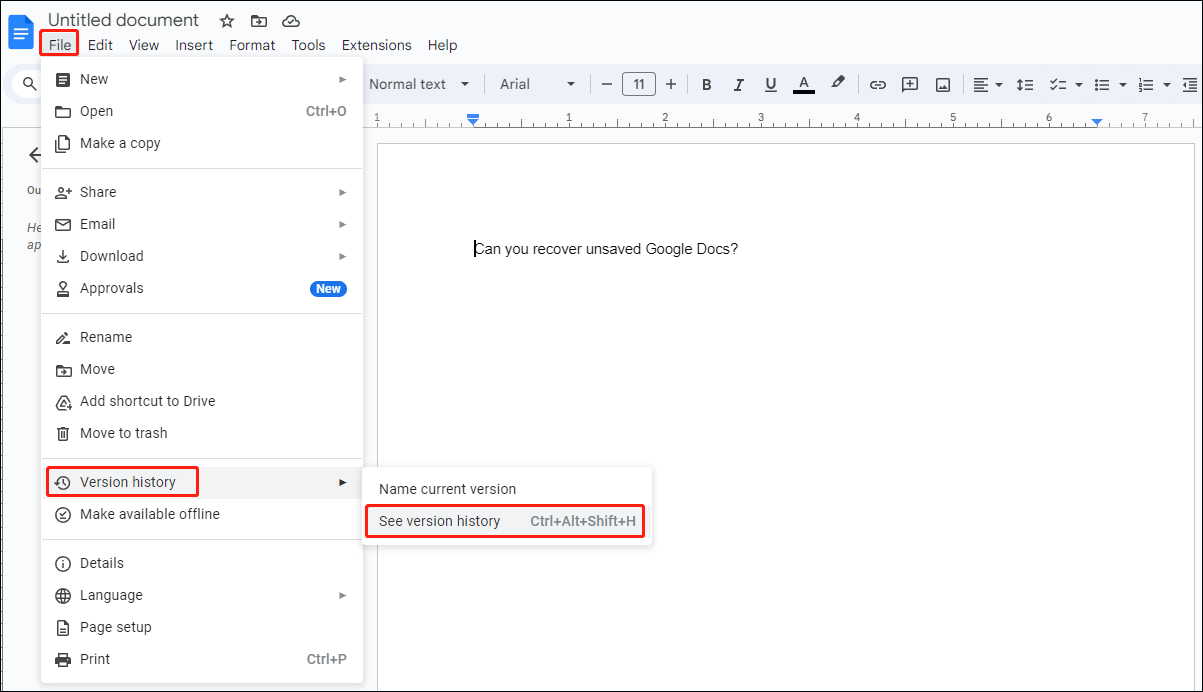
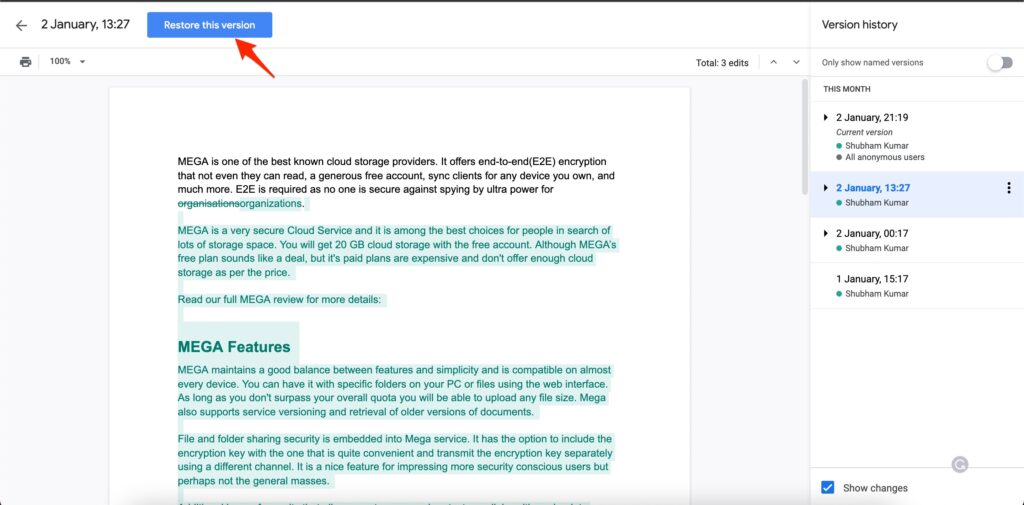
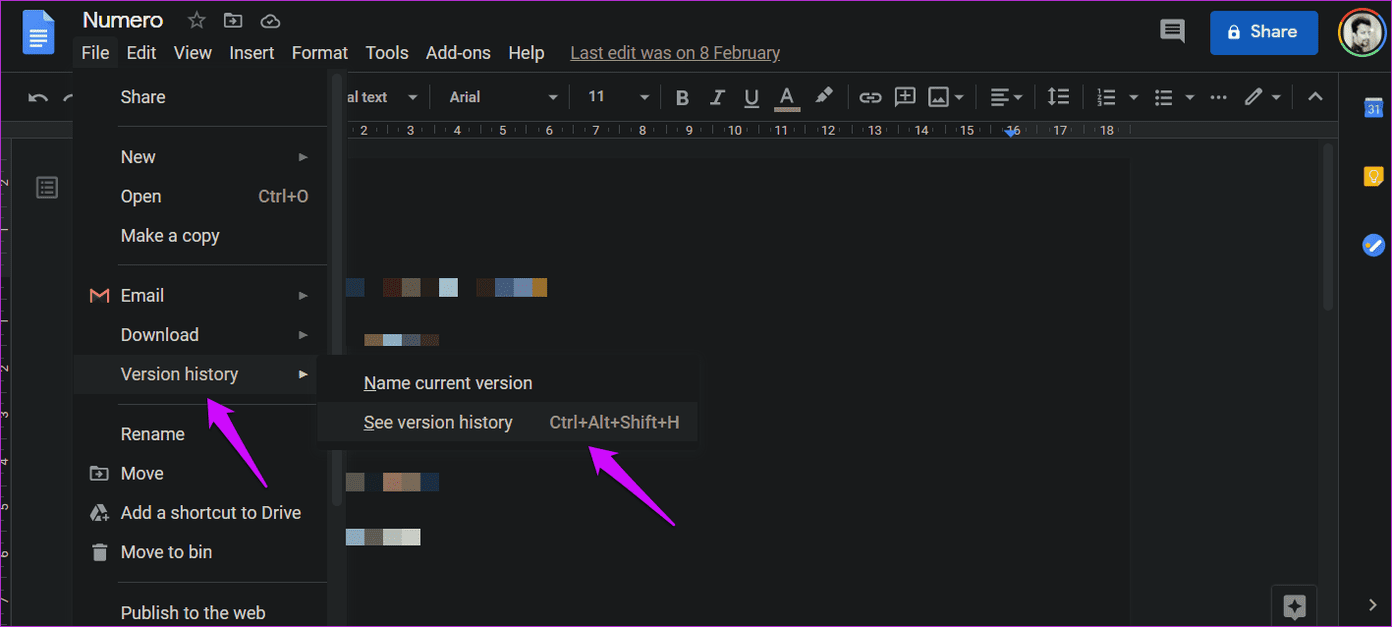
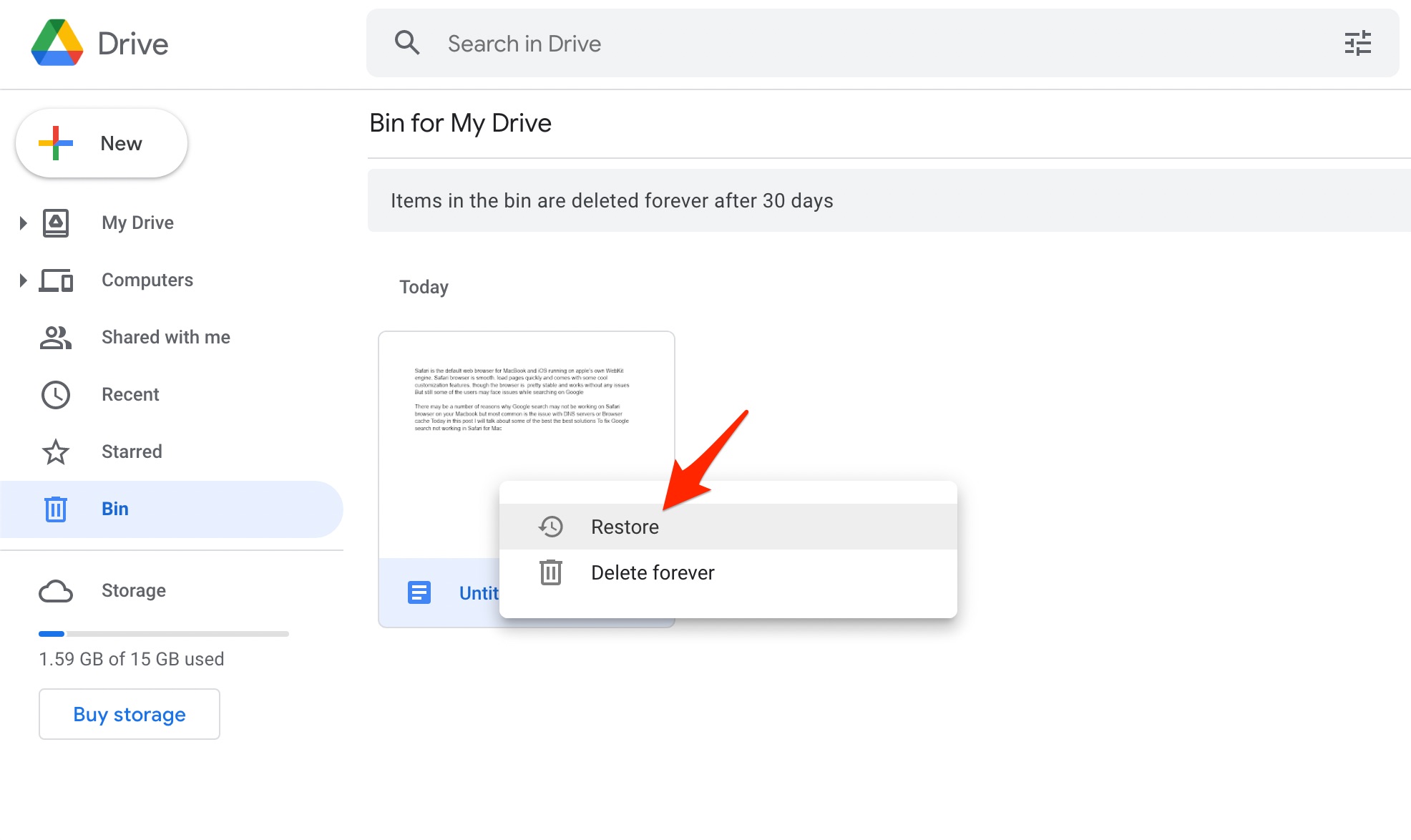
If you have already lost unsaved work, Google Docs may still recover it. Go to File > Version history > See version history to browse previous saves. Sometimes an autosaved version exists even when the latest edits were not stored. For persistent problems, submit a feedback report through Help > Help Docs improve, or contact Google Workspace support if you use a business account. Providing details such as your browser version, operating system, and the exact error message will help support teams resolve the issue faster. Following these steps systematically will resolve most Google Docs saving failures and protect your important work.
7 Best Ways To Fix Google Docs Auto Saving Not Working Issue

7 Best Ways to Fix Google Docs Auto Saving Not Working Issue
How To Get Back Google Docs That Were Not Saved On Windows - BLR Tools

How to Get Back Google Docs That Were Not Saved on Windows - BLR Tools
Fix Google Docs Auto Saving Not Working Issue [Troubleshoot]
![Fix Google Docs Auto Saving Not Working Issue [Troubleshoot]](https://www.getdroidtips.com/wp-content/uploads/2020/09/check-version-history.jpg)
Fix Google Docs Auto Saving Not Working Issue [Troubleshoot]
How To Fix Google Drive Document Not Saving Or Showing Changes (2025

How to Fix Google Drive Document Not Saving or Showing Changes (2025 ...
How To Fix Google Docs Error Issue Problem Simple Solution (Working

How To Fix Google Docs Error Issue Problem Simple Solution (Working ...
Google Docs Columns Not Working [FIX]
![Google Docs Columns Not Working [FIX]](https://appsthatdeliver.com/wp-content/uploads/2023/08/Google-Docs-Columns-Not-Working-Step-3.png)
Google Docs Columns Not Working [FIX]
Recover Unsaved Google Docs? Two Methods & One Precaution
Recover Unsaved Google Docs? Two Methods & One Precaution
4 Ways To Fix Google Docs Offline Not Working - 4 Ways To Fix Google

4 Ways to Fix Google Docs Offline Not Working - 4 Ways to Fix Google ...
How To Fix Google Docs Not Saving Changes?
How to Fix Google Docs Not Saving Changes?
Fix: Google Docs Didn’t Save My Work - Programming Cube
Fix: Google Docs Didn’t Save My Work - Programming Cube
How To Fix Google Docs Not Saving Changes?
How to Fix Google Docs Not Saving Changes?
How To Fix Google Docs Didn’t Save My Work - Vegadocs
How To Fix Google Docs Didn’t Save My Work - Vegadocs
2 Fixes When Google Docs Auto Saving Is Not Working - Guiding Tech

2 Fixes When Google Docs Auto Saving Is Not Working - Guiding Tech
Can’t Access Docs.google.com On Windows 11? Here’s The Fix
Can’t Access docs.google.com on Windows 11? Here’s the Fix
Let's Solve Google Docs Not Saving Changes Or Comments (5 Ways)
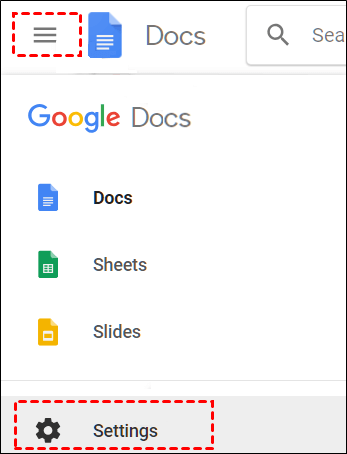
Let's Solve Google Docs Not Saving Changes or Comments (5 Ways)
How To Fix Google Docs Not Saving Changes?
How to Fix Google Docs Not Saving Changes?
Google Docs Not Working? Here’s Our Guide On How To Fix It - TechieTechTech
Google Docs not working? Here’s our guide on how to fix it - TechieTechTech
4 Ways To Fix Google Docs Not Printing Correctly - Guiding Tech

4 Ways to Fix Google Docs Not Printing Correctly - Guiding Tech
Error: Google Docs Didn't Save My Work - EaseUS
Error: Google Docs Didn't Save My Work - EaseUS
Google Docs Not Working Here S Our Guide On How To Fix It Preparing
Google Docs Not Working Here S Our Guide On How To Fix It Preparing ...
How To Fix Google Docs Offline Not Working - How To Fix Google Docs

How to Fix Google Docs Offline Not Working - How to Fix Google Docs ...
4 Ways To Fix Google Docs Offline Not Working - 4 Ways To Fix Google

4 Ways to Fix Google Docs Offline Not Working - 4 Ways to Fix Google ...
How To Fix Google Docs Not Downloading Files Error

How to Fix Google Docs Not Downloading Files Error
How To Fix Google Docs Offline Not Working - How To Fix Google Docs

How to Fix Google Docs Offline Not Working - How to Fix Google Docs ...
7 Best Ways To Fix Google Docs Auto Saving Not Working Issue

7 Best Ways to Fix Google Docs Auto Saving Not Working Issue
4 Ways To Fix Google Docs Not Printing Correctly - Guiding Tech

4 Ways to Fix Google Docs Not Printing Correctly - Guiding Tech
Google Docs Outline Not Working [FIX]
![Google Docs Outline Not Working [FIX]](https://appsthatdeliver.com/wp-content/uploads/2023/03/Google-Docs-Outline-Not-Working_Before.png)
Google Docs Outline Not Working [FIX]
How To Fix Google Docs Not Saving Changes?
How to Fix Google Docs Not Saving Changes?
Google Docs Not Working At Miguelina Cotten Blog
Google Docs Not Working at Miguelina Cotten blog
How To Fix Google Docs Not Saving Changes?
How to Fix Google Docs Not Saving Changes?
How To Fix Google Docs Not Saving Changes?
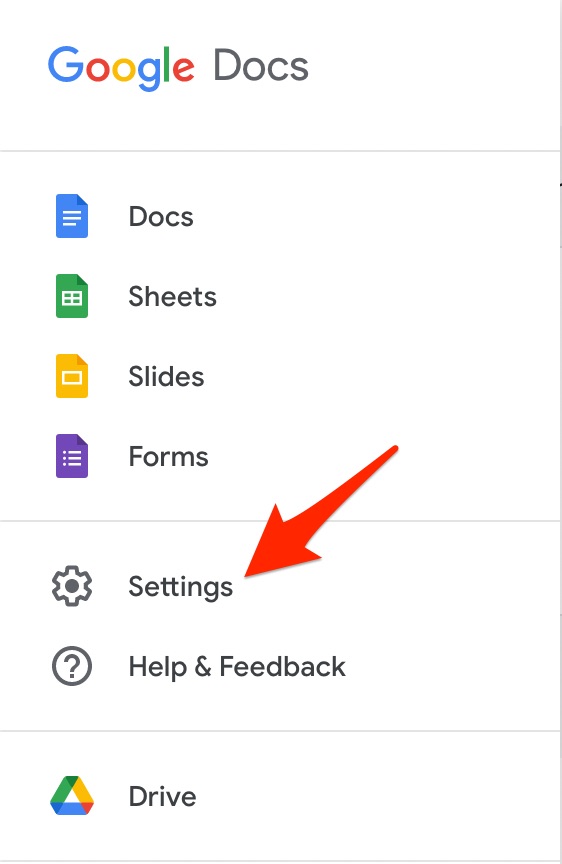
How to Fix Google Docs Not Saving Changes?
Google Docs Not Printing Correctly: 7 Ways To Fix!
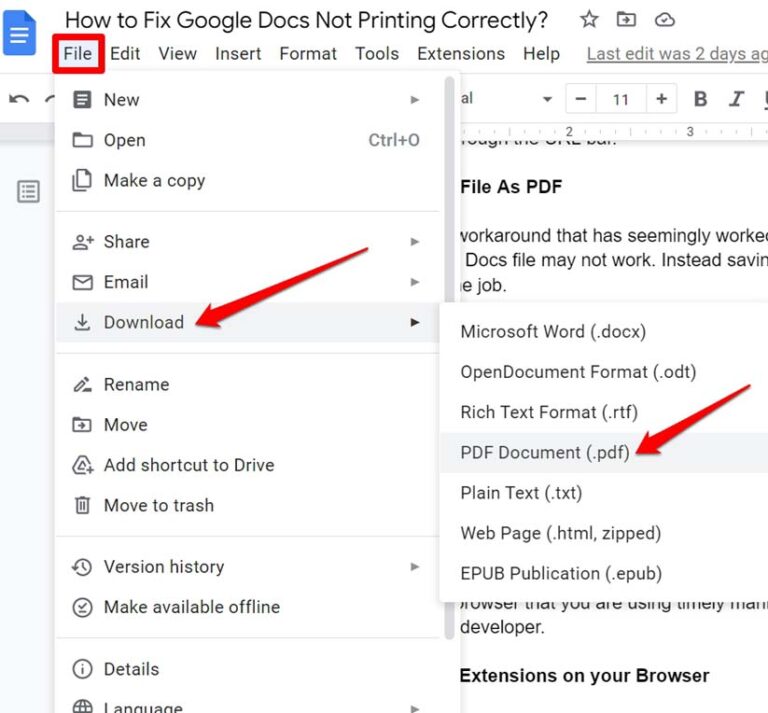
Google Docs Not Printing Correctly: 7 Ways to Fix!