← How to Schedule an Email in Gmail: Step-by-Step Guide How to Clear Cache in Microsoft Edge: A Step-by-Step Guide →
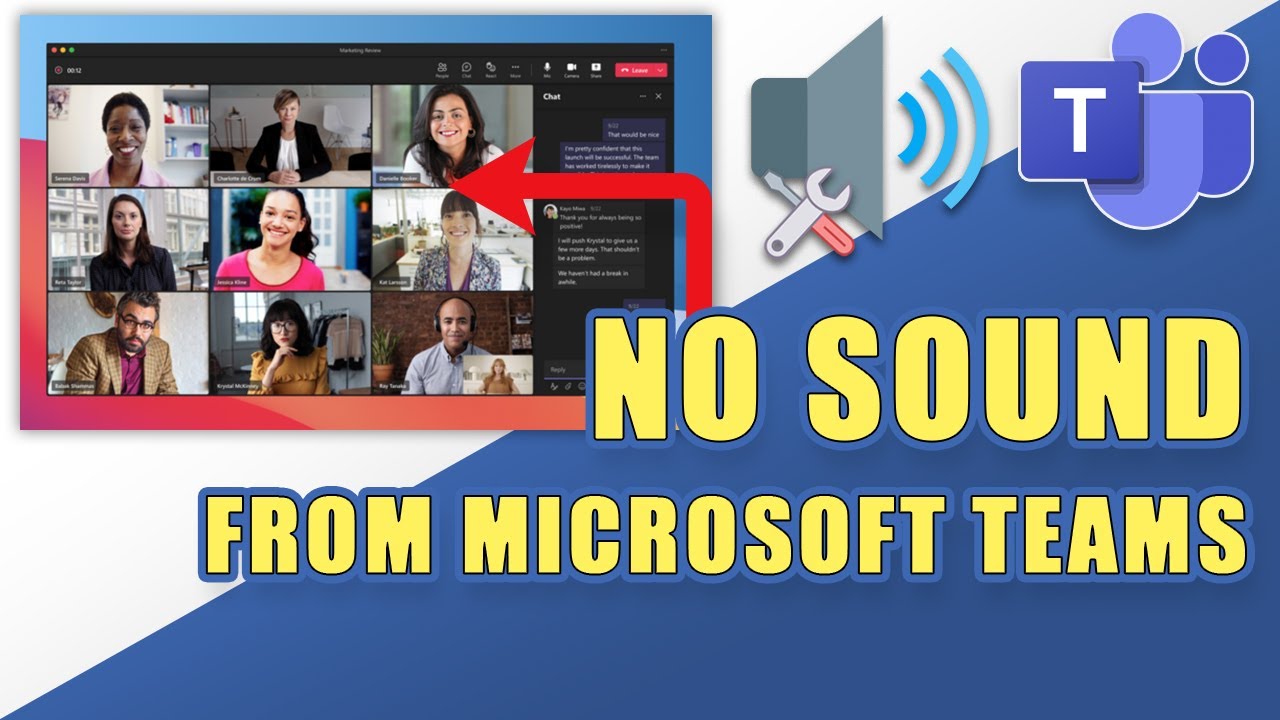
Microsoft Teams is a vital tool for meetings, calls, and collaboration, but audio problems can bring your workday to a halt. If Teams is not connecting to your microphone, speakers, or headset, the issue is usually caused by incorrect device settings, outdated drivers, or permission restrictions. This tutorial walks you through the most effective fixes, from quick checks to deeper troubleshooting, so you can get your sound working again in minutes.
Step 1: Check Your Device Settings Inside Teams
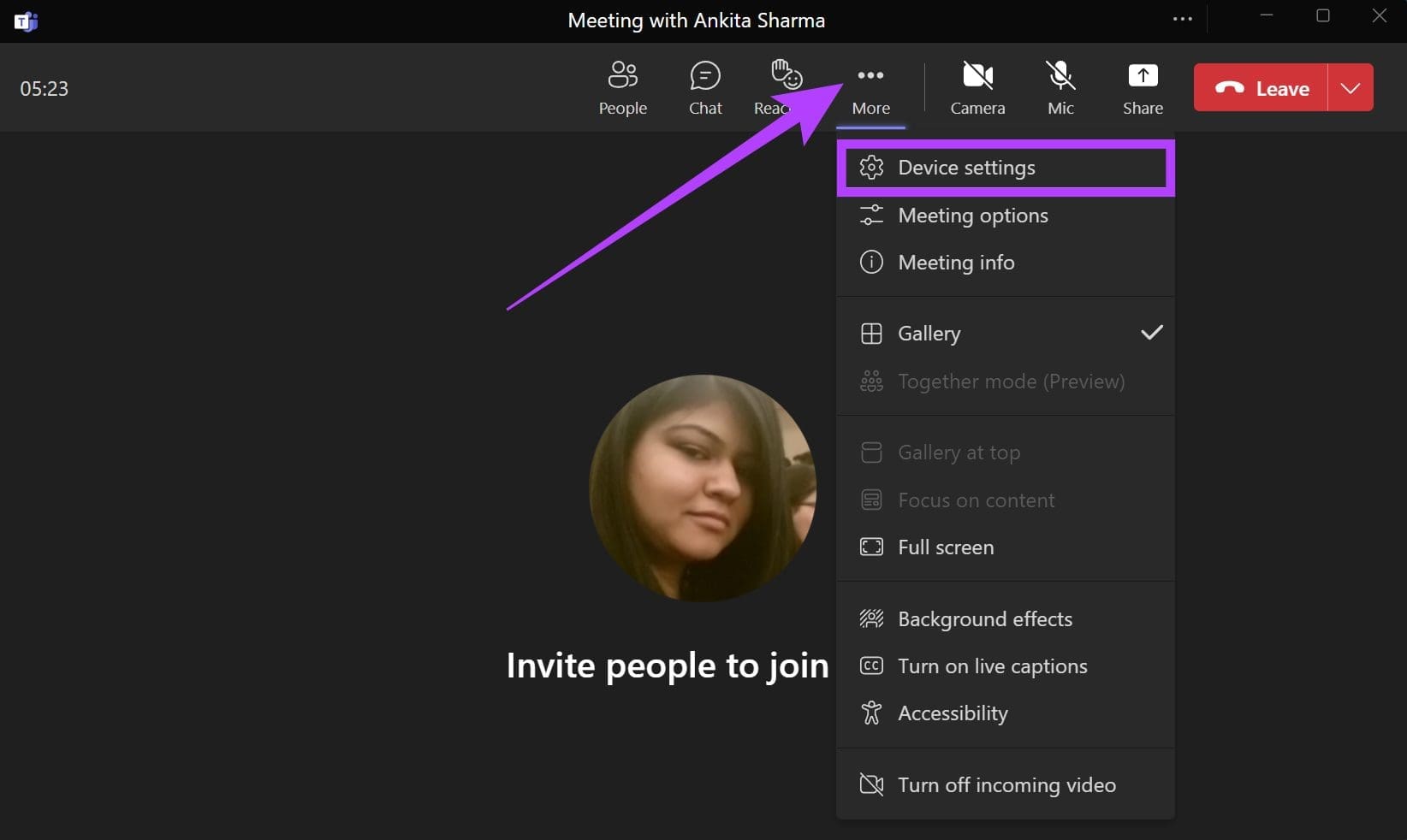
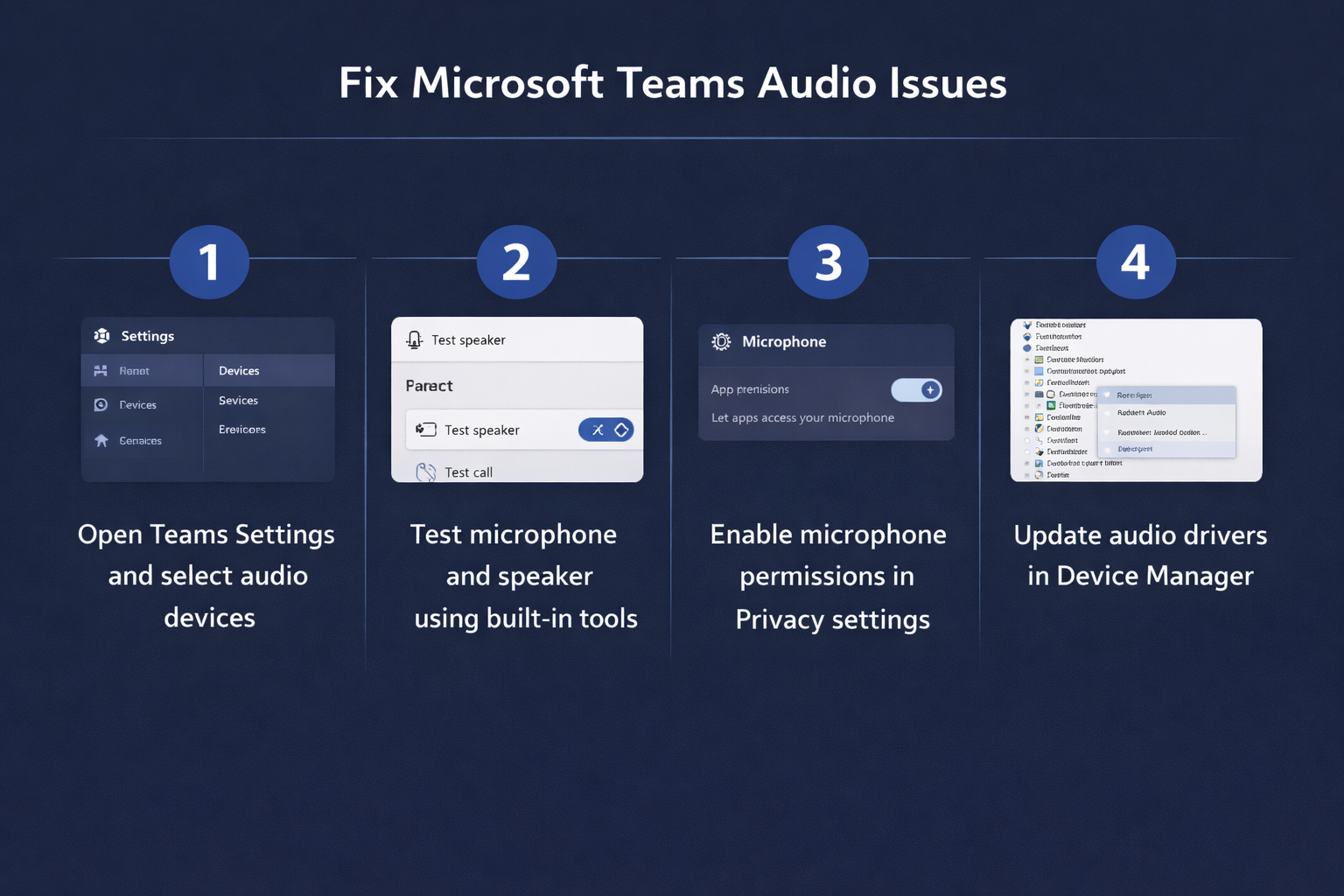
Before changing anything on your computer, make sure Teams itself is using the correct audio device. Open Teams, click your profile picture, and select Settings. Go to Devices. Under Audio devices, confirm that the correct microphone and speaker are selected from the dropdown menus. If you have multiple devices, such as a laptop mic and a USB headset, Teams may be pointing to the wrong one. Click Make a test call to hear how your voice sounds and to verify the connection. If the test call works, your issue is likely isolated to a specific meeting or channel.
Step 2: Verify Windows Sound and Privacy Permissions
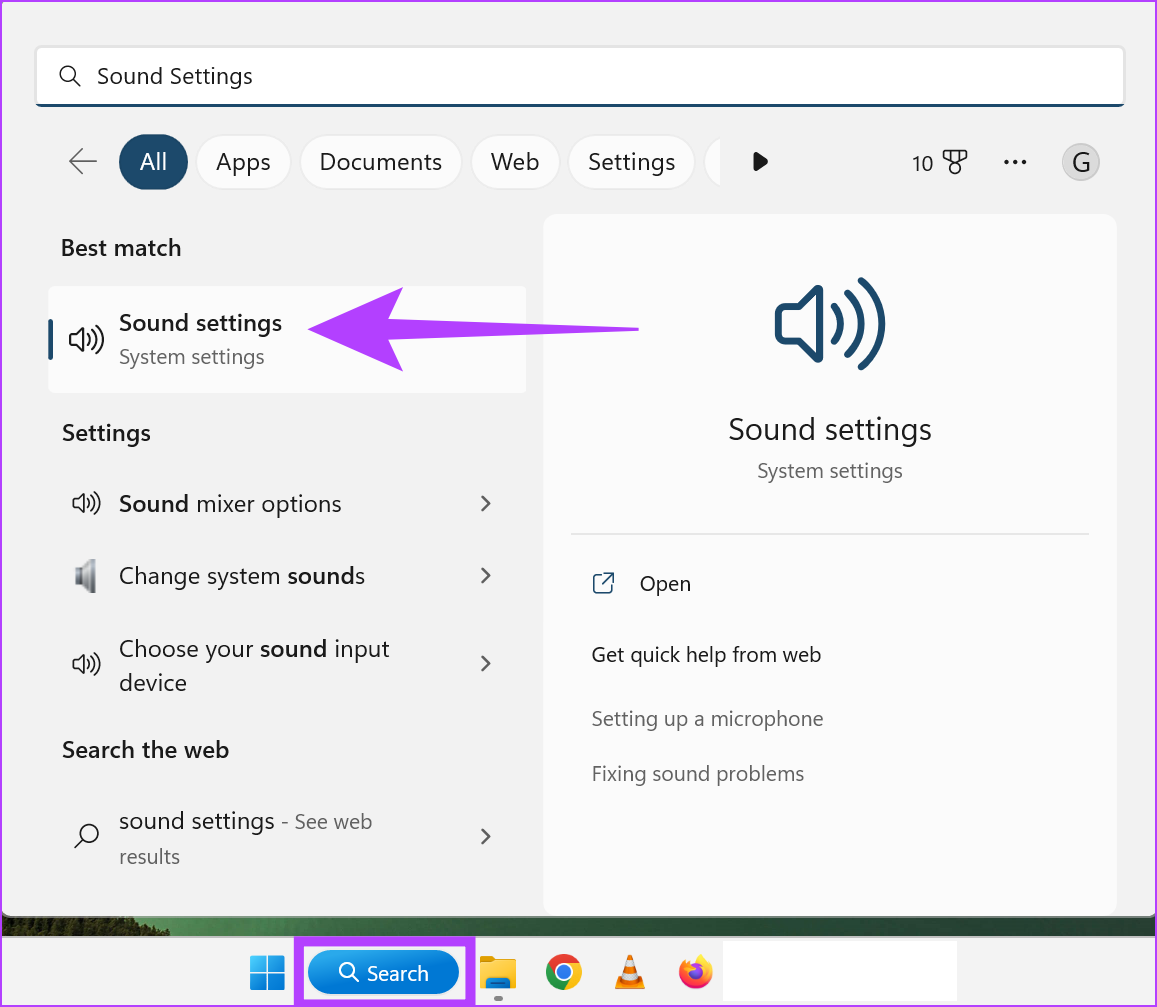
Windows 11 and Windows 10 have privacy settings that can block apps like Teams from accessing your microphone. Click the Start button, then go to Settings > Privacy & security > Microphone. Make sure Microphone access is turned on and that Let apps access your microphone is enabled. Scroll down and confirm that Microsoft Teams is allowed to use the microphone. Next, right-click the speaker icon in the taskbar and choose Sound settings. Under Output and Input, select the correct devices and test them. If the volume is muted or set to zero, raise it and unmute the device.
Step 3: Restart Teams and Clear the Cache
Corrupted temporary files can prevent Teams from connecting to audio. Fully close Teams by right-clicking its icon in the system tray and selecting Quit. Then press Ctrl + Shift + Esc to open Task Manager and end any remaining Teams processes. Next, press Windows + R, type %appdata%\Microsoft\Teams, and press Enter. Delete all files and folders in this directory. Restart your computer and open Teams again. This clears the cache and forces Teams to rebuild its audio configuration from scratch.
Step 4: Update or Reinstall Audio Drivers
Outdated or faulty audio drivers are a common cause of Teams audio failure. Right-click the Start button and select Device Manager. Expand Audio inputs and outputs and Sound, video and game controllers. Right-click each device and choose Update driver, then select Search automatically for drivers. If no update is found, right-click the device and select Uninstall device, then restart your PC so Windows reinstalls the driver automatically. For USB headsets, unplug and replug the device into a different port.
Step 5: Disable Exclusive Mode and Audio Enhancements
Some audio enhancements interfere with Teams. Right-click the speaker icon and choose Sounds. In the Playback tab, select your default speaker, click Properties, and go to the Advanced tab. Uncheck Allow applications to take exclusive control of this device. Then go to the Enhancements tab and check Disable all enhancements. Repeat this for your microphone under the Recording tab. Click Apply and OK, then restart Teams and test your audio again.
Step 6: Reinstall Microsoft Teams
If none of the above steps work, the Teams installation may be damaged. Close Teams and uninstall it from Settings > Apps > Installed apps. Download the latest version from the official Microsoft Teams website or the Microsoft Store. Install it, sign in, and run a test call. A clean installation resolves persistent audio connection problems caused by corrupted configuration files or outdated app versions.
How To Fix Microsoft Teams Notification Sound Not Working - Guiding Tech

How to Fix Microsoft Teams Notification Sound Not Working - Guiding Tech
11 Ways To Fix Microsoft Teams Audio Not Working On Windows 11

11 Ways to Fix Microsoft Teams Audio Not Working on Windows 11 ...
11 Ways To Fix Microsoft Teams Audio Not Working On Windows 11
11 Ways to Fix Microsoft Teams Audio Not Working on Windows 11 ...
Fix Microsoft Teams Microphone Not Working On Windows 10 – TechCult

Fix Microsoft Teams Microphone Not Working on Windows 10 – TechCult
Teams Audio Conferencing Turned Off At Flynn Barney Blog

Teams Audio Conferencing Turned Off at Flynn Barney blog
Fixing No Sound During Video Calls In Microsoft Teams: Troubleshooting

Fixing No Sound During Video Calls in Microsoft Teams: Troubleshooting ...
11 Ways To Fix Microsoft Teams Audio Not Working On Windows 11

11 Ways to Fix Microsoft Teams Audio Not Working on Windows 11 ...
How To Fix Audio Microphone Issues In Microsoft Teams?
How to fix audio microphone issues in Microsoft Teams?
How To Fix Not Being Able To Hear Sound In Microsoft Teams – Business

How to fix not being able to hear sound in Microsoft Teams – Business ...
How To Fix Sound Problems In Microsoft Teams?
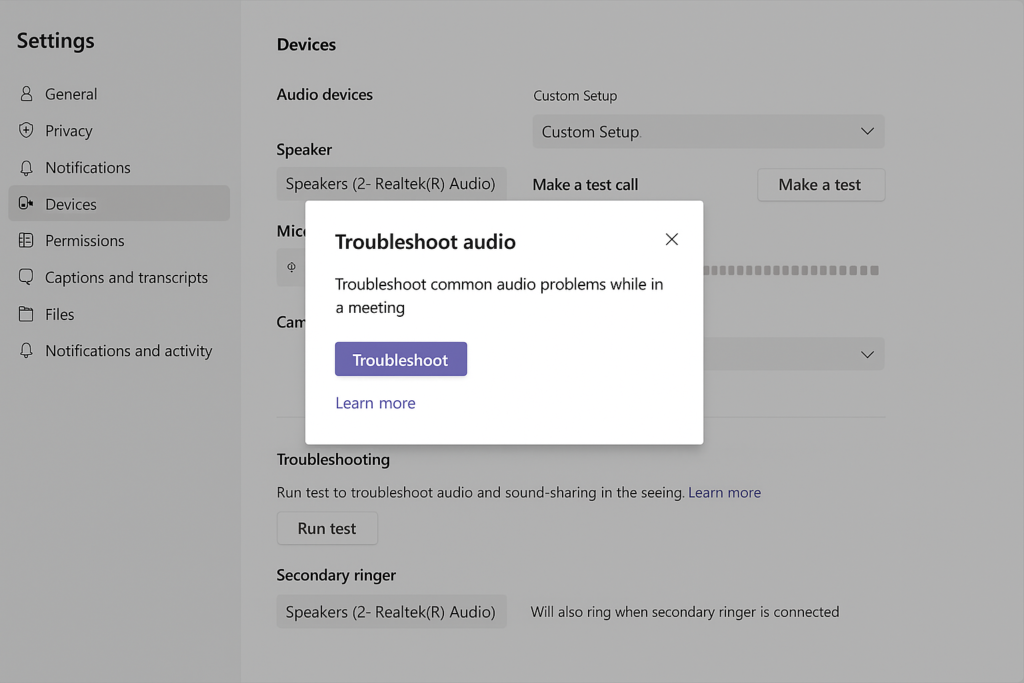
How to fix sound problems in Microsoft Teams?
How To Fix The Sound Not Working In Microsoft Teams - YouTube

How to fix the sound not working in Microsoft Teams - YouTube
How To Fix Microsoft Teams No Sound During Video Call - EasyPCMod
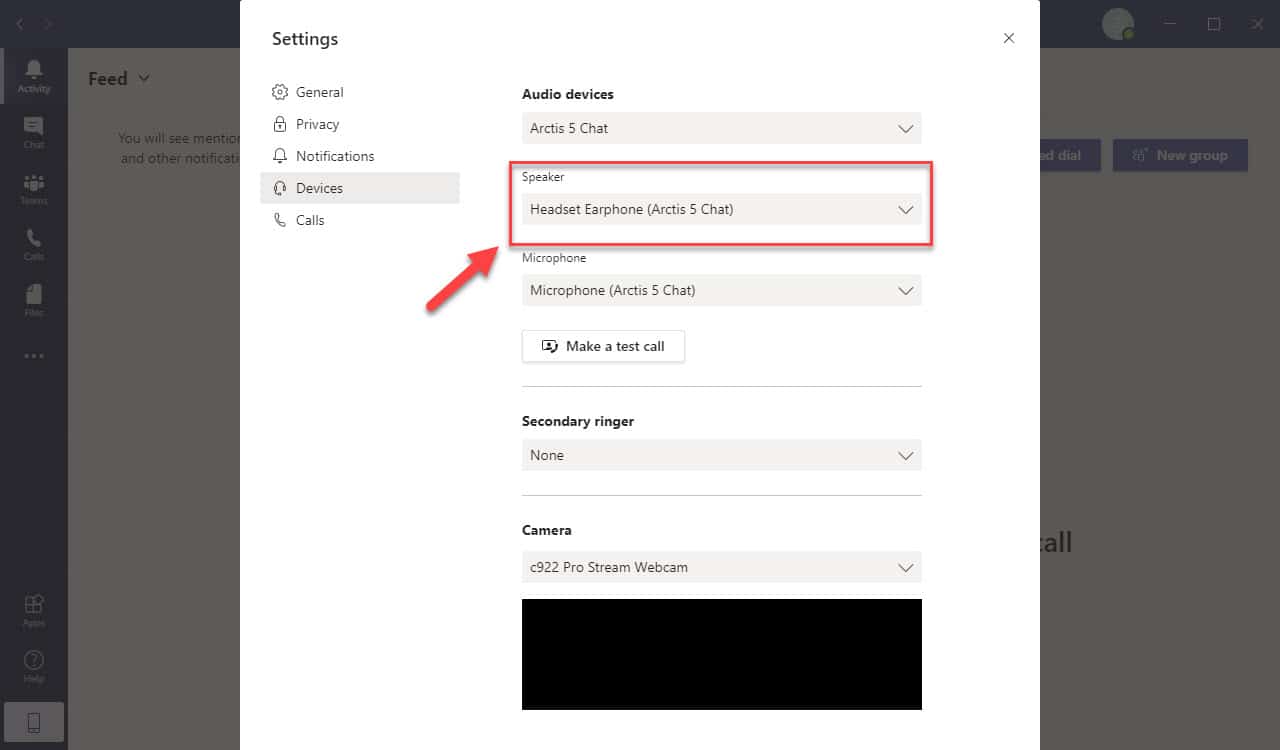
How To Fix Microsoft Teams No Sound During Video Call - EasyPCMod
How To Fix Microsoft Teams No Sound During Video Call - YouTube
How to Fix Microsoft Teams No Sound During Video Call - YouTube
[SOLVED] Microsoft Teams Mic Not Working On Windows 11/10 - Driver Easy
![[SOLVED] Microsoft Teams Mic Not Working on Windows 11/10 - Driver Easy](https://www.drivereasy.com/wp-content/uploads/2020/12/0807de31-1b00-4bba-9bdc-6eb301b266ca.jpg)
[SOLVED] Microsoft Teams Mic Not Working on Windows 11/10 - Driver Easy
How To Fix The Sound Not Working In Microsoft Teams 2025 UPDATED - YouTube

How to Fix the Sound not Working in Microsoft Teams 2025 UPDATED - YouTube
Microsoft Teams Doesn’t Recognize Microphone Errors

Microsoft Teams doesn’t recognize microphone errors
4 Fixes For Audio Not Working In Microsoft Teams On Windows 11

4 Fixes for Audio Not Working in Microsoft Teams on Windows 11 ...
Solving Headphones Not Detected In Teams Issues
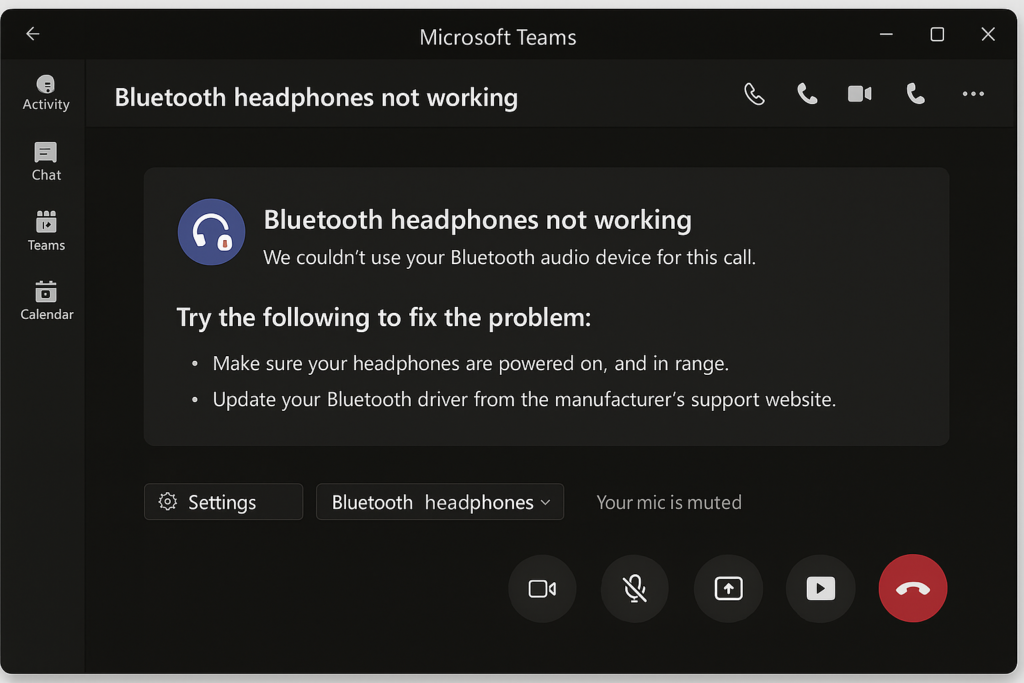
Solving headphones not detected in Teams issues
How To Fix Microsoft Teams Notification Sound Not Working - Guiding Tech

How to Fix Microsoft Teams Notification Sound Not Working - Guiding Tech
Manage Audio Settings In Microsoft Teams Meetings - Microsoft Support
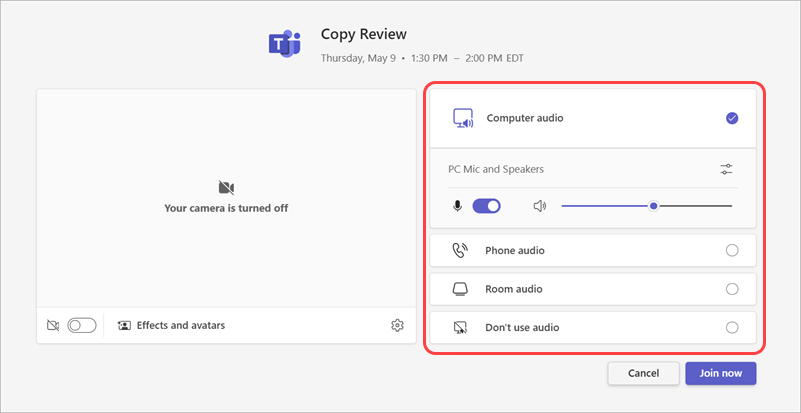
Manage audio settings in Microsoft Teams meetings - Microsoft Support
11 Ways To Fix Microsoft Teams Audio Not Working On Windows 11

11 Ways to Fix Microsoft Teams Audio Not Working on Windows 11 ...
How To Fix Microsoft Teams No Sound (Microsoft Teams Audio Not Working

How To Fix Microsoft Teams No Sound (Microsoft Teams Audio Not Working ...
How To Fix The Sound Not Working In Microsoft Teams (Easiest Way) - YouTube
How to Fix the Sound Not Working in Microsoft Teams (Easiest Way) - YouTube
How To Fix No Audio On Teams - Microsoft Q&A
How to fix no audio on teams - Microsoft Q&A
How To Fix Microsoft Teams Notification Sound Not Working - Guiding Tech

How to Fix Microsoft Teams Notification Sound Not Working - Guiding Tech
Microsoft Teams Audio Not Working? Here’s How To Fix It

Microsoft Teams Audio not Working? Here’s how to fix it
How To Fix No Audio On Teams - Microsoft Q&A
How to fix no audio on teams - Microsoft Q&A
Microsoft Teams Audio Not Working? Here’s How To Fix It

Microsoft Teams Audio not Working? Here’s how to fix it
11 Ways To Fix Microsoft Teams Audio Not Working On Windows 11

11 Ways to Fix Microsoft Teams Audio Not Working on Windows 11 ...
How To Fix Microsoft Teams No Sound During Video Call (2026 Guide

How to Fix Microsoft Teams No Sound During Video Call (2026 Guide ...
How To Fix Microsoft Teams Notification Sound Not Working - Guiding Tech

How to Fix Microsoft Teams Notification Sound Not Working - Guiding Tech
Teams Your Microphone Isn't Working At Leon Ussery Blog

Teams Your Microphone Isn't Working at Leon Ussery blog
How To Fix The Sound Not Working In Microsoft Teams | Latest Guide
How to Fix the Sound Not Working in Microsoft Teams | Latest Guide ...