← How to Clear Cache in Microsoft Edge: A Step-by-Step Guide Fix Slack Notifications Not Working on Windows 11: A Step-by-Step Guide →
If you typed a message in Slack and then accidentally deleted it, closed the tab, or hit send before you were ready, you might be wondering whether that text is gone forever. In this tutorial, you will learn practical methods to recover unsent messages on Slack, what Slack actually stores, and what your real options are if the message never made it to a channel. You will also learn how to use Slack's edit, draft, and history features to your advantage.
Step 1: Check Your Drafts in Slack
Slack automatically saves what you type in the message box as a draft if you navigate away without sending. Open Slack and look at the channel or conversation where you were typing. If a draft exists, you will see a small pencil icon or the text "Draft" next to the conversation name in the sidebar. Click that conversation, and your unsent message should still be sitting in the input box. You can then copy it, edit it, or send it. This is the fastest way to recover an unsent message that you never posted.

Step 2: Use the Up Arrow to Recall Your Last Message
If you were typing in a channel and then clicked away without sending, Slack may not keep the draft if you switched to another device or reloaded the page. In that case, click into the message input field and press the up arrow key on your keyboard. Slack will cycle through your recently sent messages, but it can also sometimes restore the last text you had typed if the session is still active. This works best on the desktop app and in the browser version. If the up arrow does not bring back your unsent text, move to the next step.

Step 3: Check Slack's Message History and Activity Log
Unsent messages are not stored in Slack's servers. Slack only retains messages that were actually posted to a channel, direct message, or thread. However, if you sent the message and then deleted it, you can sometimes recover it through Slack's message history if you have a paid plan. Go to the channel where you sent the message, click the channel name, and select "View message history." If you are an admin or owner, you can also use the "Access logs" feature to see deleted messages. For unsent messages that never left your input box, Slack does not keep a copy, so this step only helps if the message was sent and then removed.
Step 4: Look for Local Drafts in Your Browser or Desktop App
Slack stores some temporary data locally on your device. If you use Slack in a browser, check your browser's autofill or form recovery settings. Some browsers, like Chrome and Firefox, save form data temporarily. You can also try pressing Ctrl+Z (Windows) or Command+Z (Mac) inside the message box to undo a deletion. If you use the Slack desktop app, close and reopen the app. In rare cases, the draft will reappear if the app crashed before syncing. Note that this is not guaranteed, but it is worth trying before you give up.
Step 5: Contact Slack Support or Your Workspace Admin
If you are on a paid Slack plan and the unsent message contained critical information, contact your workspace owner or admin. They can check Slack's compliance and export tools, which may include deleted messages and drafts in some configurations. Slack Support itself does not recover unsent messages for individual users, but your admin may have access to data export features that include message history. Provide the exact time, channel, and approximate content of the message. If you are on the free plan, recovery is very unlikely because Slack does not store unsent drafts on its servers.
Step 6: Prevent Future Loss with These Habits
To avoid losing unsent messages again, type long messages in a separate note-taking app first, then paste them into Slack. You can also enable Slack's "Save draft" feature by simply not clearing the input box. If you frequently write long replies, use the Slack "Schedule for later" option to force yourself to save the message. Finally, keep your Slack app updated, because newer versions have better draft recovery and sync across devices. By following these steps, you will know exactly what to do the next time you need to recover an unsent message on Slack.
Slack Unread Mentions Won’t Go Away [Just Do This!] - Portfolink
![Slack Unread Mentions Won’t Go Away [Just Do This!] - Portfolink](https://portfolink.com/blog/wp-content/uploads/2024/02/mark-message-read-slack-1024x640.jpg)
Slack Unread Mentions Won’t Go Away [Just Do This!] - Portfolink
How To Find Unread Messages In Slack - YouTube

How To Find Unread Messages In Slack - YouTube
How To Recover Deleted Messages On Slack 2025 (2026) - YouTube

How To Recover Deleted Messages On Slack 2025 (2026) - YouTube
14 Slack Tips To Improve Your Productivity In 2024
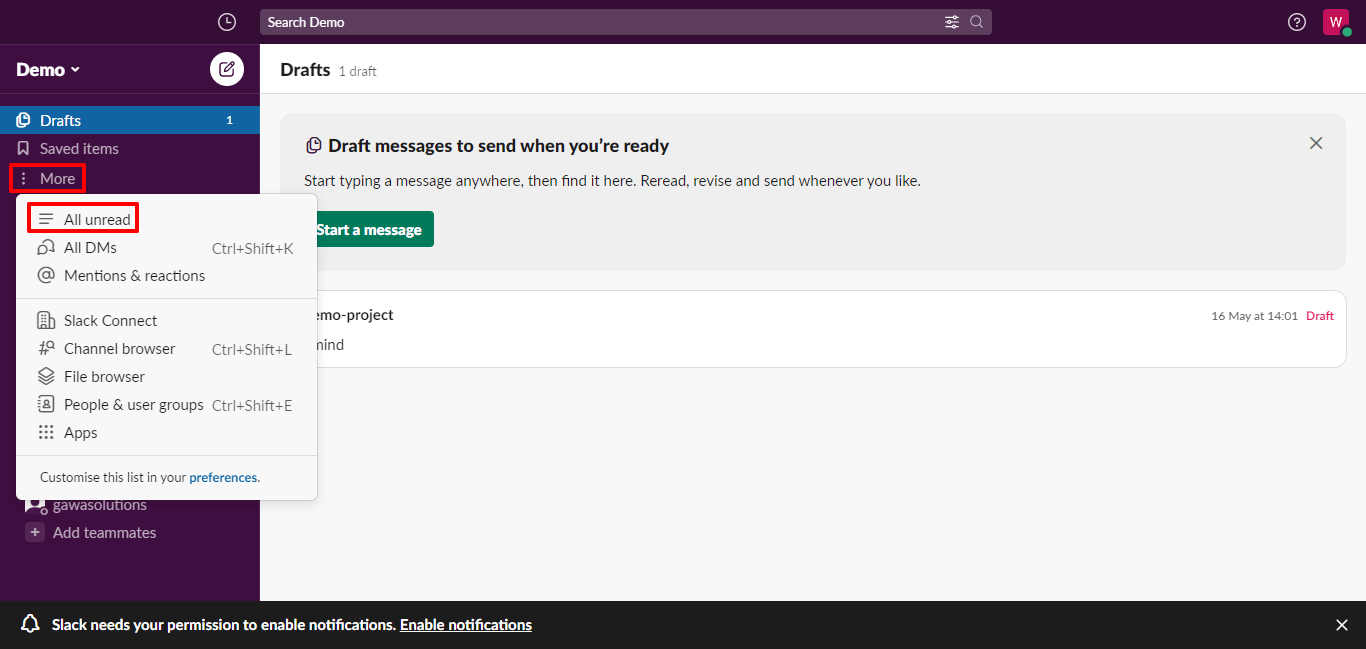
14 Slack Tips to Improve your Productivity in 2024
Recover Slack Messages: Channel, Threads, Or Direct Chats - Data

Recover Slack Messages: Channel, Threads, or Direct Chats - Data ...
How To Back Up Messages In Slack | Easy Tutorial - YouTube

How To Back Up Messages In Slack | Easy Tutorial - YouTube
Save Slack Messages As Content Ideas

Save Slack Messages as Content Ideas
Slack Email Alerts: Get Notified Of Saved Messages

Slack Email Alerts: Get Notified of Saved Messages
Can You Block Someone On Slack? [The Truth] - Portfolink
![Can You Block Someone on Slack? [The Truth] - Portfolink](https://portfolink.com/blog/wp-content/uploads/2023/12/slack-mute-someone-direct-messages-768x432.jpg)
Can You Block Someone on Slack? [The Truth] - Portfolink
Slack: How To Edit A Sent Message

Slack: How to edit a sent message
4 Ways To Recover Deleted Slack Message [With/No Backup]
![4 Ways to Recover Deleted Slack Message [With/No Backup]](https://www.apeaksoft.com/images/solution/export-slack-data.jpg)
4 Ways to Recover Deleted Slack Message [With/No Backup]
Cómo Programar Mensajes En Slack Para IPhone Y Mac - Mundo Geek

Cómo programar mensajes en Slack para iPhone y Mac - Mundo Geek
How To Log Out Of Slack On Desktop And Mobile

How To Log Out of Slack on Desktop and Mobile
4 Maneras De Recuperar Mensajes Eliminados De Slack (con O Sin Copia De

4 maneras de recuperar mensajes eliminados de Slack (con o sin copia de ...
Failed To Create A Send Channel Message In Slack Error From Slack
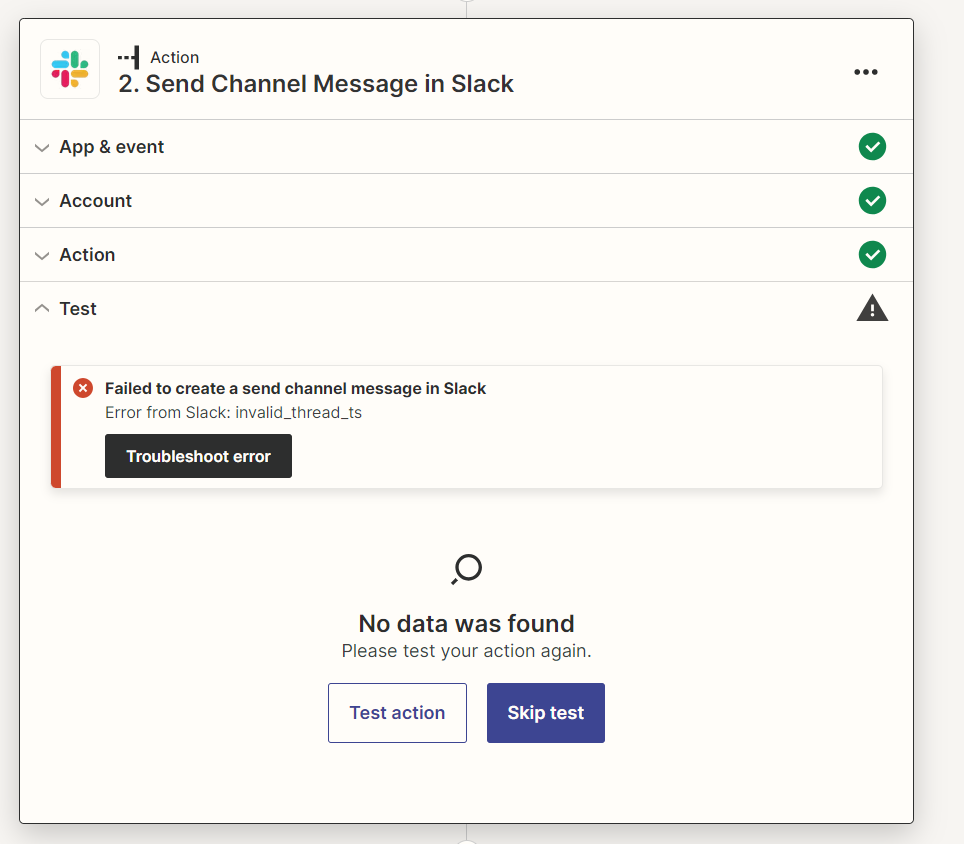
Failed to create a send channel message in Slack Error from Slack ...
How To Undo In Slack (How To Unsend Message In Slack) - YouTube

How To Undo In Slack (How To Unsend Message In Slack) - YouTube
4 Ways To Recover Deleted Slack Message [With/No Backup]
![4 Ways to Recover Deleted Slack Message [With/No Backup]](https://www.apeaksoft.com/images/features/deleted-slack-messages.jpg)
4 Ways to Recover Deleted Slack Message [With/No Backup]
How To Edit Or Delete Messages On SLACK (Complete 2025 Guide) - YouTube

How To Edit Or Delete Messages On SLACK (Complete 2025 Guide) - YouTube
4 Ways To Recover Deleted Slack Message [With/No Backup]
![4 Ways to Recover Deleted Slack Message [With/No Backup]](https://www.apeaksoft.com/images/solution/recover-channel-messages-slack.jpg)
4 Ways to Recover Deleted Slack Message [With/No Backup]
4 Ways To Recover Deleted Slack Message [With/No Backup]
![4 Ways to Recover Deleted Slack Message [With/No Backup]](https://www.apeaksoft.com/images/solution/import-or-export-data-slack.jpg)
4 Ways to Recover Deleted Slack Message [With/No Backup]
削除されたSlackメッセージを復元する4つの方法【バックアップあり/なし】

削除されたSlackメッセージを復元する4つの方法【バックアップあり/なし】
How To Recover Missing Slack Messages 2026 Full Guide - YouTube

How to Recover Missing Slack Messages 2026 Full Guide - YouTube
How To Find Old Messages In Slack - YouTube

How to Find Old Messages in Slack - YouTube
How To Fix Messages Not Sending On Slack - YouTube

How To Fix Messages Not Sending On Slack - YouTube
How To See Unread Messages On Slack In 2024 - YouTube

How To See Unread Messages on Slack in 2024 - YouTube
Mark All As Read In Slack & Get Rid Of All Unread Messages
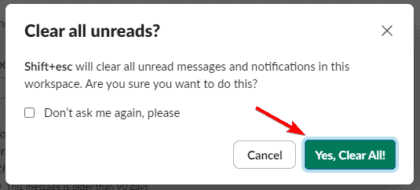
Mark all as Read in Slack & Get Rid of All Unread Messages
4 Ways To Recover Deleted Slack Message [With/No Backup]
![4 Ways to Recover Deleted Slack Message [With/No Backup]](https://www.apeaksoft.com/images/solution/recover-slack-messages-apeaksoft.jpg)
4 Ways to Recover Deleted Slack Message [With/No Backup]
Slack Notifications Not Working: Common Causes & What To Use | The
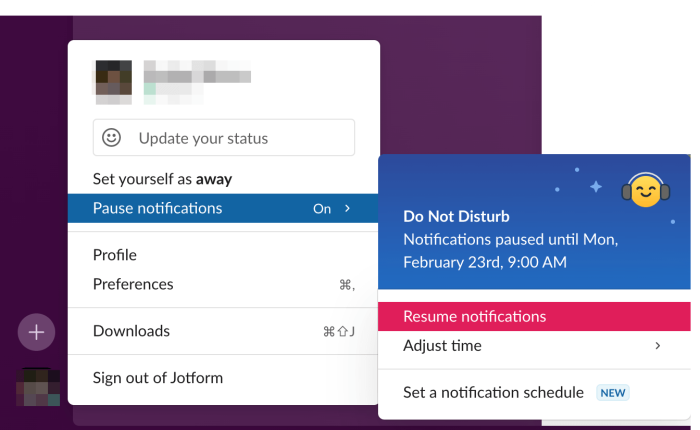
Slack notifications not working: Common causes & what to use | The ...
4 Ways To Recover Deleted Slack Message [With/No Backup]
![4 Ways to Recover Deleted Slack Message [With/No Backup]](https://www.apeaksoft.com/images/solution/slack-channel-settings.jpg)
4 Ways to Recover Deleted Slack Message [With/No Backup]
4 Ways To Recover Deleted Slack Message [With/No Backup]
![4 Ways to Recover Deleted Slack Message [With/No Backup]](https://www.apeaksoft.com/images/solution/check-channel-history-slack.jpg)
4 Ways to Recover Deleted Slack Message [With/No Backup]
4 Ways To Recover Deleted Slack Message [With/No Backup]
![4 Ways to Recover Deleted Slack Message [With/No Backup]](https://www.apeaksoft.com/images/solution/select-slack-messages-apeaksoft.jpg)
4 Ways to Recover Deleted Slack Message [With/No Backup]
Slack: How To Edit A Sent Message

Slack: How to edit a sent message
21 Solutions To Fix No Slack Notifications On Mac, IPhone, Web
21 solutions to fix no Slack notifications on Mac, iPhone, Web